Good to know: Owners, managers and accountants can key, post and pay an invoice. Voiding and returns are for owners and managers only.
-
1
Start a new invoice
Open Stock → Purchase invoices and press + New purchase invoice. The table shows each invoice, its status and what is still due. Use the filters to see Unpaid or Overdue invoices.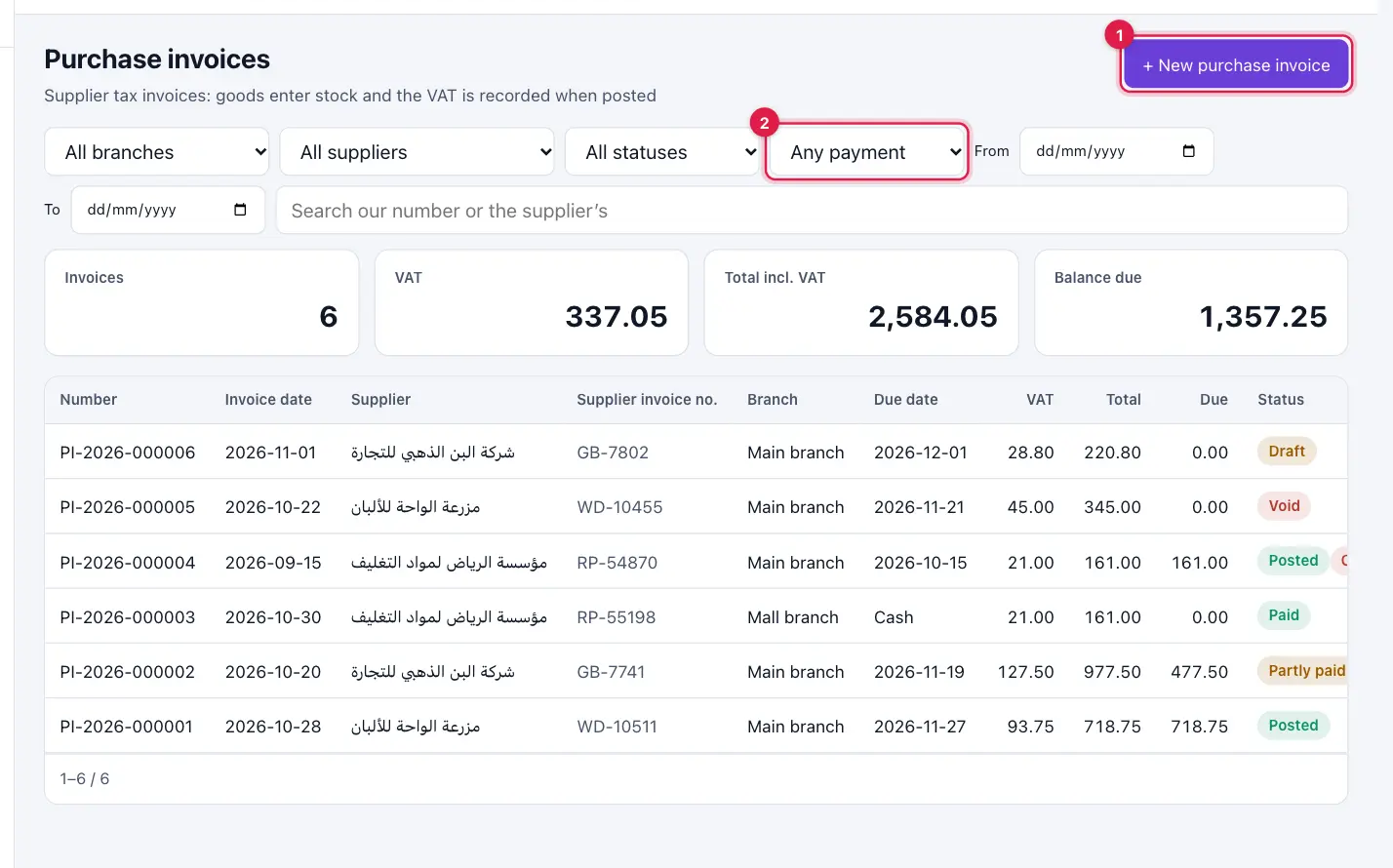
1 New invoice, 2 The payment filter. -
2
Fill in the invoice details
Choose the branch and the Supplier. Type the Supplier VAT number, Supplier invoice no. and Invoice date. Under Payment terms, choose Cash or Credit, and set a Due date for credit. If the invoice prices include VAT, tick Prices include VAT.
1 Supplier, 2 Supplier invoice no., 3 Payment terms. Good to know: If you leave the supplier's VAT number empty, the invoice is still booked but its VAT is not claimed as input VAT. Does the supplier have an open purchase order? Pick it under From purchase order to fill in the lines. -
3
Add the lines
Search for the stock item by name or barcode. Type the quantity, unit, Unit price and VAT type. If you buy by the carton, type after the × how many units a carton holds, so stock enters in the right unit. For charges such as delivery, press + Expense line; it does not enter stock.
1 Units in a pack, 2 Expense line. -
4
Save or post
Press Save draft if you have not finished. When complete, press Post invoice and confirm. The items enter the branch on one goods receipt, the VAT is recorded, and the invoice can no longer be changed. A cash invoice is recorded as paid straight away. Careful: Do not book the goods twice. If you already entered them in Goods receipts with the same invoice number, posting is refused. When connected to Basmtak Books, the bill is sent there automatically.
-
5
Record the payment
Open the posted invoice and press Record payment. Type the Amount, whole or part, choose the Payment method and Payment date, then confirm. A part payment makes the status Partly paid, and the rest stays under Balance due.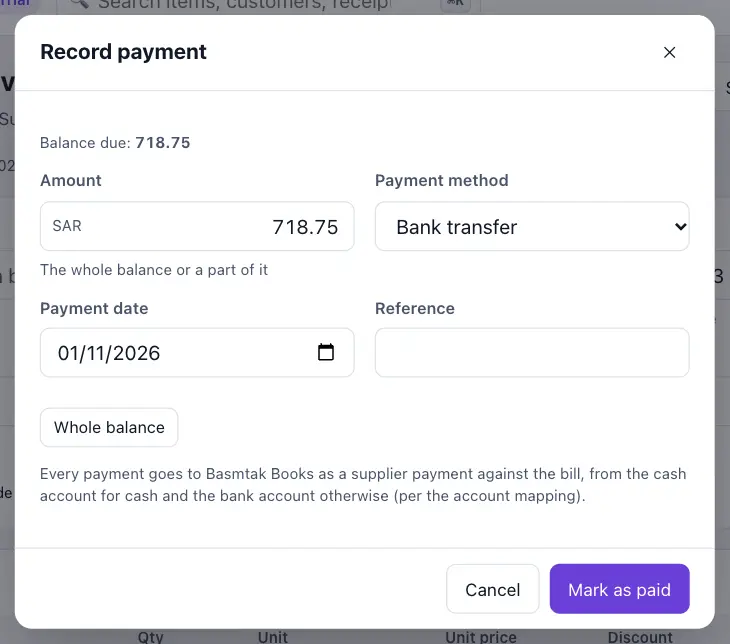
-
6
Void the invoice if it was a mistake
Open the Posted invoice and press Void invoice. Type the Reason and confirm. Its goods leave the branch stock at their cost, its VAT is taken off the input VAT in the period of the void, and the status becomes Void. A draft needs no void: use Delete draft. Careful: An invoice with any payment or return cannot be voided; use Supplier return instead. If part of the goods was sold, the window lists the shortfall, and you can choose Void the invoice anyway: the balance goes negative until you key the correct invoice or count the stock.
Did this guide help?