Good to know: The customer needs a credit limit above zero.
-
1
Set the customer's credit limit
A manager does this once. In the back office open Customers & import → Customers, press Edit beside the customer, enter the Credit limit and save. A limit of 0 disables buying on account.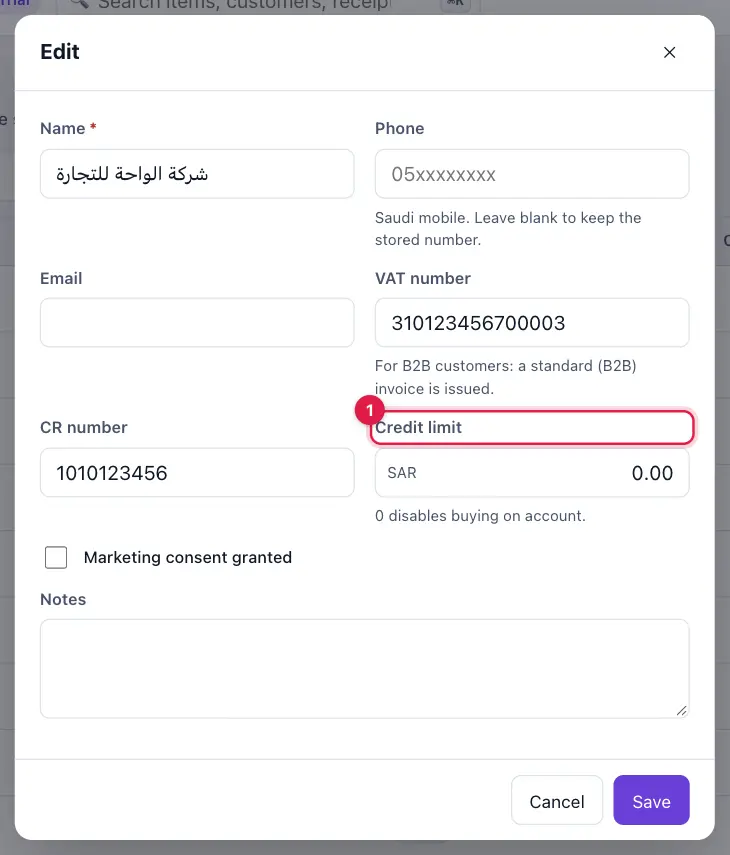
-
2
Choose House account
On the till press Pay under the bill, then choose House account. If the bill has no customer yet, a list shows the customers with a credit limit and the credit each has available.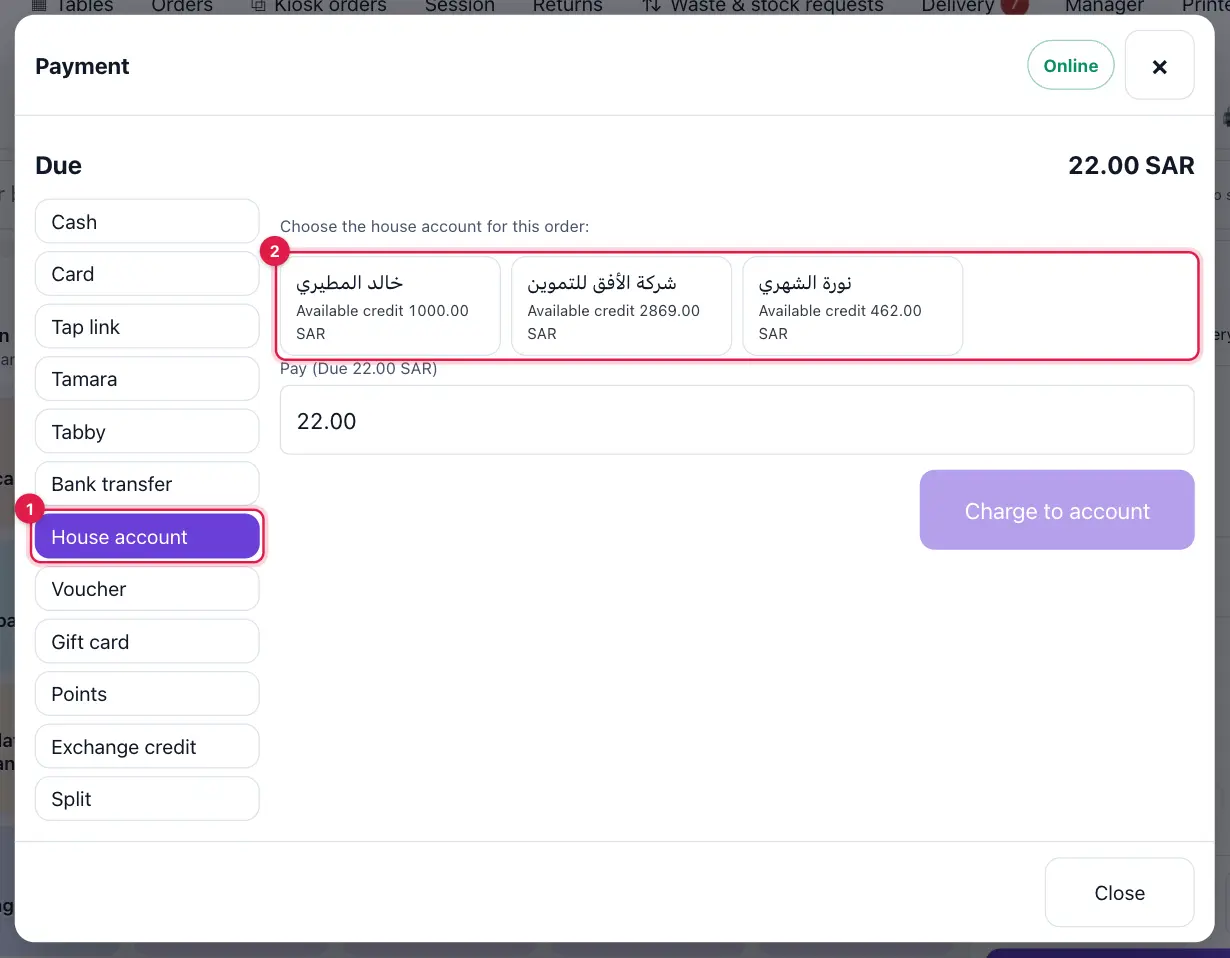
1: the <b>House account</b> tab. 2: press the customer's name. -
3
Charge the amount to the account
Check Current balance and Available credit, then press Charge to account. If the amount is above the available credit, Credit limit exceeded shows and you cannot continue.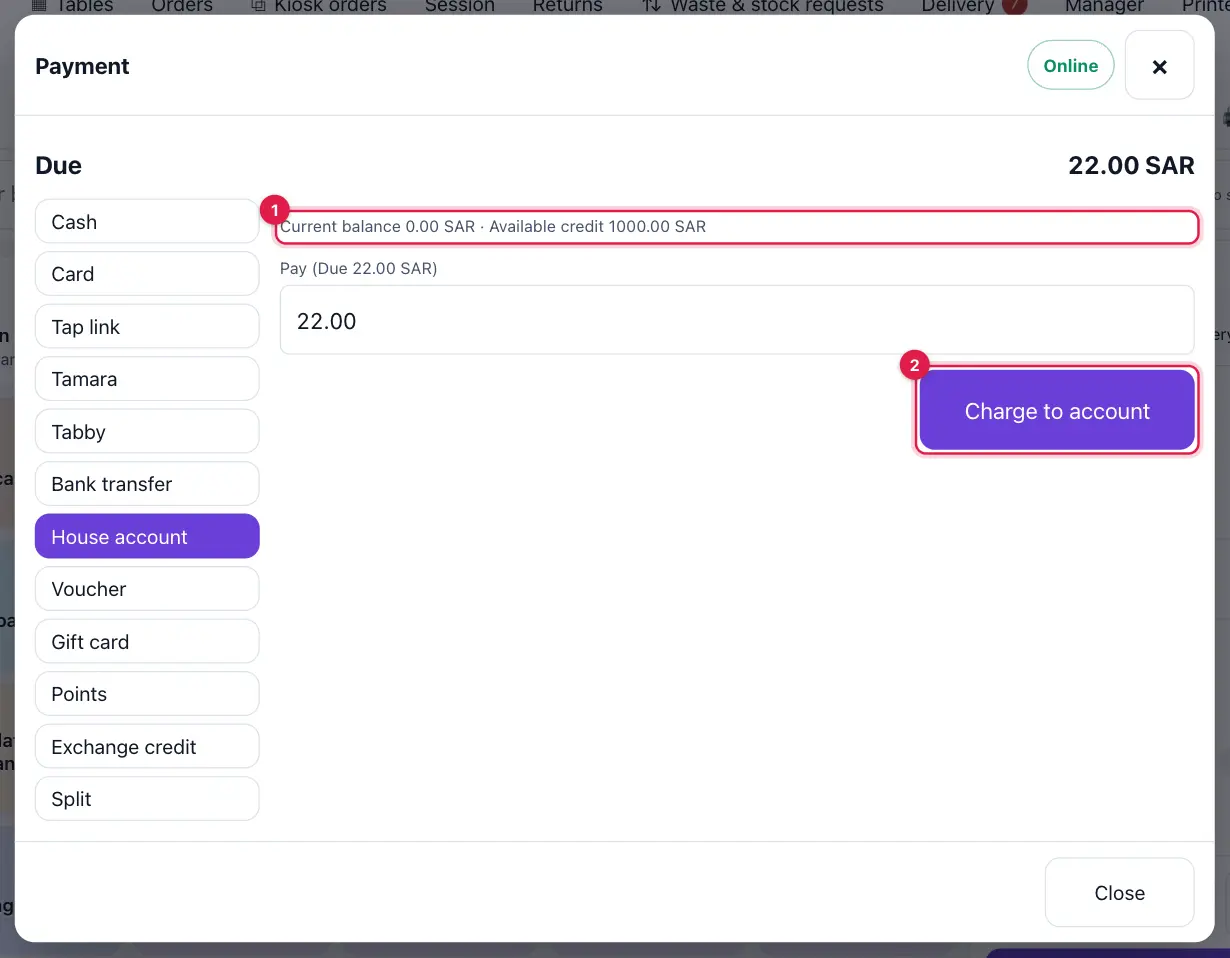
1: the balance and available credit. 2: the charge button. -
4
Collect the money later
When the customer comes to pay, add them to a bill on the till, press their name, then Collect a payment. Enter the amount, choose Paid by and press Collect. A payment slip prints and the customer's balance goes down. Good to know: A positive balance means the customer owes you. You cannot collect more than the balance.
Did this guide help?