-
1
The idea in short
In phase two, printing an invoice is not enough. Each invoice is signed electronically and sent to the Zakat, Tax and Customs Authority (ZATCA). Once you link, this happens by itself, and the cashier sends nothing by hand.Two roads: a simplified invoice is reported after the sale, and a tax invoice is cleared before it is issued Good to know: This guide explains how the system works. It is not tax advice: ask your accountant or ZATCA about your obligations. -
2
Simplified invoice: everyday sales
This is the invoice for ordinary customers. The customer gets it first, then the system reports it to ZATCA and retries by itself if it cannot get through. The reporting limit is 24 hours. -
3
Tax invoice: for a customer with a VAT number
This is for sales to a business. It needs the internet, because ZATCA clears it before it is issued. If ZATCA refuses it, nothing is issued and the till shows the reason. -
4
See the status in the till's top bar
The status shows at the top of the sell screen:- ZATCA up to date: nothing is late.
- ZATCA 5 h: time left for the oldest invoice not yet reported.
- ZATCA overdue: the limit has passed.
- Not linked to ZATCA · link the unit: this device has no ready unit.

1 The reporting status 2 The not-linked warning -
5
What happens before you link?
The till keeps selling, but invoices are issued unsigned and without a QR, and they print a line saying they are not yet registered with ZATCA. In the back office they show as Not registered, and the owner gets an alert.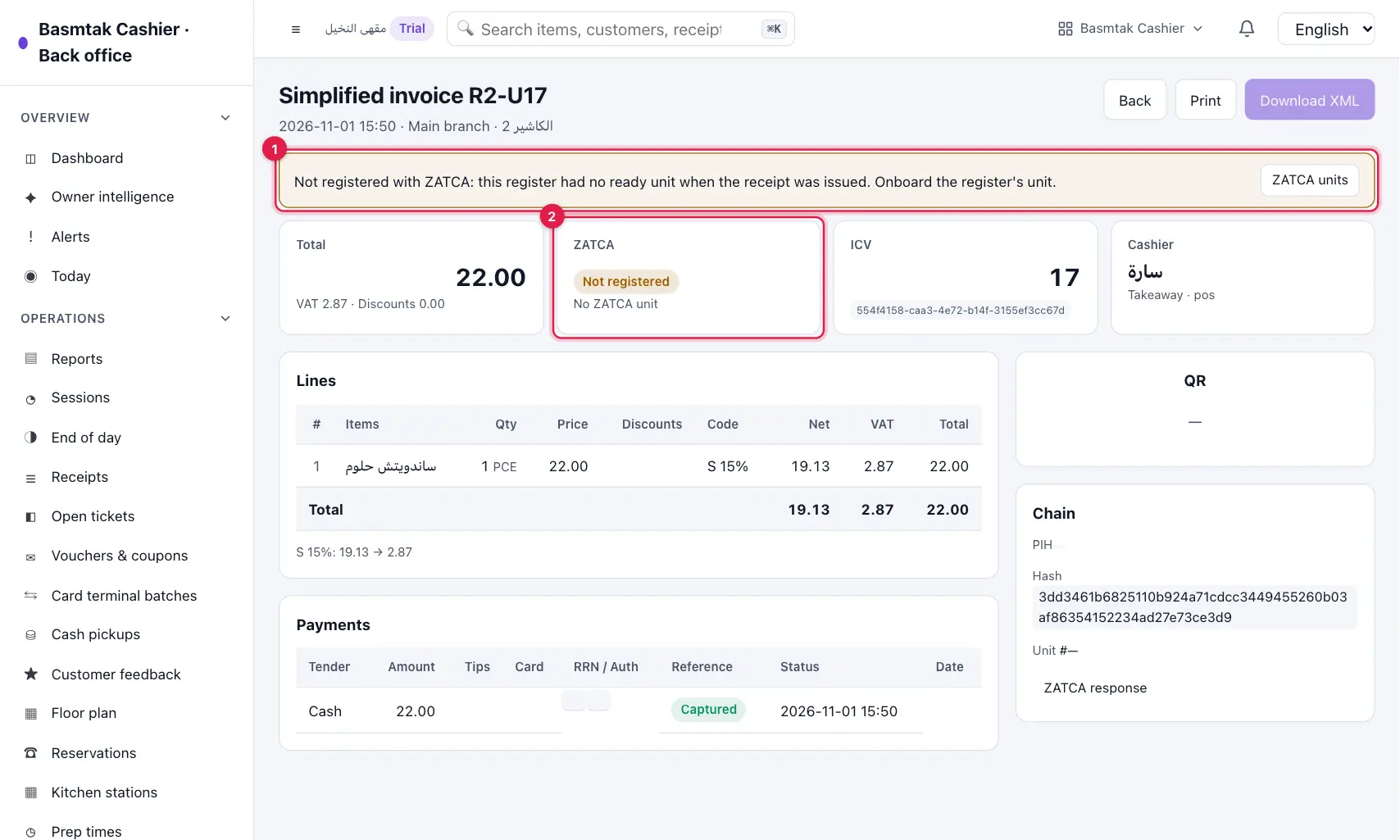
1 The message on an invoice issued before linking Careful: Invoices issued before linking are not registered later by themselves. Link before you start real selling.
Did this guide help?