-
1
Open the modifiers screen
In the menu choose Catalogue → Modifiers. The screen shows each group, its options and how many items use it. Press + New for a new group, or press a group's row to edit it.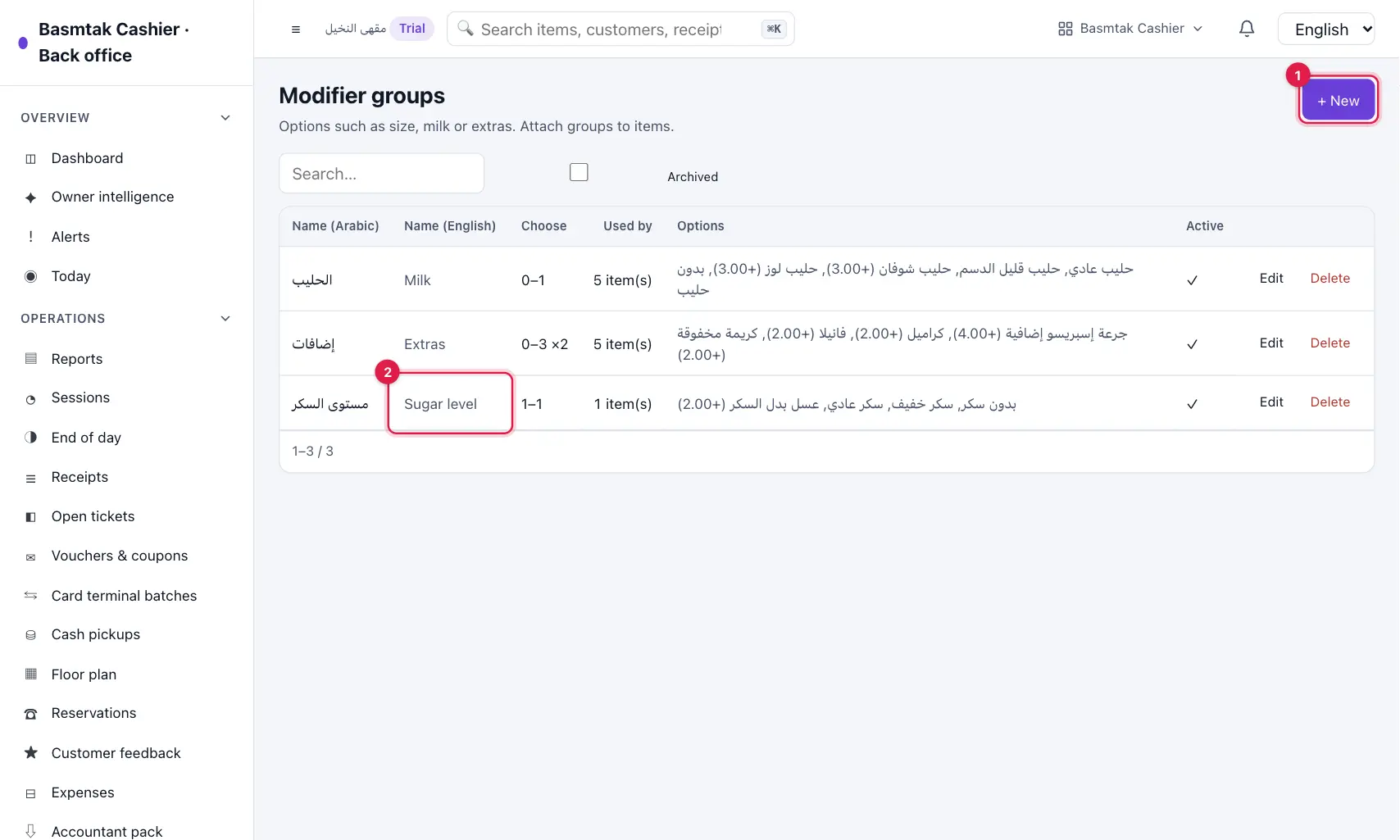
1: New group. 2: An existing group. -
2
Set the choice rule
Type the group's name, such as sugar level. Minimum is the fewest options the cashier must choose: type 1 if the choice is required, 0 if it is optional. Maximum is the most allowed. Same option up to sets how many times one option can repeat, such as a double shot.
1: Minimum. 2: Maximum. 3: Price change. 4: Add an option. -
3
Add the options
Press + Add for each option. Type the name, then the Price change: leave it at 0 for a free option, or type the amount added to the item's price. Tick Default for the option that starts selected. Kitchen name is an optional short name the kitchen sees. Then press Save.Careful: If the minimum is more than the active options allow, the item could never be added at the till, so the system refuses to save. -
4
Attach the group to items
Open the item from Catalogue → Items, then the Modifiers tab. Tick the groups that fit it and press Save. One group can be attached to many items, and a change to it reaches them all.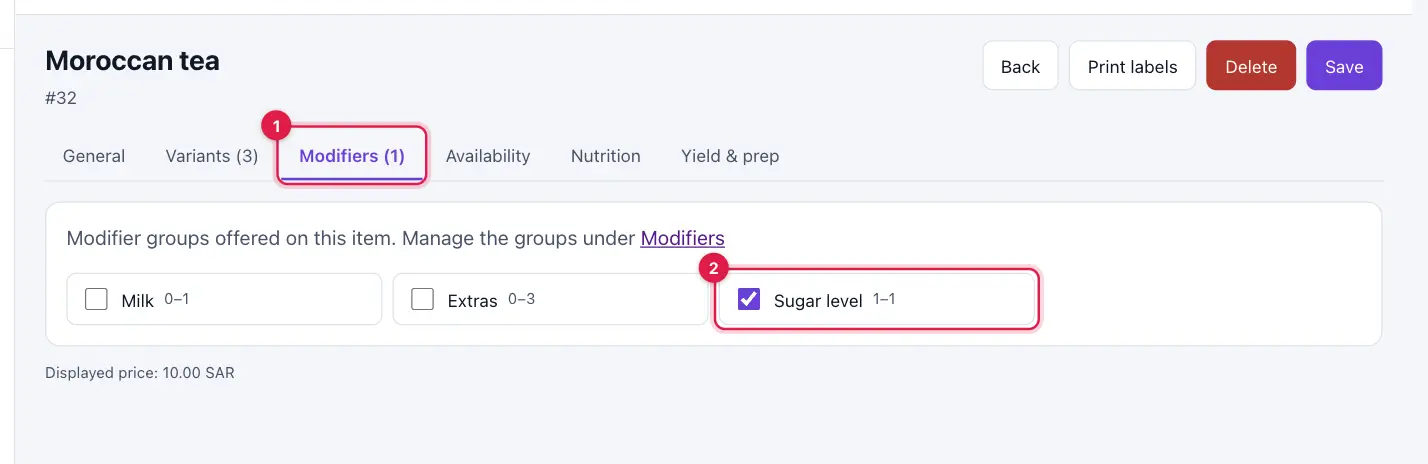
1: The Modifiers tab. 2: The group to attach. -
5
Try it on the till
When the item is tapped, the Options for window opens with the item's name. The cashier picks what the customer asked for, and the price change is added to the line automatically.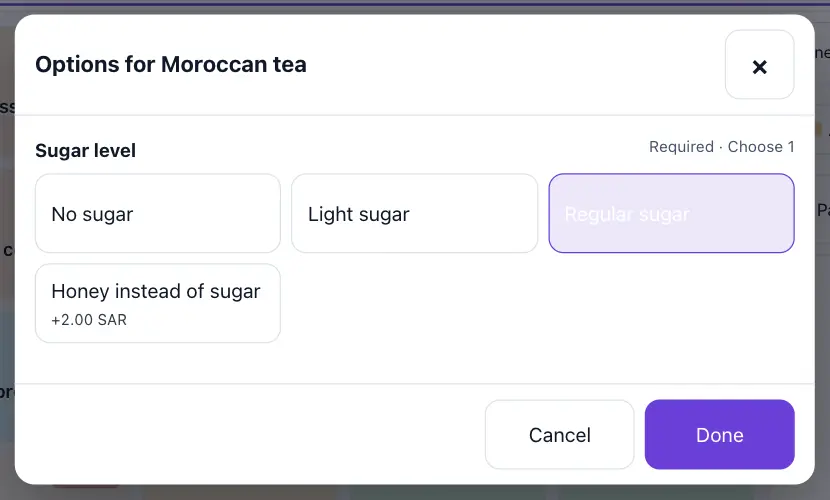
The options window on the till.
Did this guide help?