Good to know: The credit limit is set in the back office by an owner or manager.
-
1
Set the credit limit
Open Customers & import → Customers and press Edit next to the customer. Type the amount in Credit limit, then Save. A limit of 0 disables buying on account.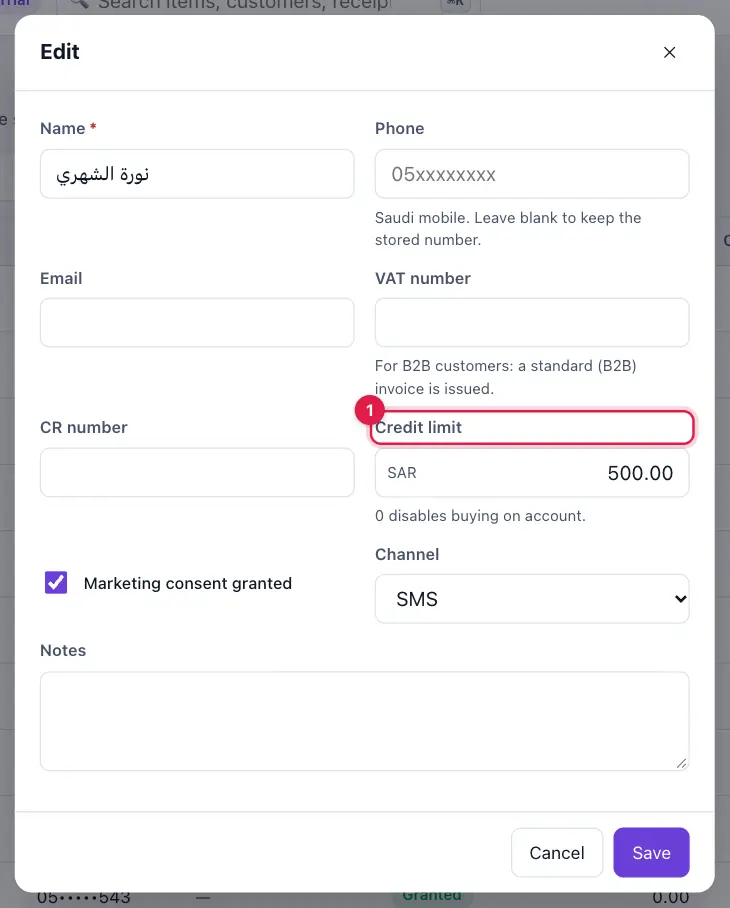
-
2
Sell on account
Add the items and the customer to the order, press Pay and choose House account. The current balance and available credit show. Press Charge to account. Above the limit you see Credit limit exceeded and the payment does not go through.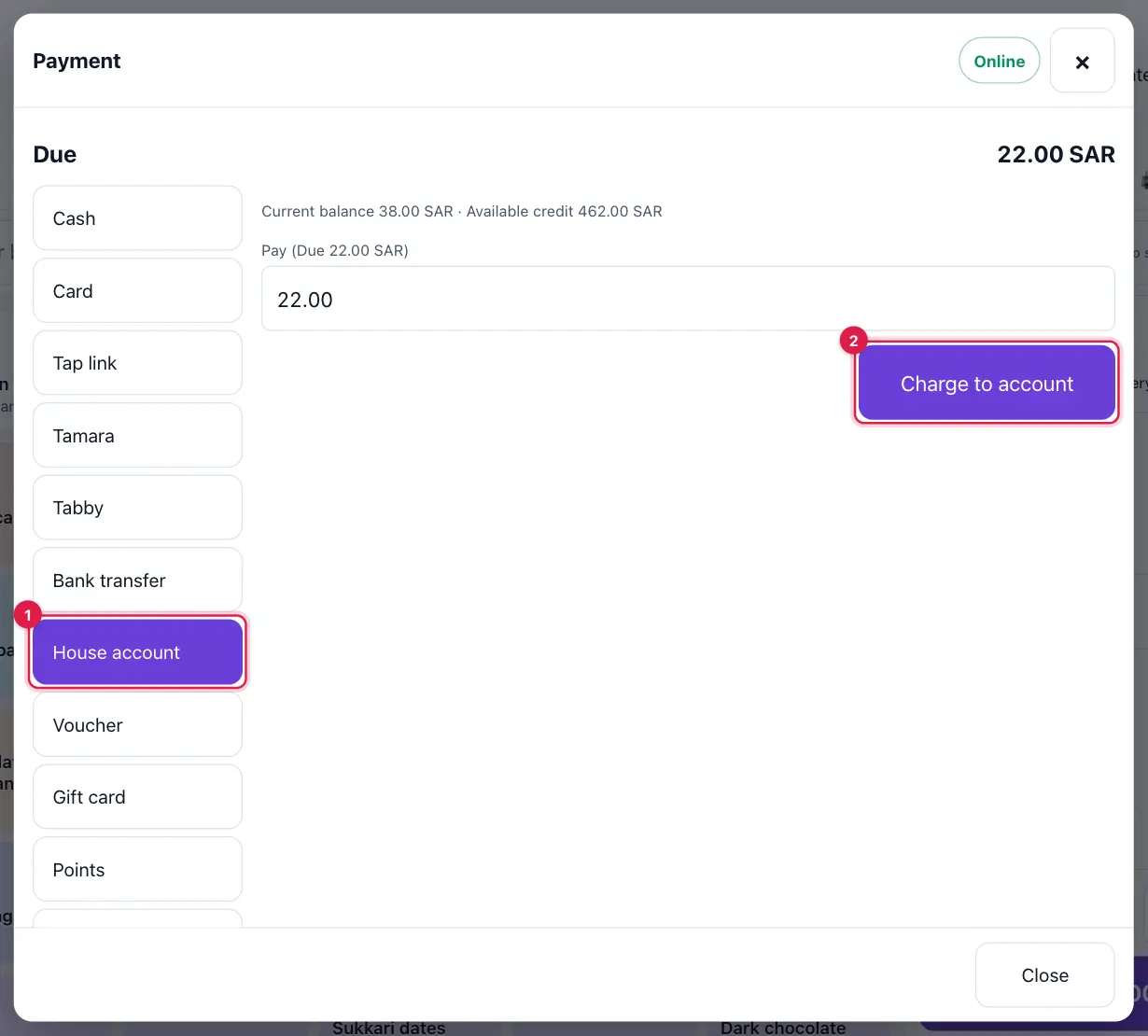
-
3
Collect at the till
Press Manager, then Customers, then search for the customer and pick them. Their details, balance and the entries on this till show. Press Collect payment.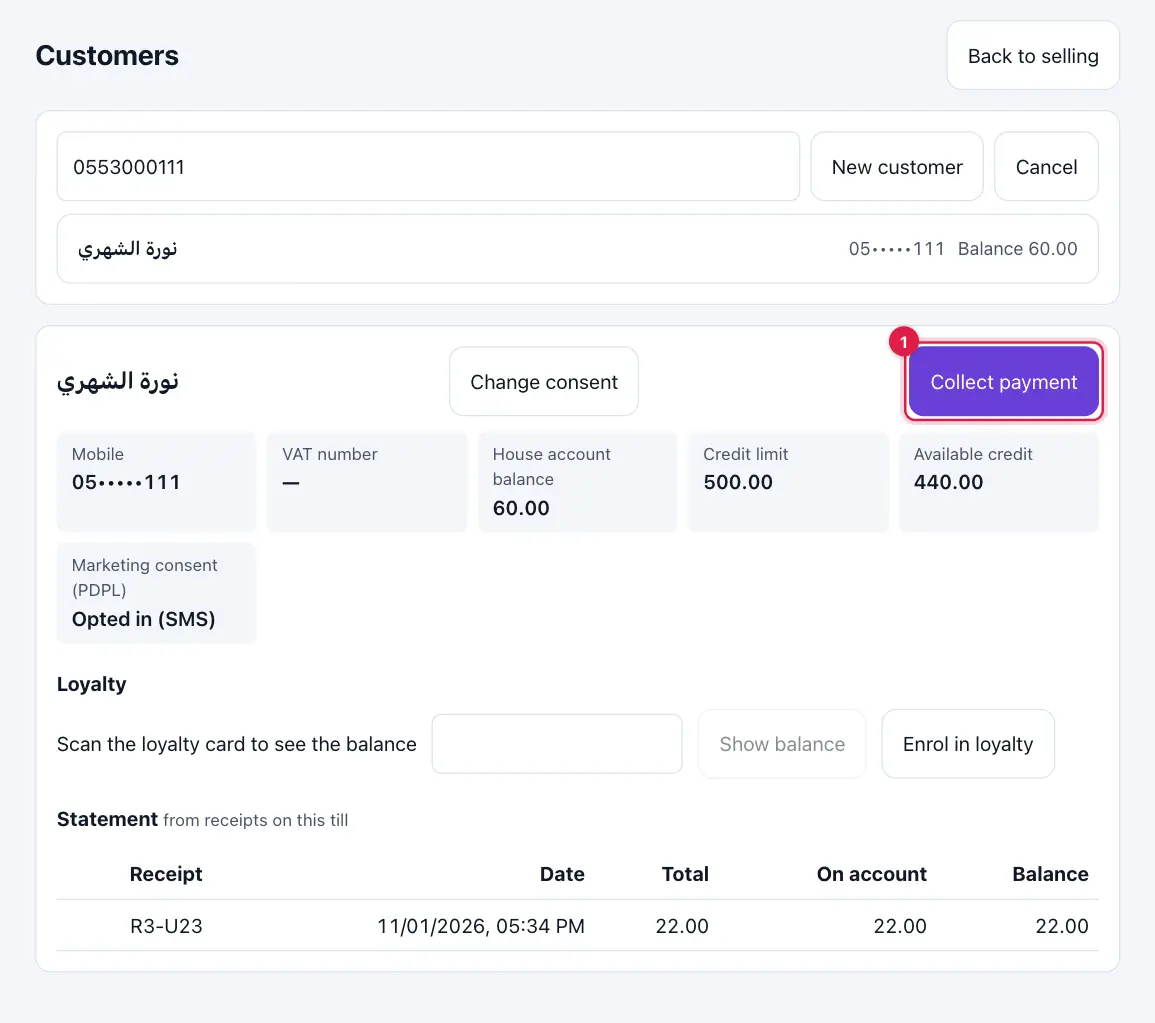
-
4
Finish the collection
Type the Amount, choose Paid by, then press Collect. A payment receipt prints, not a tax invoice, and the amount joins the open shift.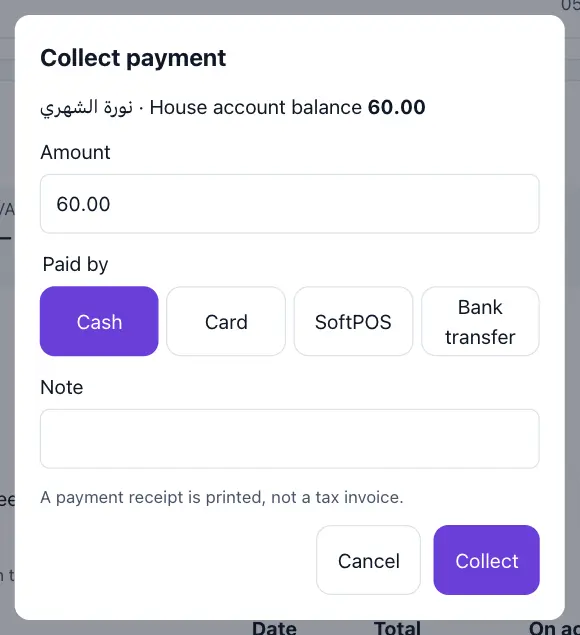 Good to know: Collecting at the till needs an open shift, and you cannot collect more than the balance.
-
5
Or record it in the back office
On the Statement page press Record payment. Type the amount or press Full balance, choose the tender, then Record payment. An owner, manager or accountant can do this. Careful: A payment recorded in the back office joins no shift's drawer. Use it for bank transfers, for example. Record cash taken at the counter on the till.
-
6
Review the statement
In the customers list press Statement next to the customer. It shows the date, entry, reference, debit, credit and balance, with the Opening balance and Closing balance. Change the dates and press Apply, or press Export CSV to download it.
1 record a payment, 2 export the statement. Tip: To see every debt at once, open House-account aging under Operations → Reports.
Did this guide help?