-
1
Open Price check
Press Price check in the till's top bar. This does not touch the open ticket.
-
2
Scan the item or type its name
Scan the barcode, or type the name or code and press Find. The item appears with its price including VAT. Items sold by weight show the price per kilo.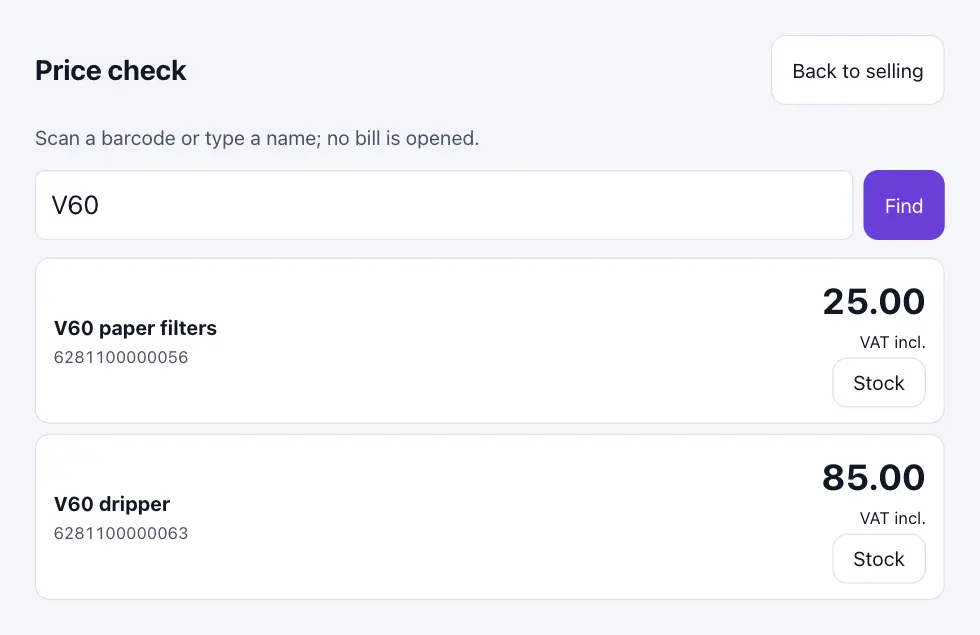
-
3
See the stock
Press Stock next to the price to see the quantity at this branch and the others. If the item is not on sale you see Not available now. -
4
Go back to selling
Press Back to selling. This screen creates no ticket and prints nothing.
Did this guide help?