-
1
Understand how the variance works
Expected cash starts from the opening float, goes up with cash sales and pay-ins, and goes down with pay-outs, safe drops and pickups. Cash collected from credit accounts and drivers counts too. The variance is counted minus expected. -
2
Find the shift
In the back office open Operations → Sessions. The Variance column shows each shift: red is short and amber is over. The day's total is under Drawer variance on the End of day screen.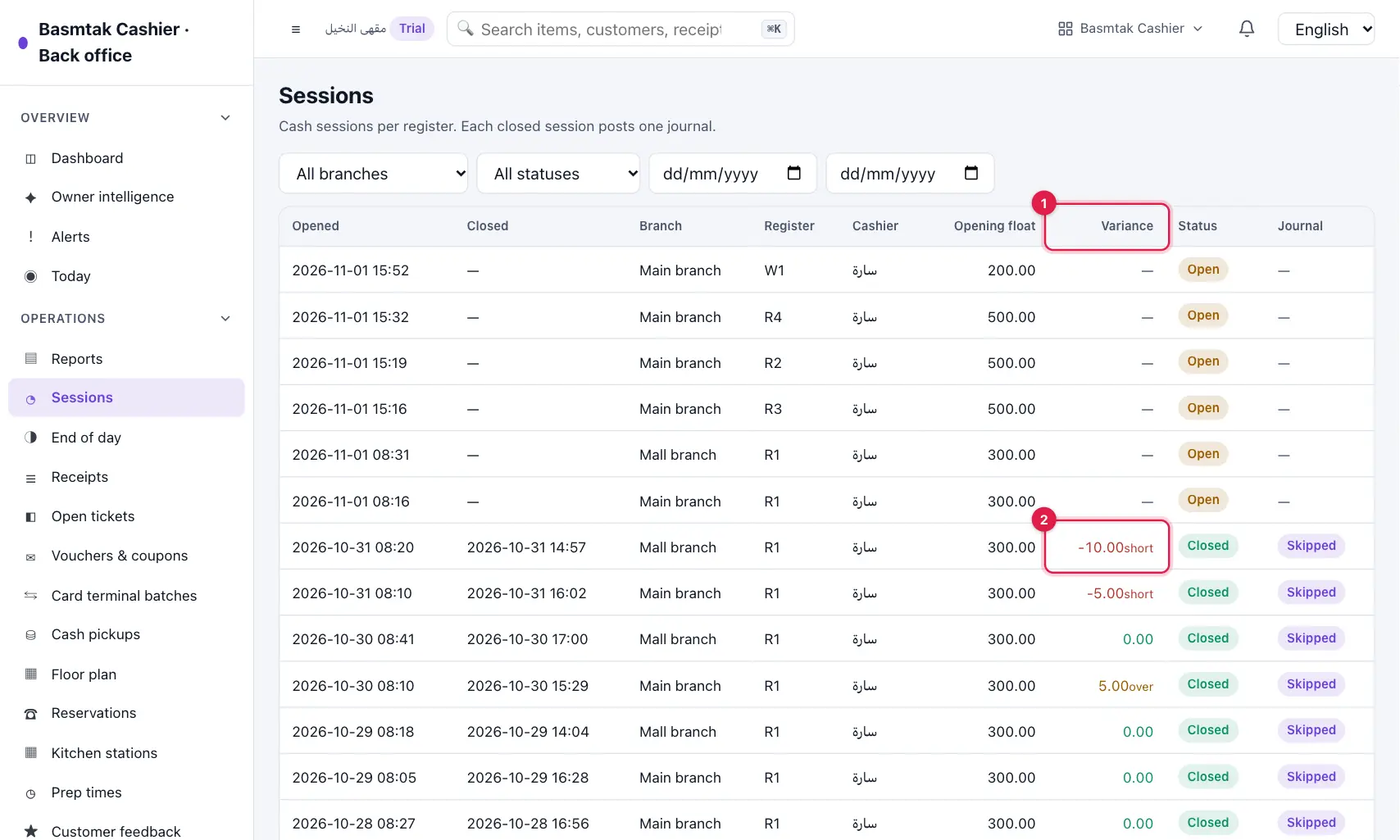
1: the <b>Variance</b> column. 2: a shift that came up short. -
3
Look for the cause
Open the shift. Read the Closing note, and check Cash movements and Tenders. Common causes are a pay-out that was never recorded, wrong change, or a card payment recorded as cash.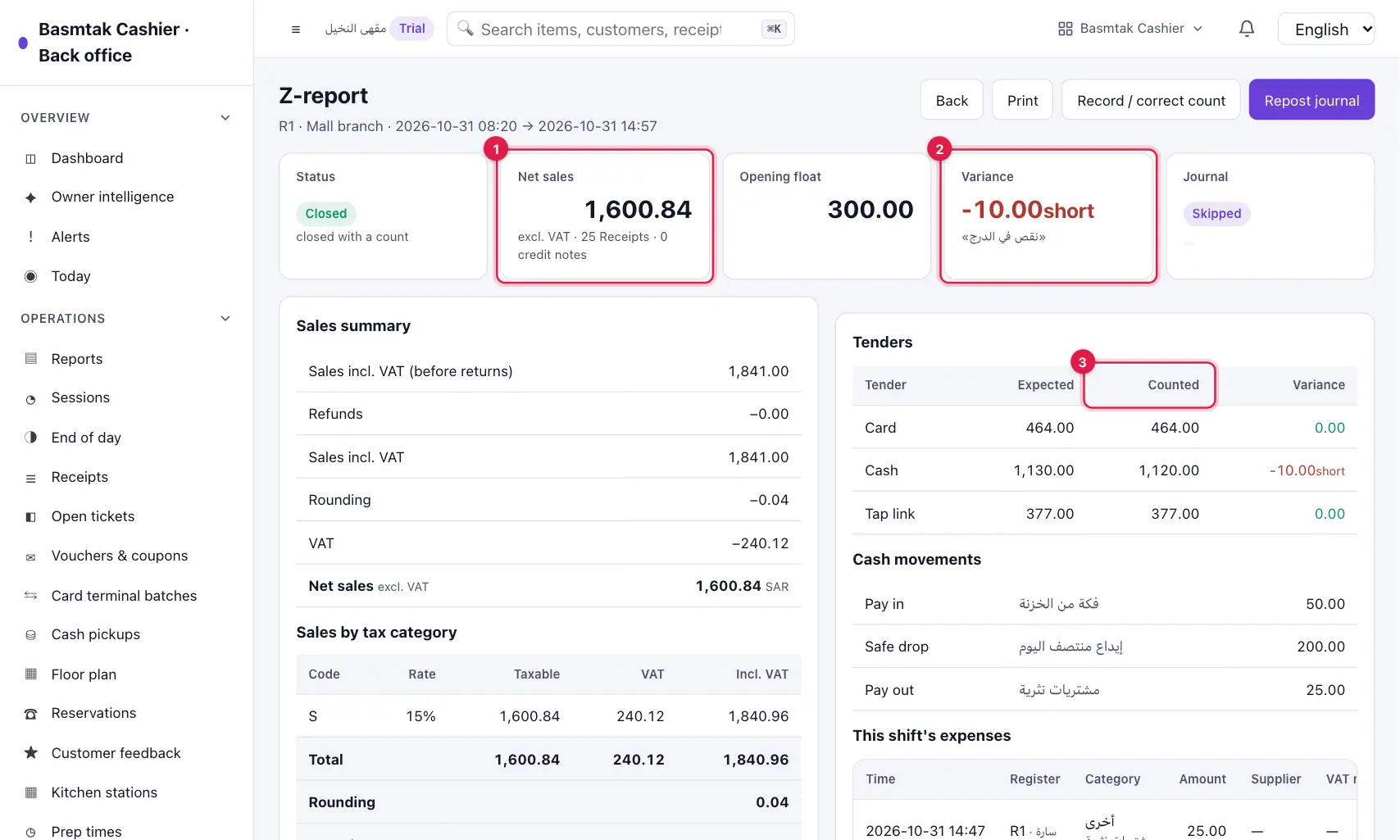
2: the variance, with the closing note if there is one. -
4
Correct the count if it was wrong
Press Record / correct count, enter the right amount and the reason, then Save count. Owners and managers can correct a count for 30 days after closing. Good to know: The original count on the Z-report never changes. The correction is kept beside it under Count history.
-
5
Check the drawer during the shift
To catch a gap early, press Cash check on the Session screen. The cashier counts the drawer and presses Record check. The shift stays open, and only a manager sees the expected amount and the difference.
1: the amount counted. 2: the <b>Record check</b> button. Good to know: If the till is linked to Basmtak HR, the variance reaches it as a proposed deduction, and HR makes the decision.
Did this guide help?