-
1
Open the Items report
Choose Operations → Reports, then the Sales group, then Items.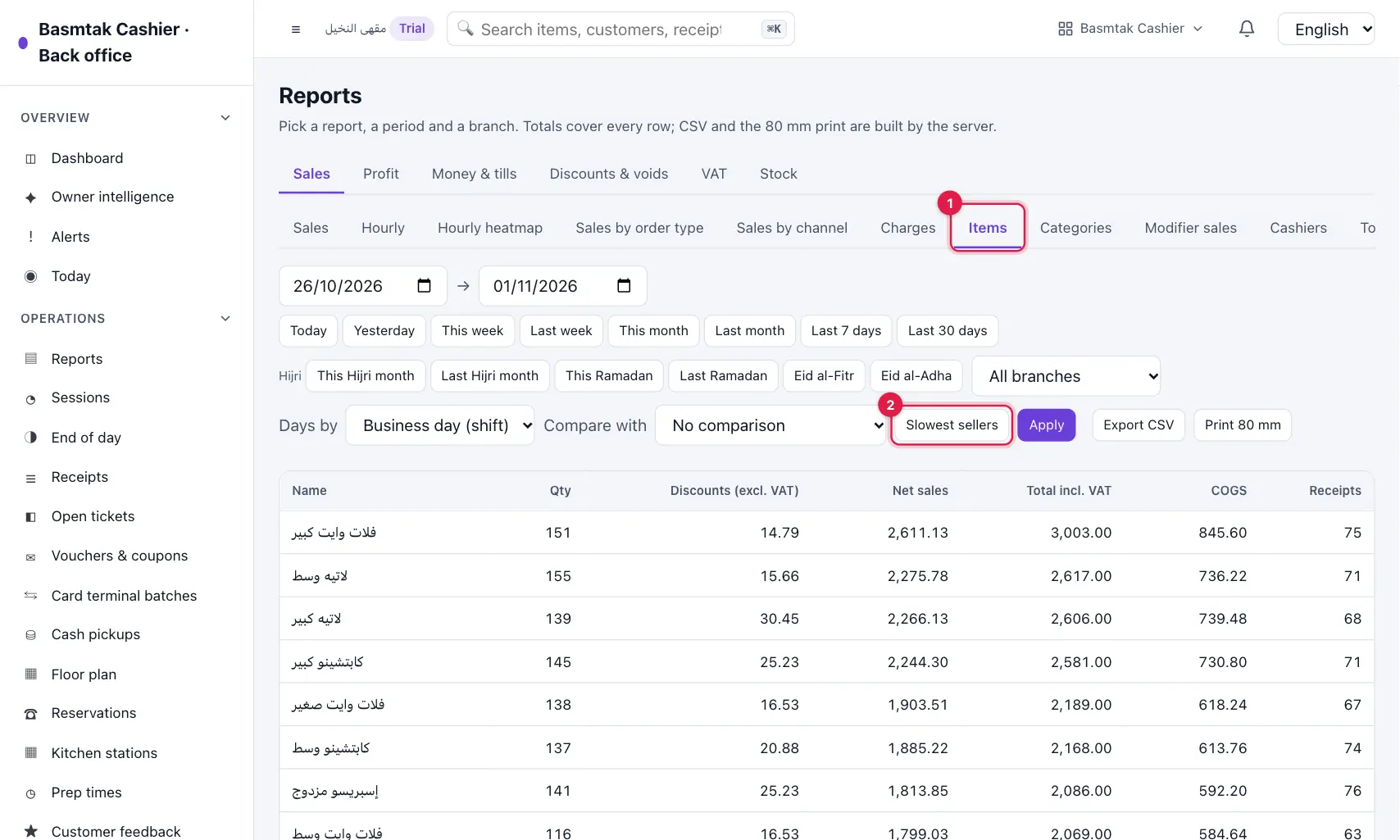
1 The Items report 2 The Slowest sellers button -
2
Set the period and press Apply
Pick the period and the branch, then press Apply. You get one row per item with the quantity and the total, best sellers first. -
3
Sort the table
Click the Qty column heading to sort by quantity, or the total column to sort by value. Sorting covers every row, not only the page you see. -
4
Find what is not moving
Press Slowest sellers to put the lowest quantities first. This helps you decide what to promote or drop.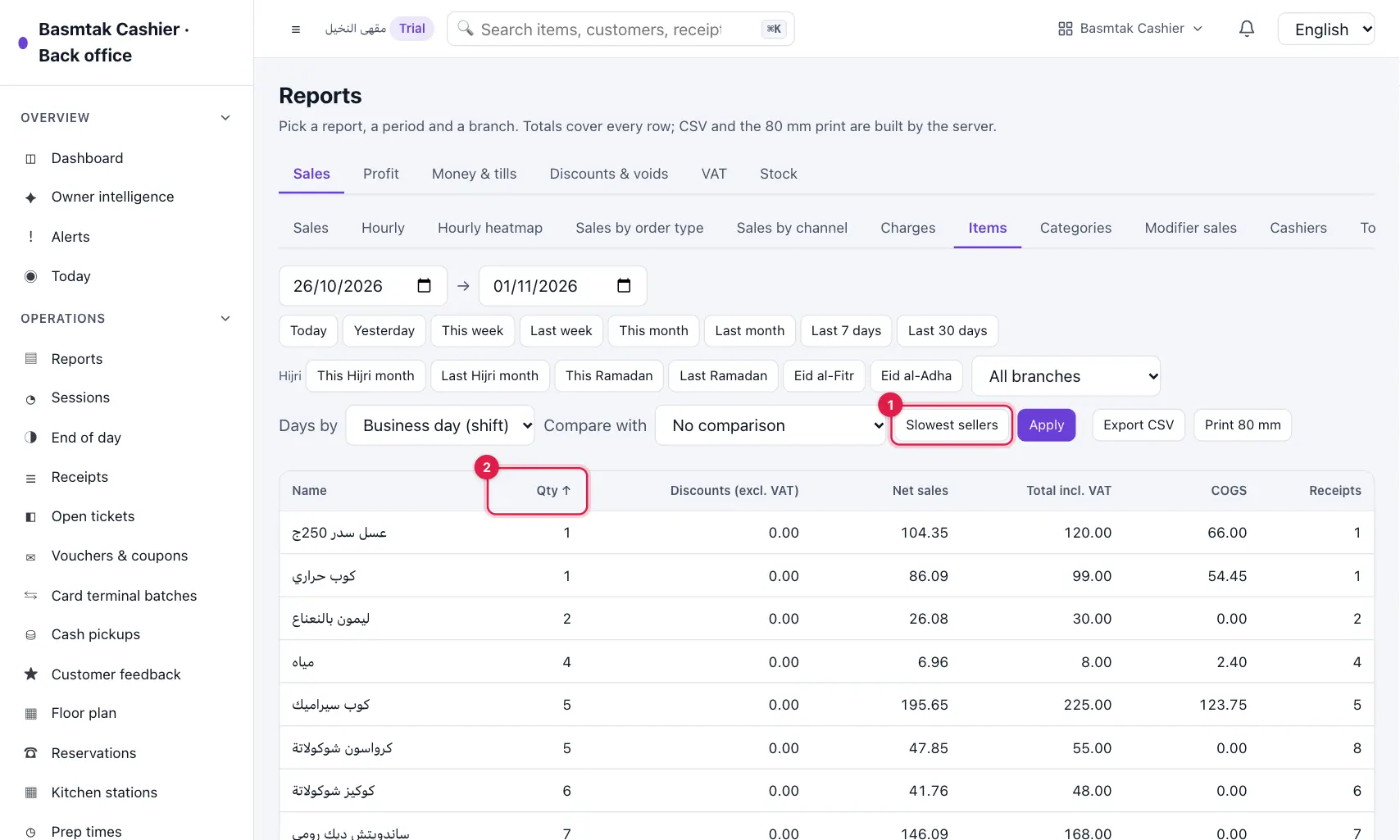
1 The Slowest sellers button 2 The Qty column -
5
Look at profit, not only sales
Open the Profit group. Under Group by, choose Product, Category or another option. If you choose Category, click a row to see its products. The Categories report in the Sales group also gives sales per category.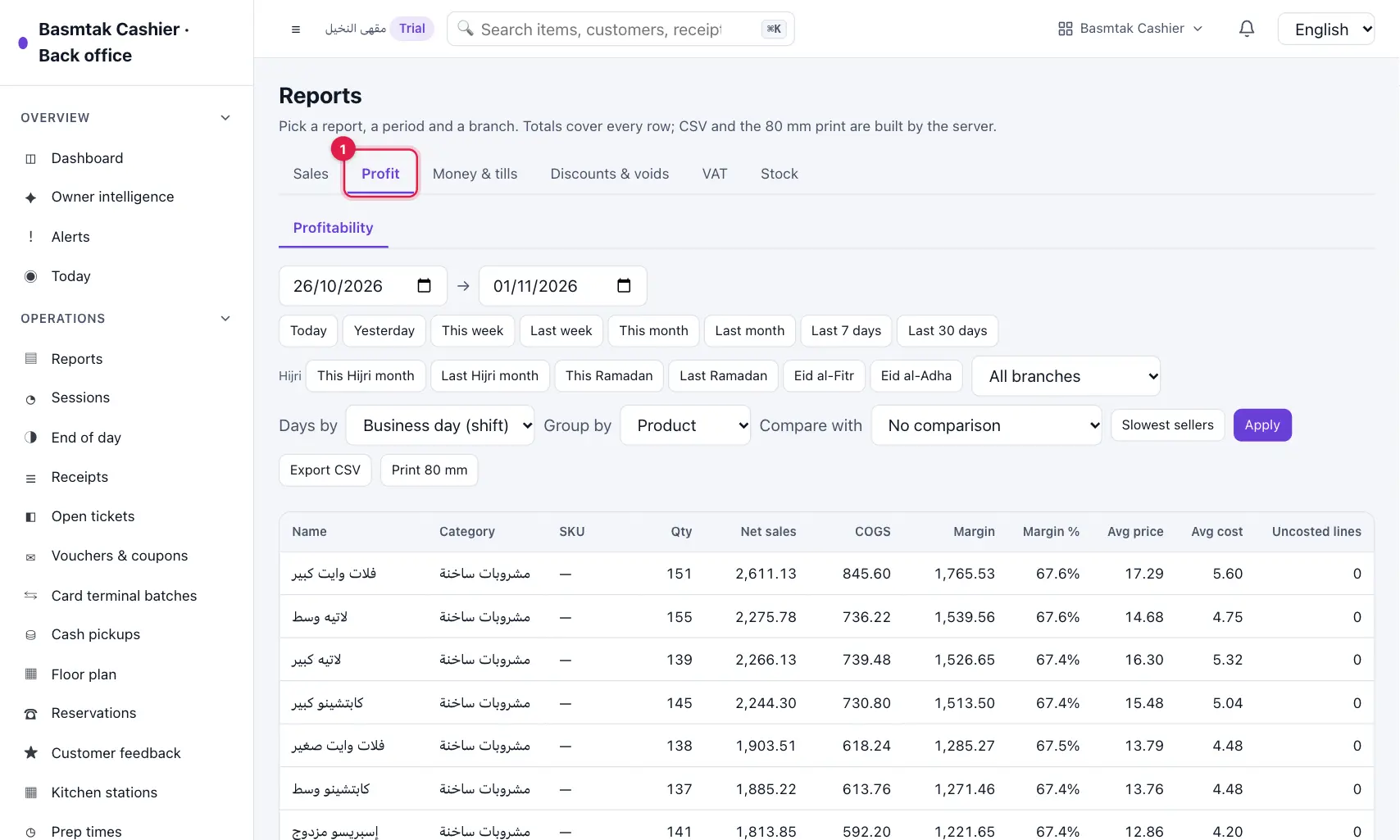
1 The Profit group
Did this guide help?