-
1
X and Z: the difference
The X-report is a snapshot at any time, and the shift stays open. The Z-report is produced once, when the shift closes. -
2
Open the report
Choose Session from the top menu. The X-report shows straight away: receipts, sales, refunds and VAT, then the tenders, then Cash drawer and Expected cash.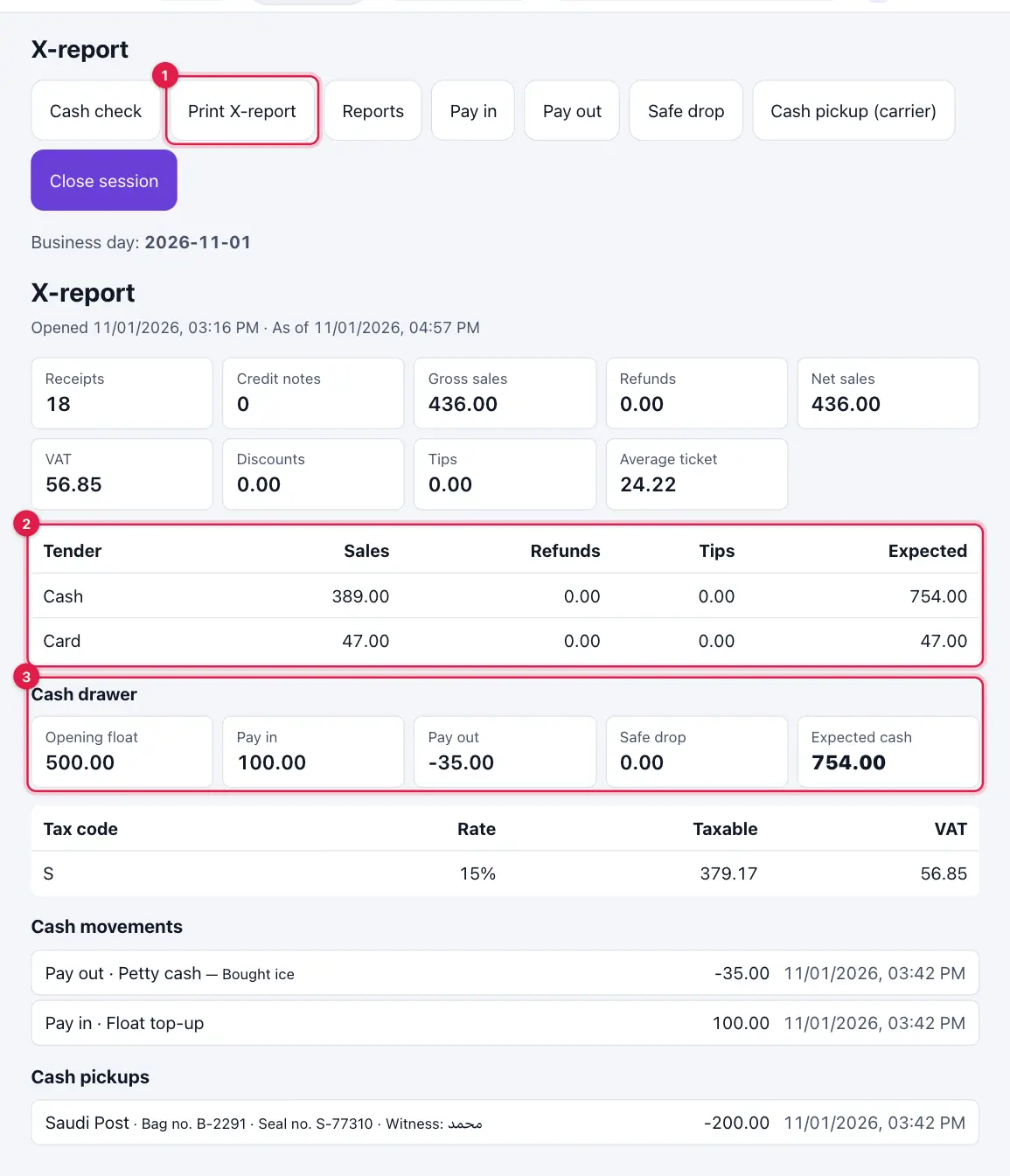
1: the print button. 2: the tenders. 3: the cash drawer. -
3
Print it or open other reports
Press Print X-report. Under Reports you also find Last Z-report, Day summary and the product mix. Pick a report to preview it, then press Print.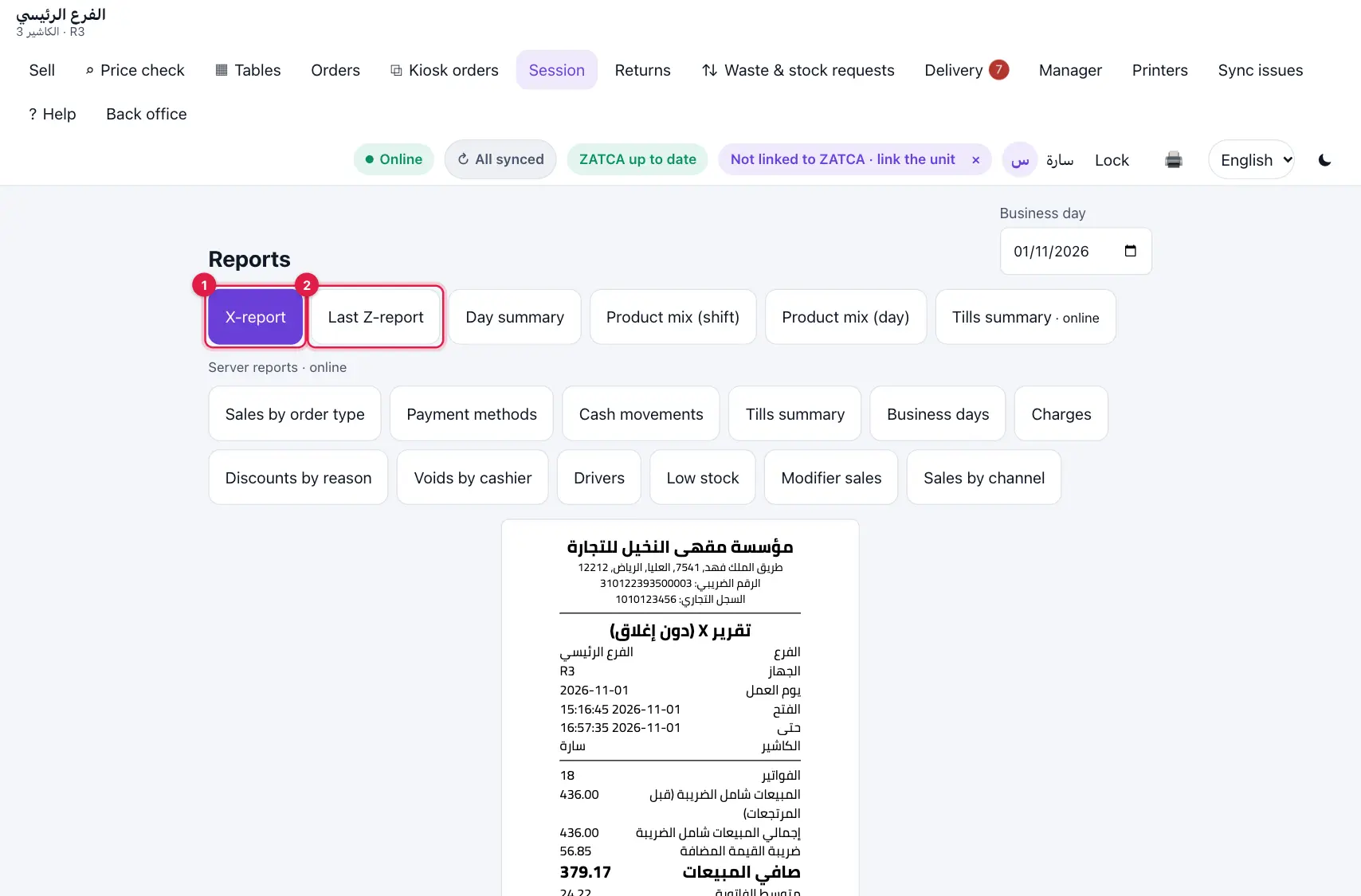
1: the X-report. 2: the last Z-report. 3: the print button. Good to know: Server reports and the tills summary need internet. -
4
Can't see the amounts?
The owner may have turned on hiding the amounts from cashiers. The report then shows transaction counts only until the shift closes. Supervisors and managers always see the amounts. This is set under Settings → Business → Drawer and waste at the till.
Did this guide help?