Basmtak Cashier connects directly to the Fatoora platform. Each register has its own unit, and you can add a server unit per branch. You onboard a unit with an OTP from the Fatoora portal, and no third party is needed. The link is for businesses in Saudi Arabia only.
Before you start
- Your VAT number in the business settings.
- A complete national address for each branch.
- Access to the Fatoora portal to generate the OTP.
- An owner or a manager.
-
1
Prepare your business details
Open Compliance → ZATCA units. Complete what the screen points out: VAT number and national address. Choose your activity and press Confirm activity before the first unit: it is written into the certificate and cannot change afterwards.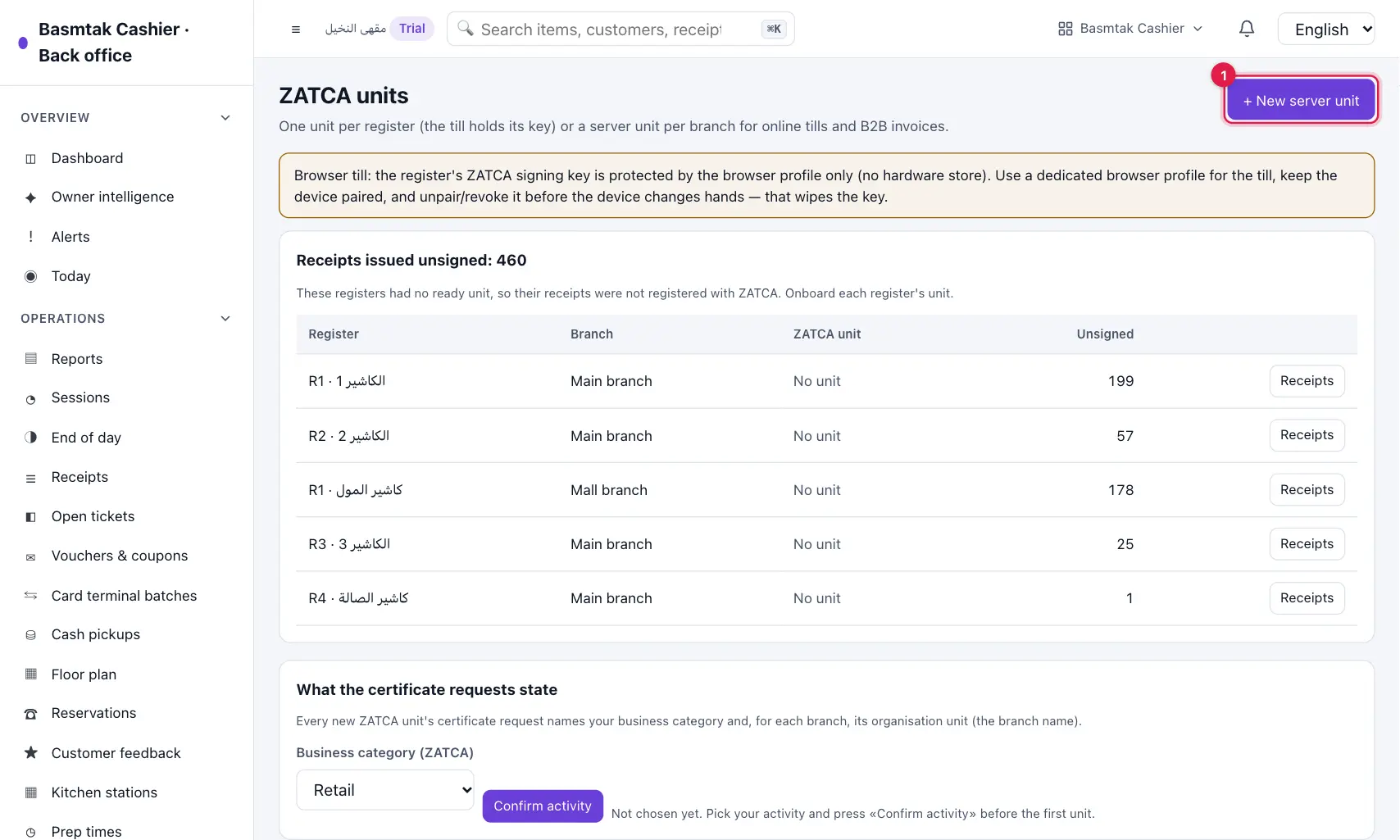
-
2
Create the unit
Register units are created from the till during pairing, and appear here afterwards. To add a server unit for a branch, press + New server unit. -
3
Onboard the unit
Press Onboard next to the unit. Choose the environment: Simulation to test or Production for real invoices. In the Fatoora portal choose Onboard new solution unit, generate an OTP valid for one hour, and enter it here. -
4
Run the compliance checks
Press Run compliance checks. The unit sends sample documents to ZATCA, and when they pass the production certificate is issued. -
5
Follow submissions and the certificate
Open Compliance → ZATCA submissions to see what was sent and what failed. Renew the certificate before it expires with Renew certificate and a new OTP.
What moves between the systems
| What | Direction | Details |
|---|---|---|
| Simplified invoices | From Cashier | Signed on the device, then reported to ZATCA, including after the connection returns if the device was offline. |
| Tax invoices | From Cashier | Sent to ZATCA for clearance. |
| Certificates and check results | To Cashier | They come back from ZATCA and show on the unit. |
FAQs
Do I need a separate subscription with ZATCA?
No. You only need to sign in to the Fatoora portal with your business account.
What does <b>Receipts issued unsigned</b> mean?
A register with no ready unit issues unsigned receipts. Onboard its unit.
What is the reporting deadline?
A 24-hour deadline is watched, and a warning appears if invoices wait more than two hours.