If you use another accounting system, one journal per closed shift can reach it. Only the journal arrives: no stock moves and no supplier bills. The link runs on your key from that system, but it is in beta: we have not yet confirmed it on a real account. Check the first journal by hand.
Before you start
- A Qoyod, Wafeq or Odoo subscription that allows API access.
- An API key from that system.
- With Odoo: the address, database, username and journal ID.
- An owner or a manager.
-
1
Enter the connection details
Open Compliance → Integrations and choose your system under Accounting. In Qoyod the key is under Settings → API, and in Odoo under Settings → Users → API keys. Enter the details and press Save, then Test connection.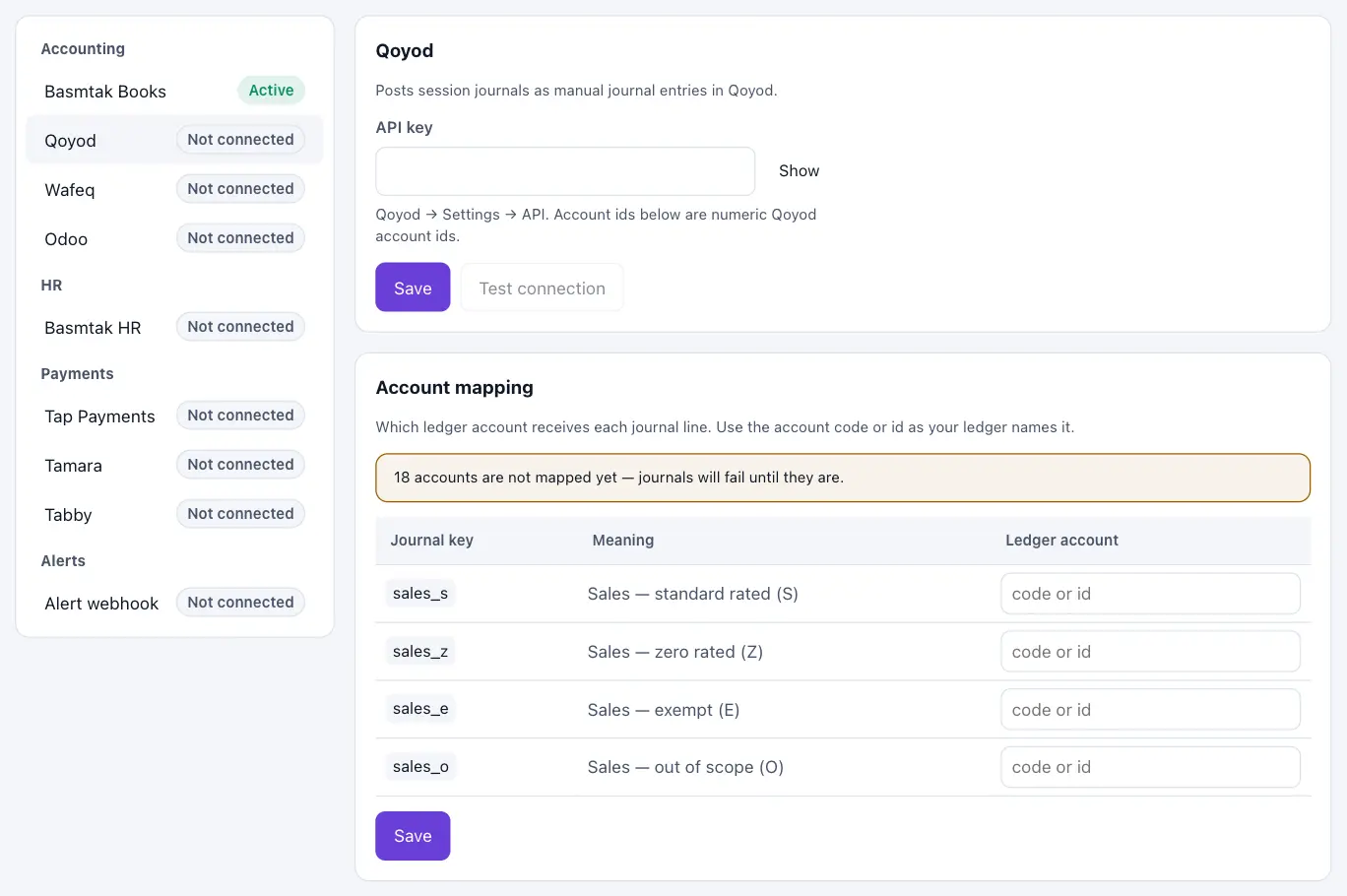
-
2
Map the accounts
Under Account mapping type your ledger account for each row, then press Save. In Qoyod and Odoo use the numeric account IDs. -
3
Check the first journal
Close a shift, then open the journal in your system. In Odoo it stays a draft unless Post automatically is true. Follow any failure in Outbox.
What moves between the systems
| What | Direction | Details |
|---|---|---|
| Shift journal | From Cashier | One journal per closed shift per branch. |
| Waste, count and settlement journals | From Cashier | These arrive as journals too. |
FAQs
Do stock moves and supplier bills arrive?
No. Those are for Basmtak Books only. These systems get journals.
Can I link two systems together?
No. One accounting system works at a time.