The HungerStation link is built through the Delivery Hero partner platform, but it is in beta and has not been activated on a real account yet. It needs HungerStation's approval and credentials from it, and our team must set the live address. Contact support before you start. Until then, HungerStation works as a manual channel.
Before you start
- HungerStation's approval for a point-of-sale link.
- From it: a Client ID, a Client secret, a webhook secret, a chain code and each branch's ID.
- Contact support so we can set the live address on our side.
-
1
Open the channel
Open Delivery → Delivery channels. If HungerStation is not there, add it from Add a channel…, then press Edit.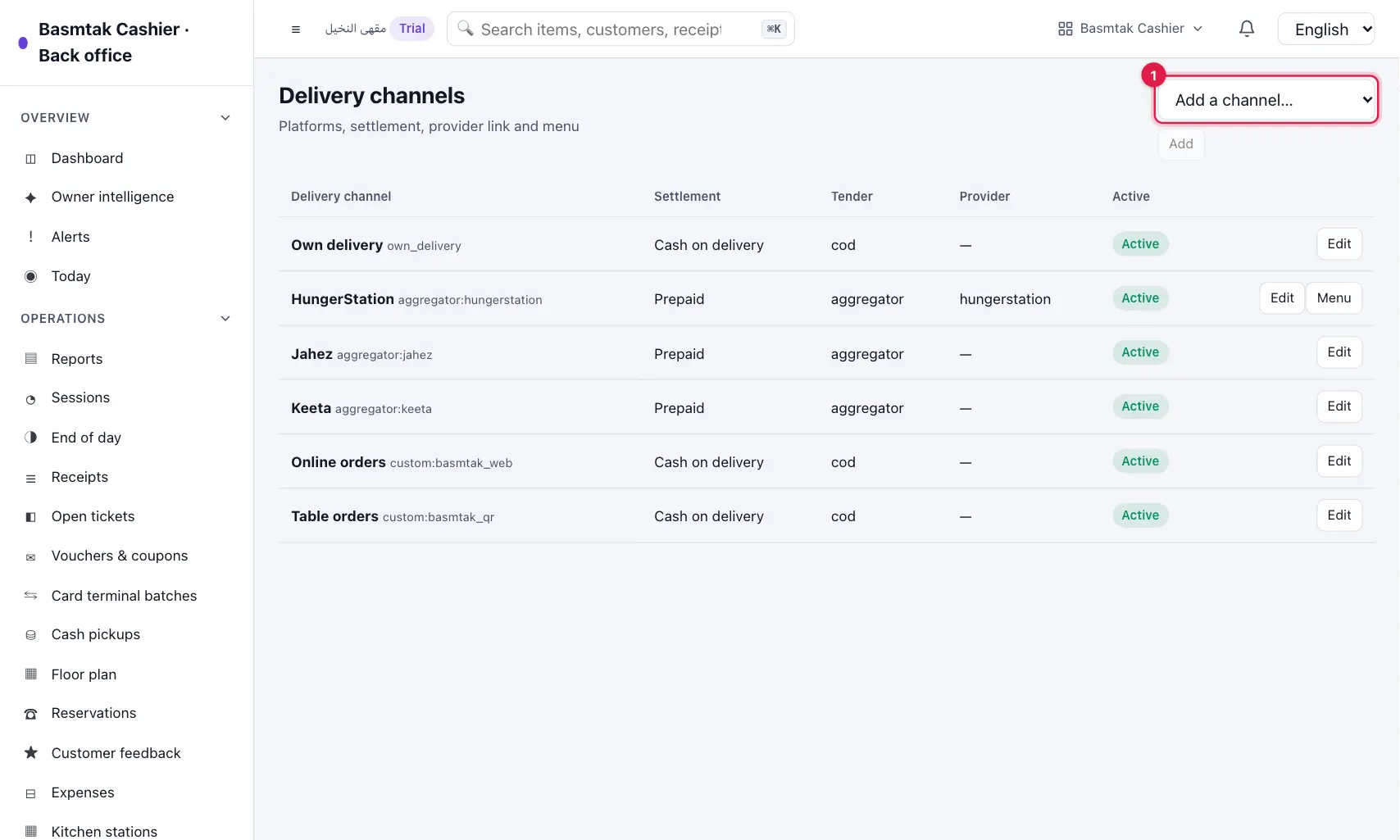
-
2
Enter the credentials
Under Provider credentials, enter the Client ID, Client secret, Webhook secret and Chain code. In the branches table enter the Platform store ID for each branch, then press Save. -
3
Give the platform the webhook URL
Open the channel again, copy the Webhook URL and give it to the HungerStation team. -
4
Publish the menu and test
Press Menu, then Publish. Then send a Test order from Platform orders and check it reaches the till.
What moves between the systems
| What | Direction | Details |
|---|---|---|
| Orders and cancellations | To Cashier | They reach <b>Incoming orders</b> in the matching branch. |
| Order status | From Cashier | Accepted, ready, handed over and cancelled. |
| Menu | From Cashier | When you press <b>Publish</b>. |
FAQs
Can I use HungerStation now?
Yes, as a manual channel the cashier keys in. Automatic arrival is in beta and needs the platform's approval.
Does a sold-out item stop on HungerStation?
This part is not yet confirmed with the platform. Stop the item in the platform's app until we confirm it.