This works today with every platform: HungerStation, Jahez, Keeta, ToYou, Mrsool, Ninja and Noon Food, and with your own drivers. Orders reach the platform's device as usual, then the cashier keys them into Basmtak Cashier under their channel, so sales, settlement, stock and VAT are all counted. There is no automatic connection with the platform here, and you need nothing from it.
Before you start
- An owner or a manager to add channels.
- A price list for the platform if its prices differ from yours.
-
1
Choose the right way
The manual way is the simplest and always available. A direct link brings orders by itself, but it needs a contract with the platform and credentials from it. -
2
Add the channel
Open Delivery → Delivery channels, choose the platform from Add a channel… and press Add.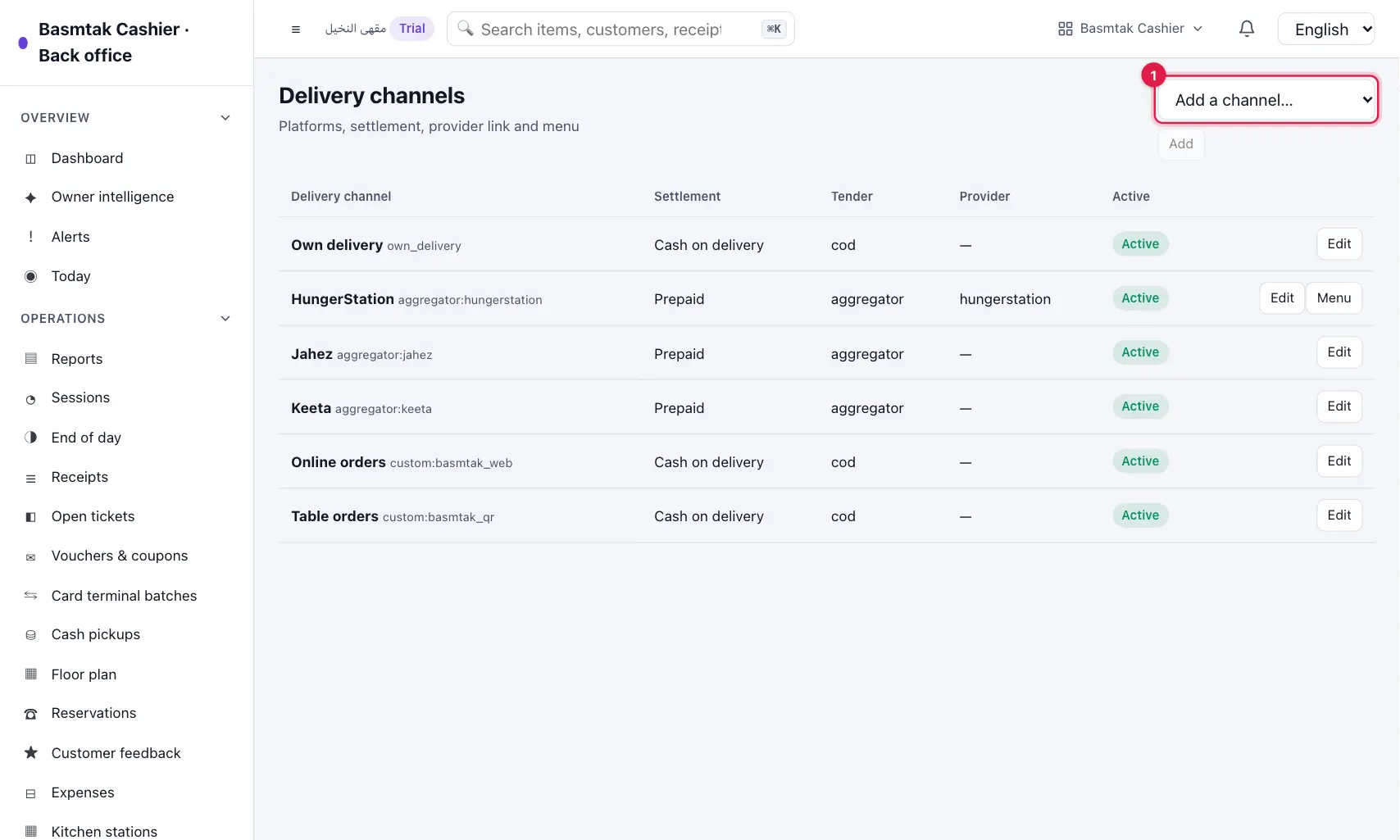
-
3
Set settlement, prices and branches
Press Edit. Choose Settlement: Prepaid, Cash on delivery or Card on delivery. Choose a Price list if needed, and set Provider to Manual (no link). Then tick the branches the channel serves and press Save.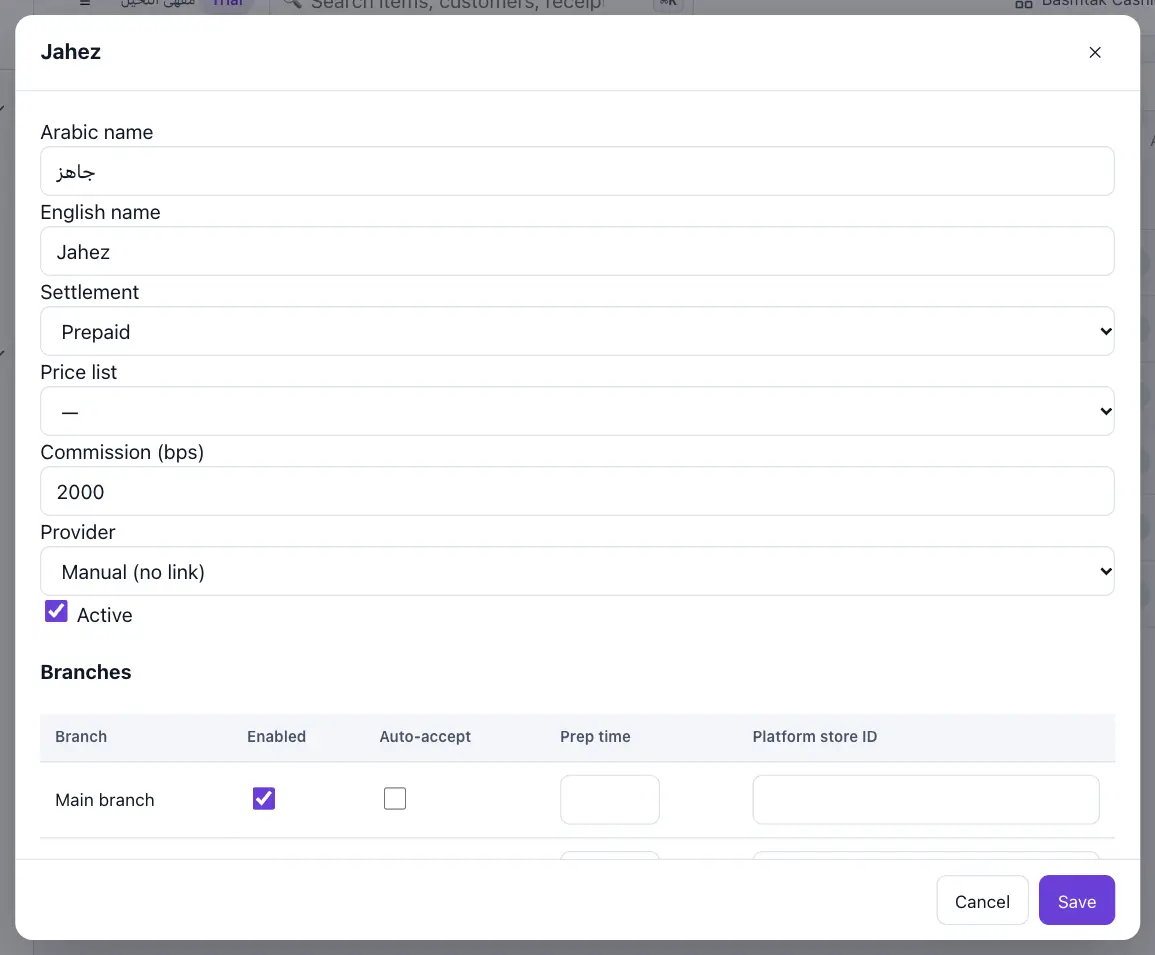
-
4
Record the order at the till
At the till choose the Delivery order type, then the channel. Its price list and payment method are applied. -
5
Add your drivers if you deliver yourself
The Own delivery channel works with Delivery → Drivers, where you see the cash each driver holds. The Drivers report shows orders, cash and shortages.
What moves between the systems
| What | Direction | Details |
|---|---|---|
| Platform sales | From Cashier | With an accounting system linked, sales prepaid to the platform are booked as money it owes you until it pays out. |
FAQs
Do platform orders arrive by themselves this way?
No. The cashier keys them in. For automatic arrival, see the direct link guide.
Do I need an integration contract with the platform?
Not for this way. Your normal account with it is enough.
Does a sold-out item stop on the platform?
No, there is no connection here. Do it in the platform's own app, or use a direct link.