This is the way that works today with any card terminal from any bank. The cashier types the amount on the bank's terminal, then types the slip details into Basmtak Cashier. The two are not connected, so nothing needs setting up with the bank. At close, the terminal's totals are typed in so any difference shows.
Before you start
- A card terminal from your bank.
- An owner or a manager to set up the register.
-
1
Know the ways to take cards
There are three ways. This guide covers the first, which is available for every bank today. -
2
Add the terminal to the register
Open Organisation → Registers and choose the register. Under Card terminals press Add terminal and choose Unconnected terminal (manual slip) under Terminal. Type the Terminal ID (TID) from its slip, then save.Good to know: Each register takes up to 4 terminals, and the cashier picks the one that took the card. -
3
Take a card payment at the till
On the Payment screen choose Card. Type the amount on the bank's terminal, then copy the slip details into the till. Card numbers are never stored: only the scheme, the last four digits and the references. -
4
Enter the terminal's totals at close
When closing the shift, the Card terminal batch section appears. Type the totals from the terminal's settlement slip, then press Close and send the batch. -
5
Review the match
Open Operations → Card terminal batches. The report compares each shift with the terminal's batch and shows the difference.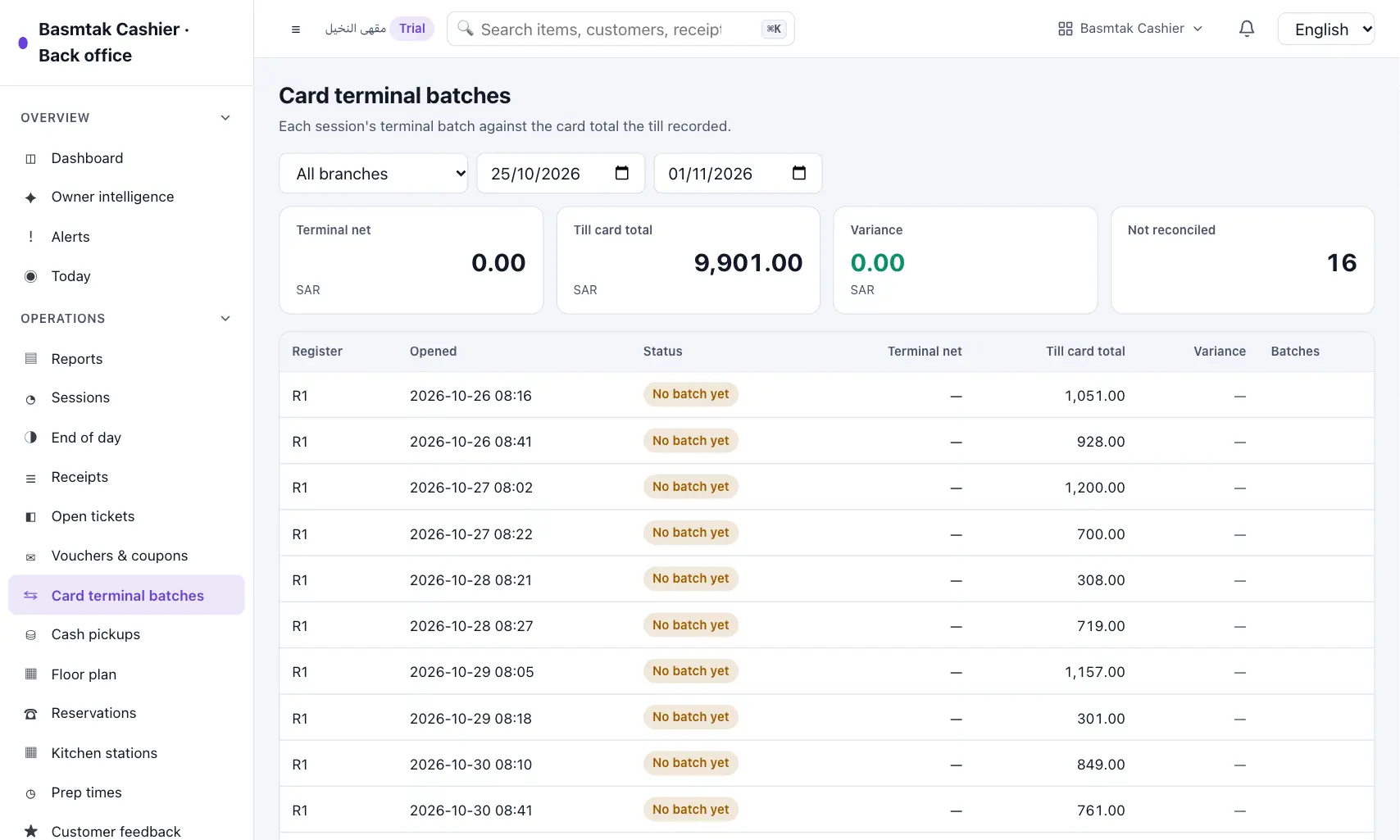
What moves between the systems
| What | Direction | Details |
|---|---|---|
| Terminal batch totals | From Cashier | They go to the shift report, which shows the difference from the recorded card total. |
FAQs
Is the amount sent to the terminal automatically?
Not this way. Sending it automatically needs the relay link, which is in beta.
Do I need the bank's approval?
No. The bank's terminal works as it is.
Can I add mada or STC Pay as a payment method?
Yes. In Settings → Payment methods you can rename methods and add your own.