Every alert in the back office can also be sent to an address you own, signed with your secret. This is useful if you have a monitoring system. The alert list stays the record either way.
Before you start
- A public https address. Private and local addresses are refused.
- An owner or a manager.
-
1
Enter the address and secret
Open Compliance → Integrations → Alert webhook. Enter the Webhook URL (https) and Webhook secret, then press Save.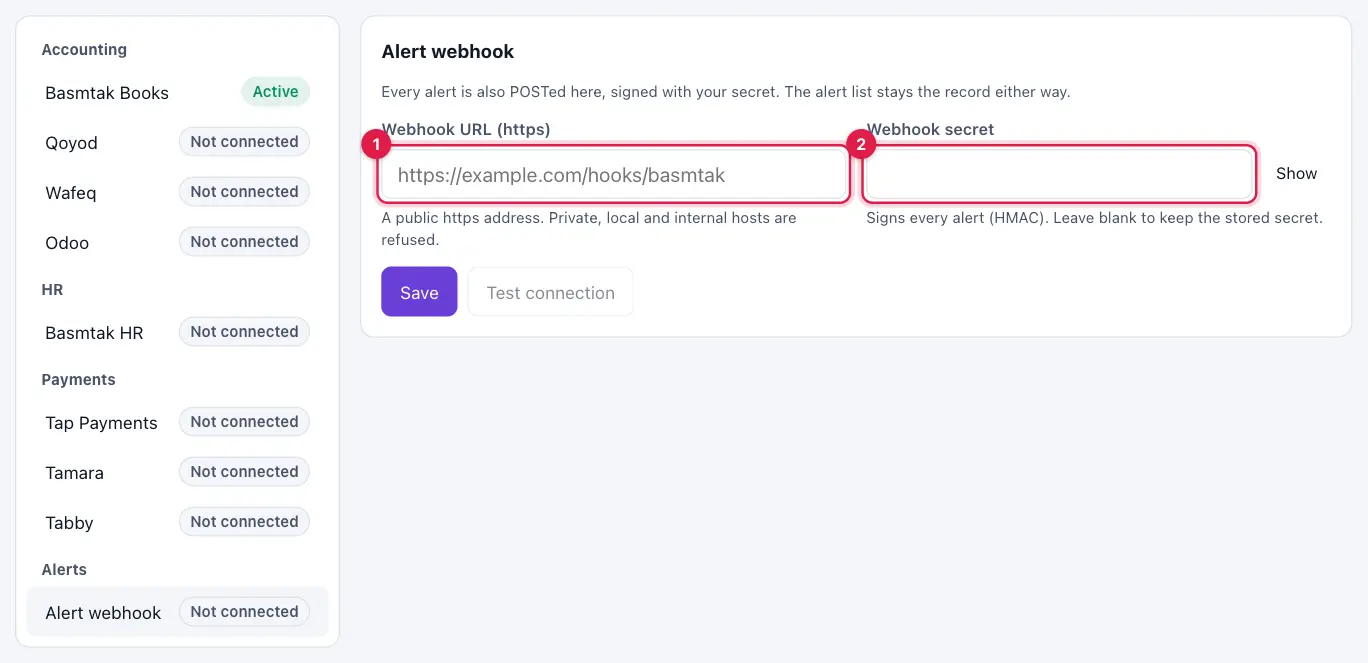
-
2
Test the connection
Press Test connection. To stop it for a while press Pause, and to remove it press Disconnect.
What moves between the systems
| What | Direction | Details |
|---|---|---|
| Alerts | From Cashier | Each alert is sent signed with the secret, and retried on failure. |
FAQs
How is it different from developer webhooks?
This one is for alerts only. The Developers screen is for events such as receipts and closed shifts.