जानने योग्य: You need access to the back office.
-
1
Open the drivers report
Open Delivery → Drivers report. For each driver it shows Orders, Delivered, Returned, Cash due, Handed in, Shortage, Avg minutes and Outstanding. Change the dates or branch at the top.
The <b>Shortage</b> column shows the gap between cash due and cash handed in. जानने योग्य: The report reads at most 92 days at a time. The till has no step yet for marking an order as delivered, so Delivered, Returned and Avg minutes may stay empty. Rely on the cash columns. -
2
Compare channel sales
Open Operations → Reports → Sales by channel and pick the period. It separates counter sales from Delivery apps, Own delivery and Web store. Use Group by to view by Channel or by order type.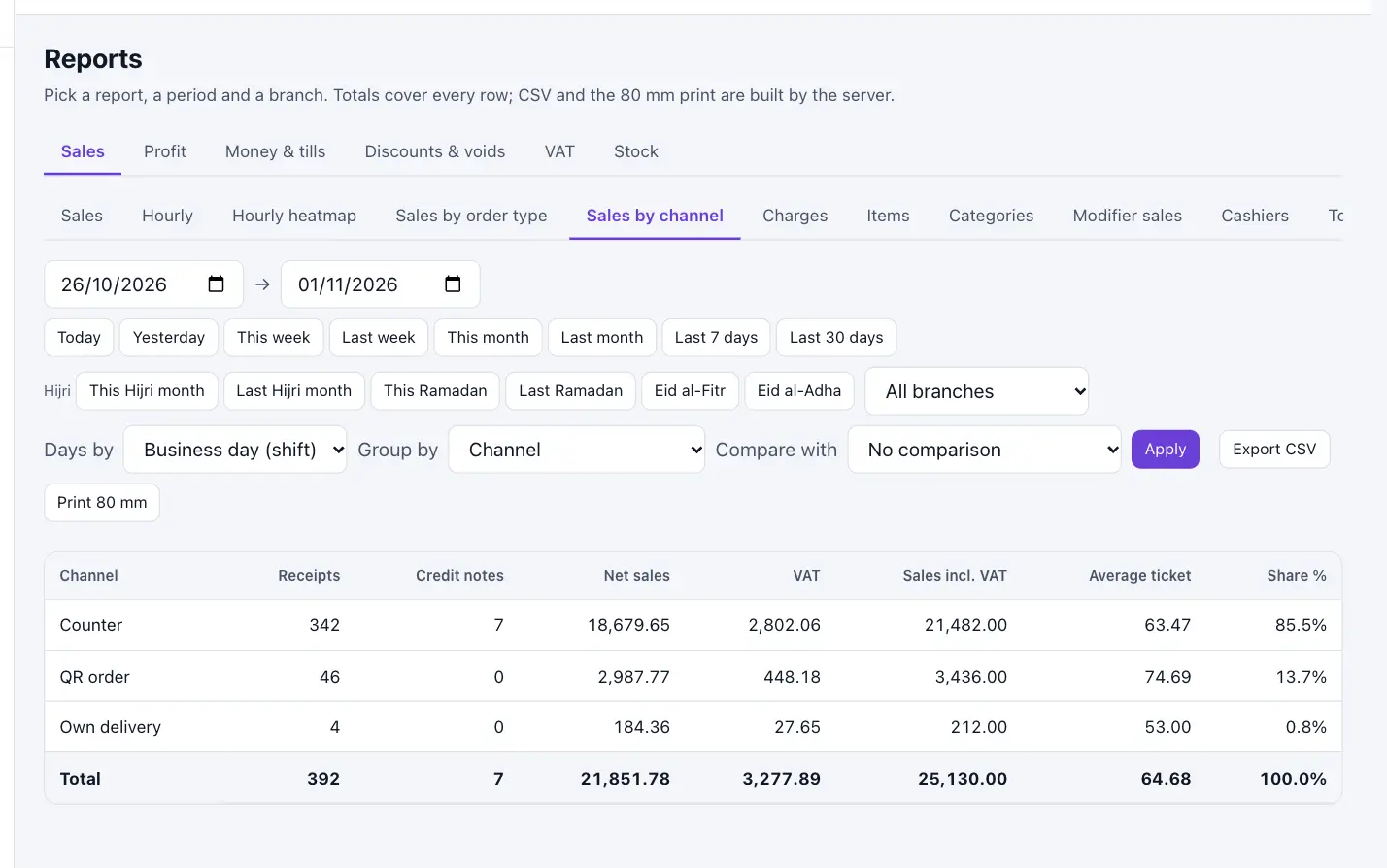
-
3
Review platform orders
Open Delivery → Platform orders. The list shows each order with its time, channel, branch and status. Use All statuses, Unmapped only and Needs attention to narrow it down. Press an order to see its details and the statuses sent to the provider.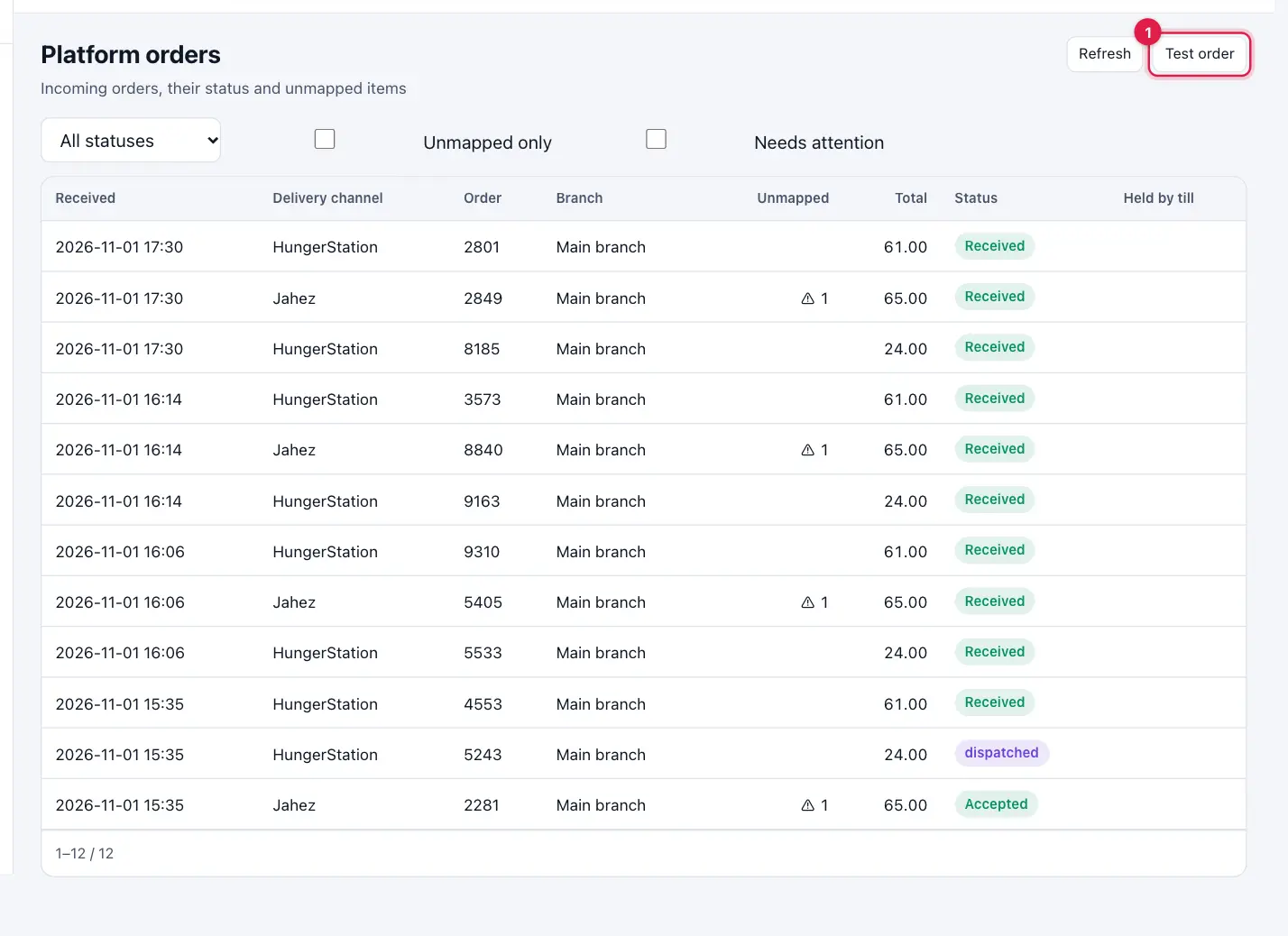
-
4
Record the app's commission
The commission is kept under Delivery → Delivery channels → Edit, in Commission (bps). Type 2000 for a 20% commission.
Mark 3 is the commission field. सावधानी: This field is for your reference only. The system does not deduct the commission from your sales, and no report shows it. To work it out, take the channel's total from Sales by channel, multiply by the rate, and compare with the app's statement.
क्या इस गाइड से मदद मिली?