जानने योग्य: First add the Own delivery channel under Delivery channels.
-
1
Add your drivers
Open Delivery → Drivers in the back office and press + New. Type the Name and Phone, choose the Branch, then Save. The list shows the cash each driver holds now.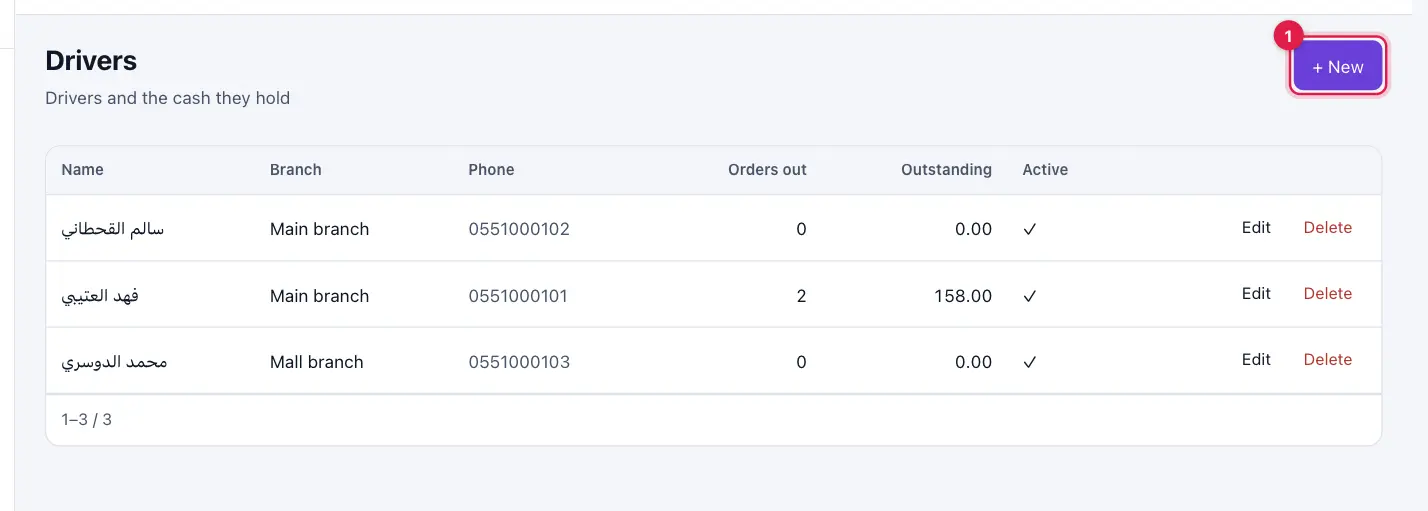 सुझाव: Fill in HR employee ID if you use Basmtak HR, so any shortage reaches it as a deduction candidate.
-
2
Ring up the delivery order
On the Sell screen add the items, choose the Delivery order type, then pick Own delivery from the channels that appear.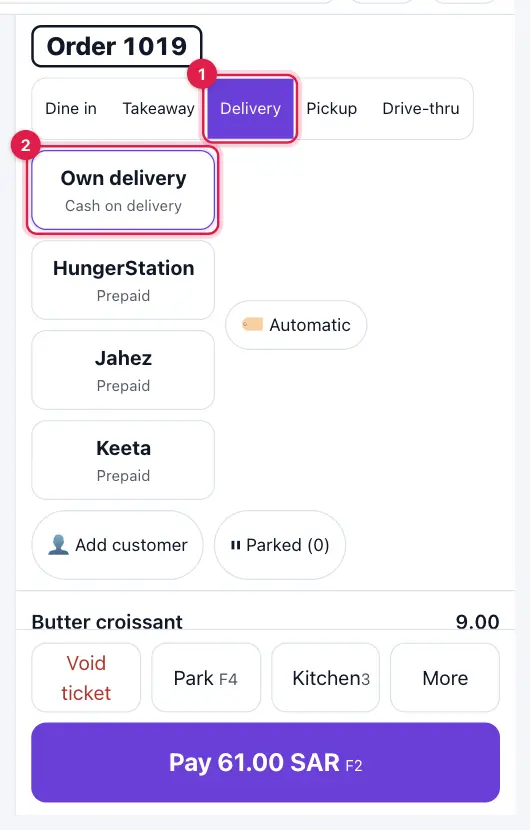
1 the order type, 2 the delivery channel. -
3
Choose cash on delivery
Press Pay. The Cash on delivery tab opens by itself. Press Driver collects. The money does not enter the drawer now: it is recorded against the driver.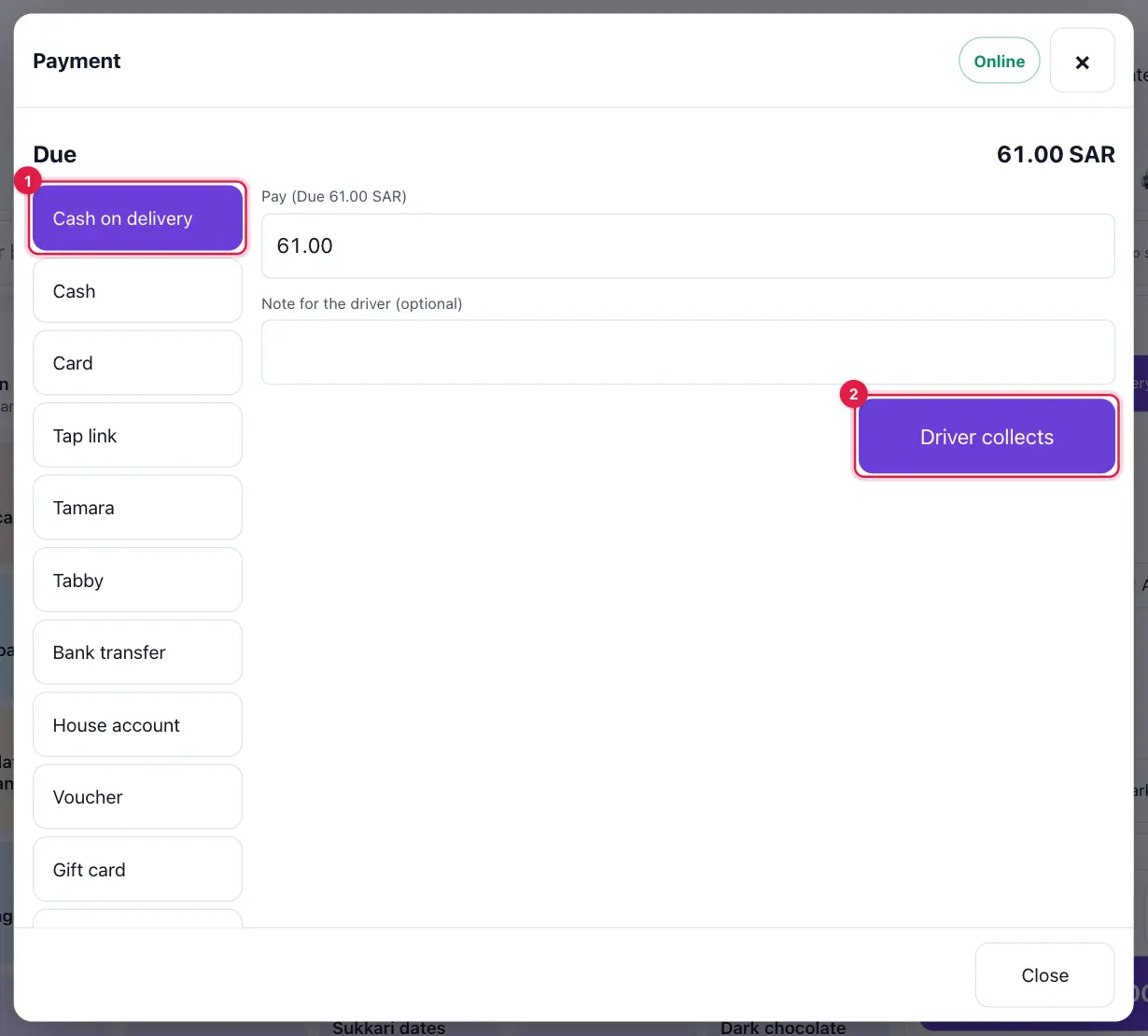
-
4
Assign a driver
Under Assign a driver press the driver's name, then New sale. Each name shows the cash that driver already holds.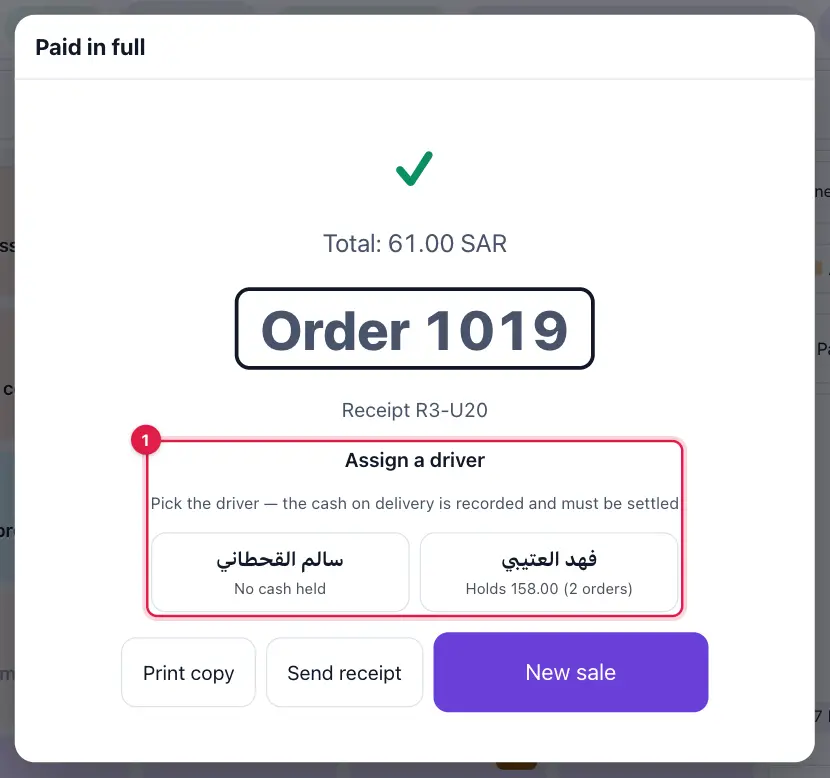 जानने योग्य: If you forget, the order waits under Delivery → Drivers in a no-driver alert. Pick the driver and press Assign.
-
5
Settle when the driver is back
The cash stays with the driver until you collect it. This is what happens to the money from assignment to the drawer. -
6
Open the driver settlement
On the till press Delivery, then the Drivers tab. Each driver shows the amount and the number of orders. Press Settle next to the name.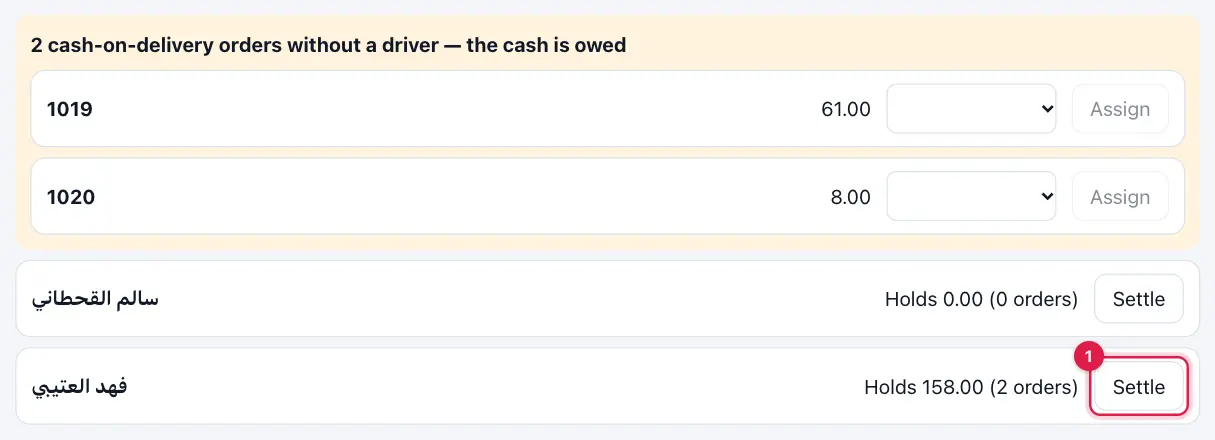
-
7
Confirm the amount handed in
Tick the orders and type the amount in Handed in, or press Exact. The Difference is worked out for you. Press Confirm settlement. The cash enters the open shift's drawer. Confirming needs a manager's approval. सावधानी: A shift cannot close while a driver owes cash unless a manager allows it. A shortage is never deducted automatically: it goes to HR as a deduction candidate.
क्या इस गाइड से मदद मिली?