جاننا مفید ہے: Set up the floor plan first.
-
1
Create a register for the waiter
Each waiter device needs its own register. In Organisation → Registers press New, or Edit on an unused register. Set Register mode to Waiter handheld and press Save. جاننا مفید ہے: A waiter device counts as a selling device in your subscription. See the pricing page.
-
2
Pair the phone
Press Pair a device next to the register, choose Waiter device, then Create code. On the phone open cashier.basmtak.com/connect and type the code, or scan the QR.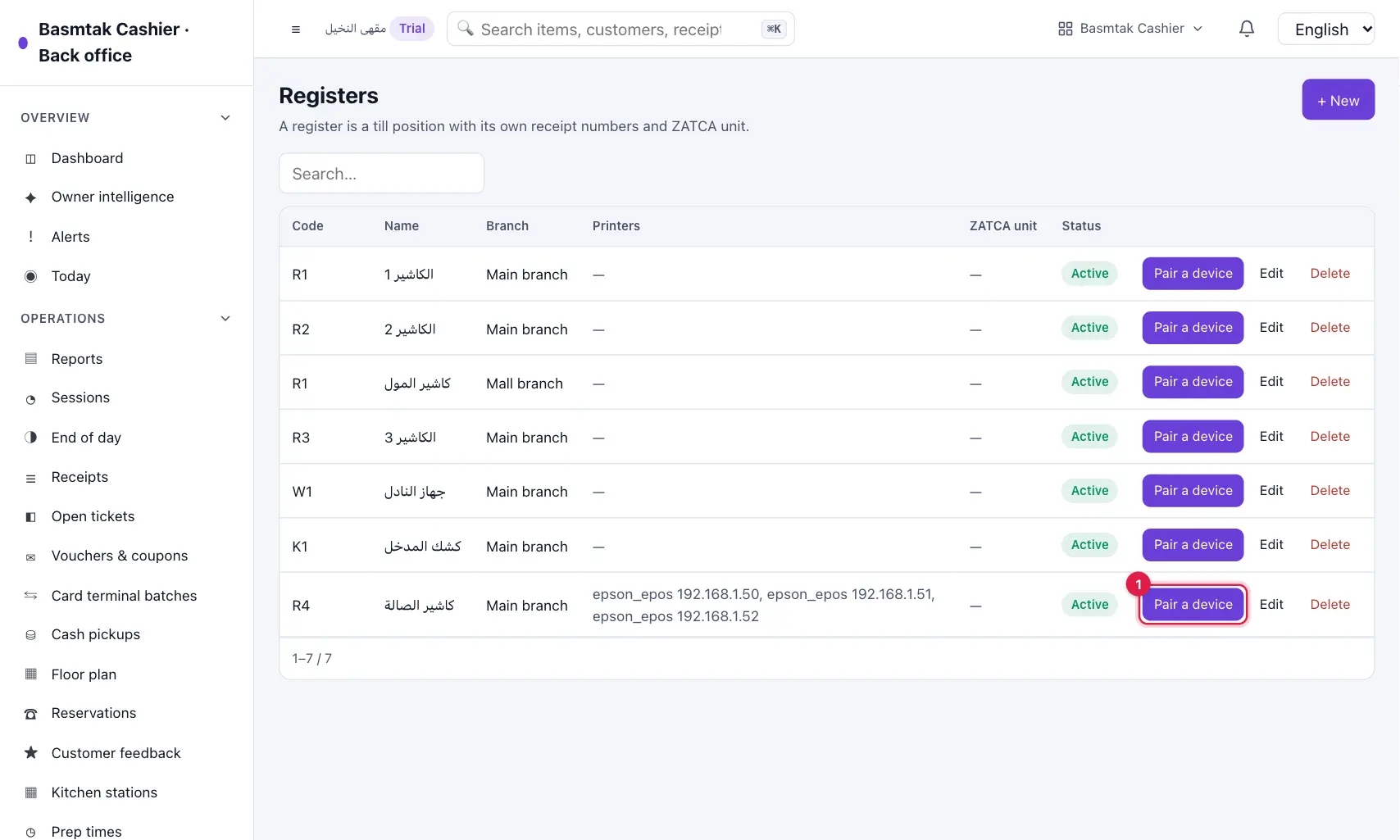 مشورہ: Sign in with the staff PIN and open a shift on the phone before the first order.
-
3
Seat a table and take the order
Open Waiter to see My tables, press Seat a table and choose the table. Add the items and press Kitchen. Each table has a card with its state and amount.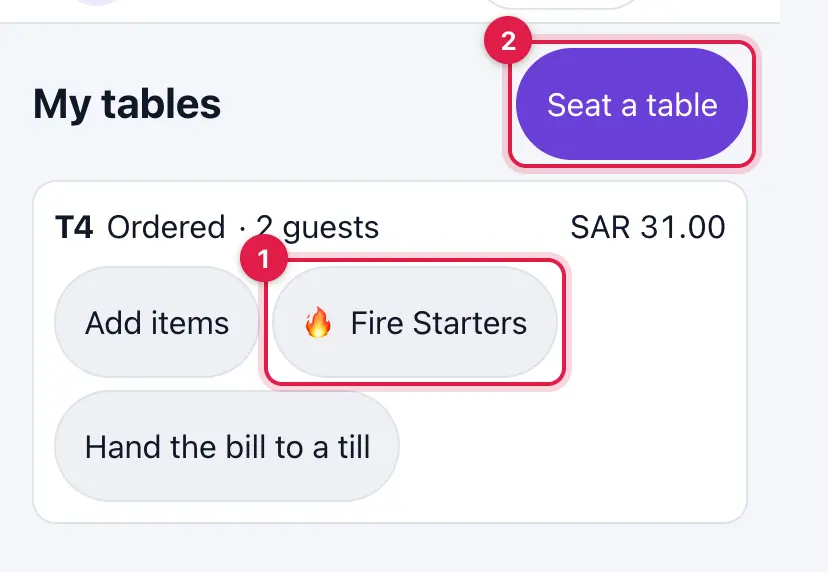
1 Fire the next course. 2 Seat a new table. -
4
Add to the order or fire the next course
On the table's card press Add items to add to the order, or the Fire button to send the next course to the kitchen.
-
5
Close the bill
Press Hand the bill to a till and choose the till; the bill appears there to be paid. If a card terminal is linked to the waiter's register, a Pay at the table button shows as well.
کیا اس رہنمائی سے مدد ملی؟