جاننا مفید ہے: Owners, managers and accountants can see this screen.
-
1
Send the batch when closing the shift
If a card terminal is set on the register, a Card terminal batch section shows on the close screen. A linked terminal sends its batch itself. For an unconnected terminal, copy the Batch number, Transactions, Purchases and Refunds from the settlement slip, then press Close and send the batch.جاننا مفید ہے: On a till with two drawers, the card batches close with the last drawer to close. -
2
Open the batches screen
In the back office choose Operations → Card terminal batches. Pick the branch and the period.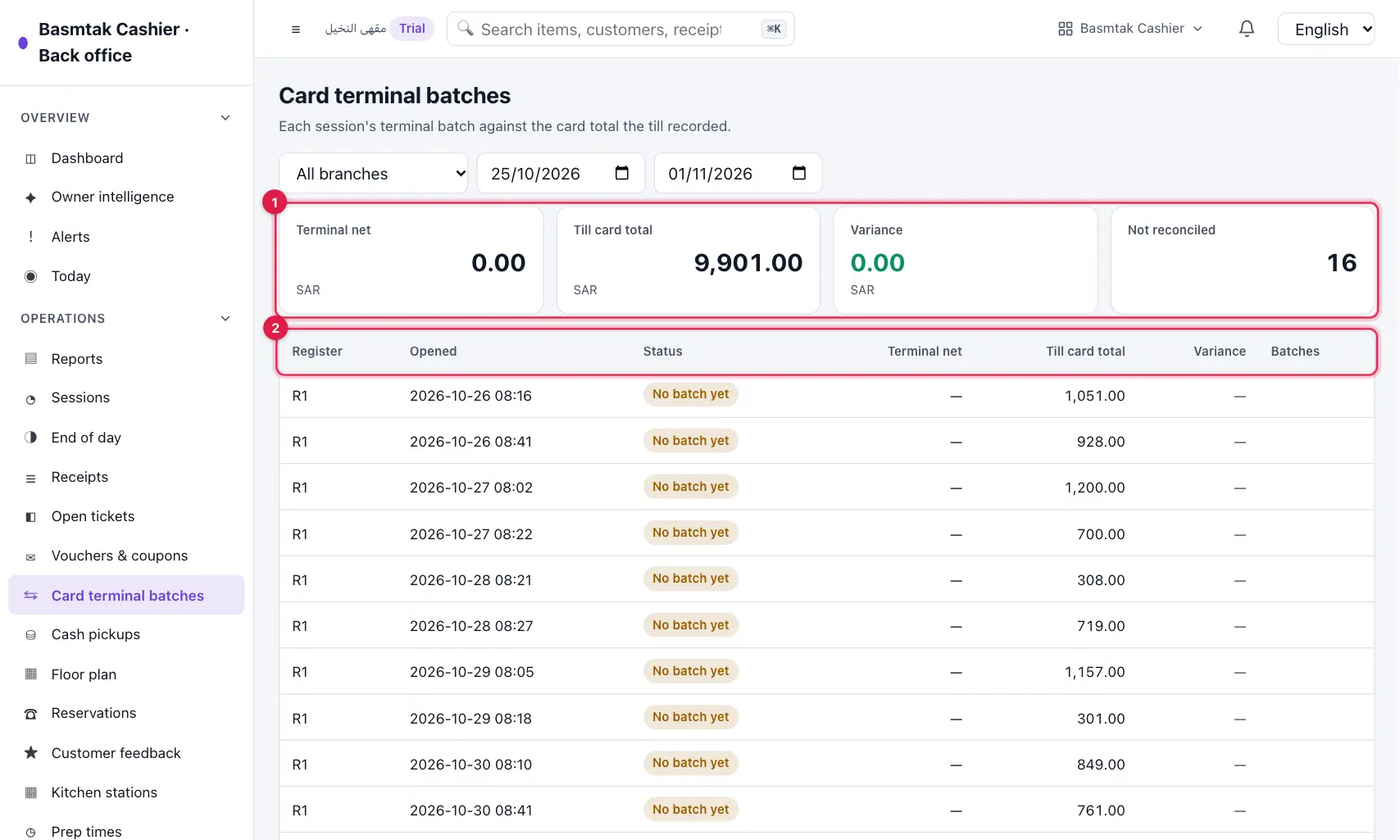
1: the period totals. 2: the columns for each shift. -
3
Read the figures
Terminal net is what the card terminal recorded. Till card total is what the till recorded. Variance is the gap between them, and it should be zero. -
4
Follow the status
Matched means the two figures agree. Variance means they differ. No batch yet means the shift has card sales but no batch has arrived. Batch without a session means a batch tied to no shift. -
5
Deal with a variance
Open the shift's report under Operations → Sessions and compare its card receipts with the terminal slip. Look for a payment that was never recorded on the till, or one recorded with the wrong amount.
کیا اس رہنمائی سے مدد ملی؟