-
1
Set the return policy
For owners and managers: in the back office open Settings → Return policy. This feature stays off until you tick Allow returns without a receipt. Also set:- The Most one return without a receipt may refund. Zero means no limit.
- The Return window (days), counted from the original receipt. After it, a manager must approve.
- The amount above which a manager must approve.
- The allowed Refund methods.
 جاننا مفید ہے: The till applies this policy even offline, and the server checks it again when the credit note arrives.
-
2
Open the return without a receipt
On the till press Returns, then Return without a receipt. The button does not show if the feature is off.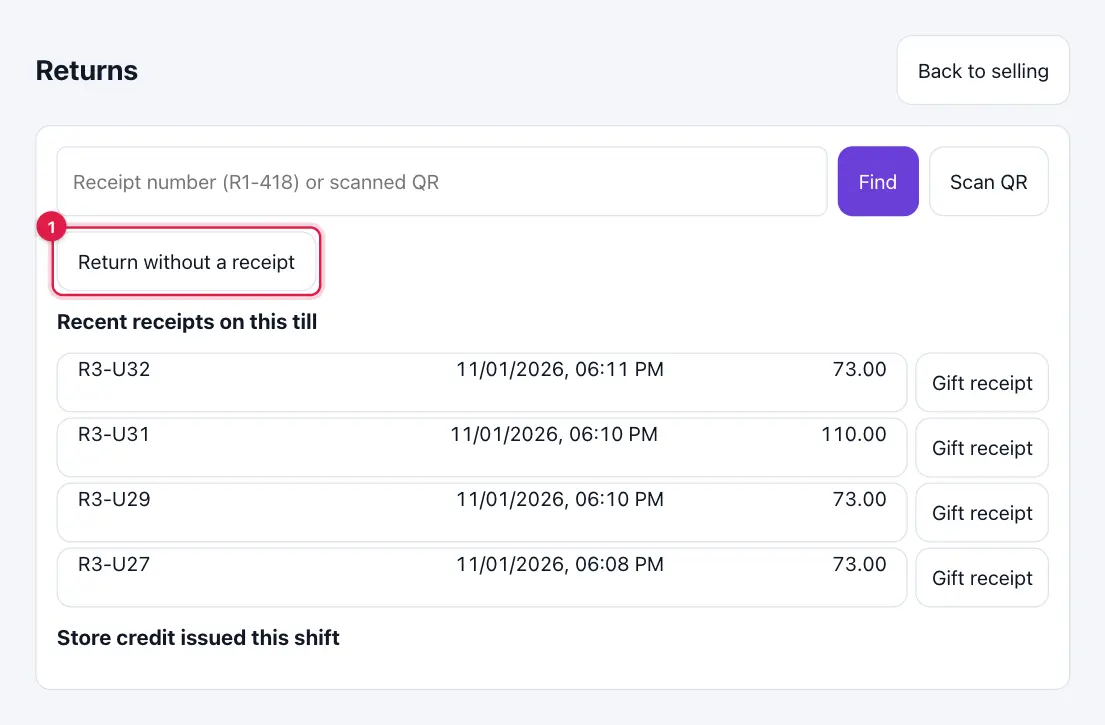
-
3
Pick the items
Search by name or scan the barcode, then tap the item. It is added at today's price. Set the quantity with − and +.
1 The limit. 2 Search. 3 Returned items. 4 Refund method. 5 Issue the note. احتیاط: If you type a price different from today's price, a manager or supervisor must approve. -
4
Choose the reason and refund method
Choose the Reason, then Cash or Store credit (voucher), as the policy allows. A card refund is not possible here, because there is no original receipt to link it to. -
5
Issue the credit note
Press Issue credit note. If the amount is over the limit, a red message shows and nothing is issued. The note appears in the back office under Operations → Receipts, and you can filter these with Returns without a receipt only.
کیا اس رہنمائی سے مدد ملی؟