-
1
Start as a return
Open Returns, find the receipt, and set the Reason and the items and quantities the customer brings back. -
2
Press Exchange
Press Exchange instead of Next. The screen shows the credit the customer will get. No money leaves the drawer at this step. جاننا مفید ہے: If part of the sale was paid with points, a voucher or house account, that part goes back to where it came from and is not part of the exchange credit.
-
3
Issue the note and open the bill
Press Issue the credit note and open the new bill. You land on the sell screen with the returned items on it and an Exchange · credit chip above the lines. The same approval applies if the amount is above the return policy limit. -
4
Change the new bill
Remove what the customer does not want and add the new items as usual.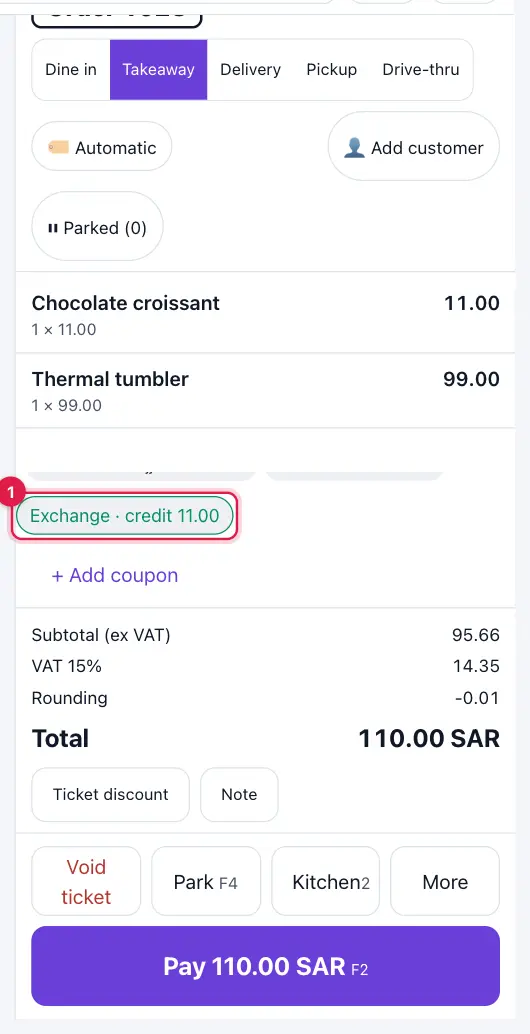
1 The exchange credit on this bill. -
5
Apply the credit at payment
Press Pay, then Exchange credit, then the Apply ... of credit button. If something is still due, take it any other way. If credit is left over, it goes back to the customer in cash after the sale.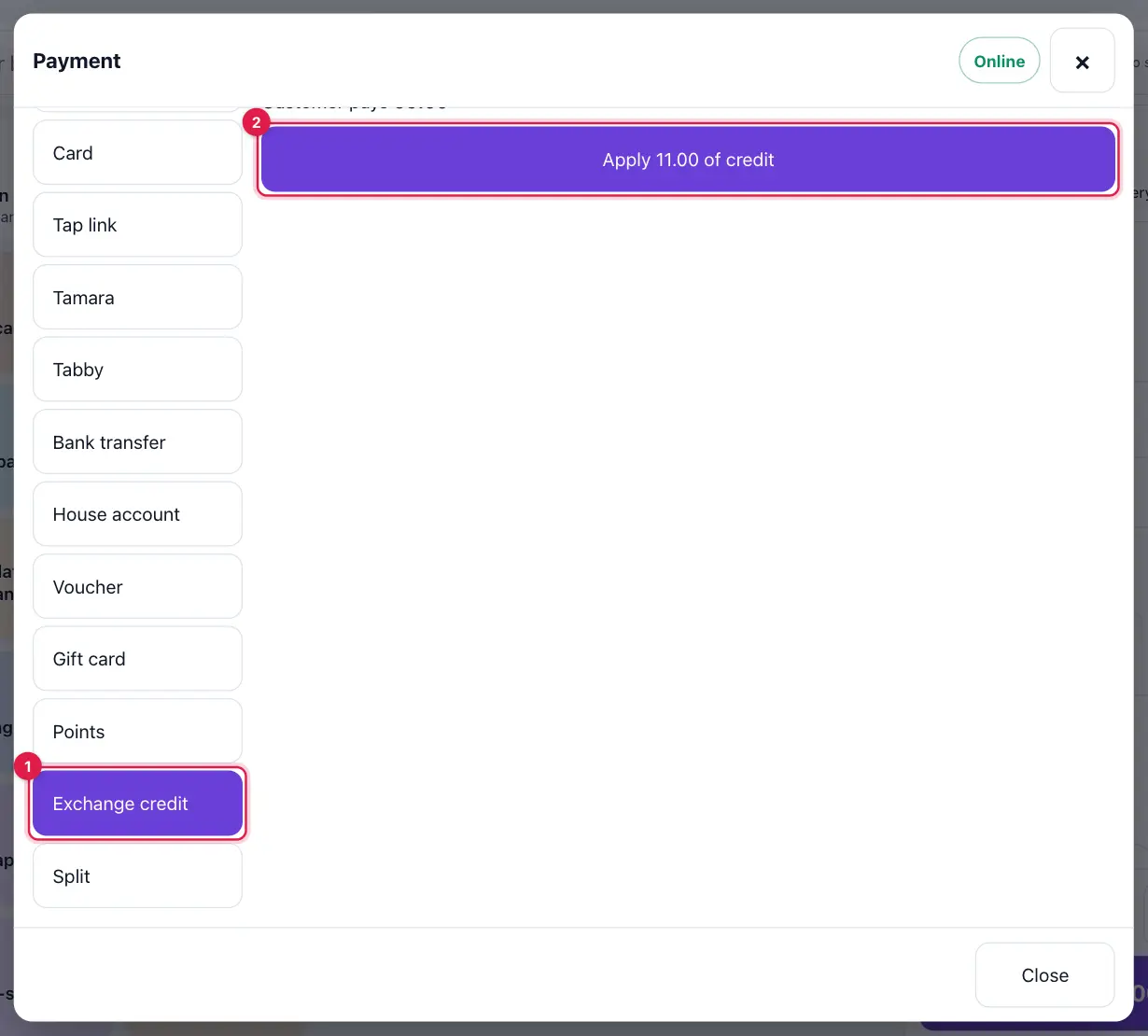
1 The <b>Exchange credit</b> method. 2 The button that applies the credit. -
6
Understand the sums
The customer pays only the difference if the new items cost more, and gets the rest in cash if they cost less.احتیاط: If the customer leaves without finishing, press More → Cancel exchange, pay credit back. A shift cannot close while exchange credit is still owed, and the close screen offers to pay it back in cash.
کیا اس رہنمائی سے مدد ملی؟