جاننا مفید ہے: You need an owner or manager role, and the items you sell already added.
-
1
Add the raw material
A raw material is what you buy to make things from, such as milk and coffee beans. Open Catalogue → Items and press + New item. Under Kind, choose Ingredient (stock and recipes only). Set the Unit, such as litre or kilogram, type the Cost and save.
1 Kind, 2 Unit, 3 Cost. جاننا مفید ہے: A raw material never appears on the selling screen and is always tracked. Remember to enter its opening balance. -
2
Choose the item you sell
Open Catalogue → Recipes. Under Sold variant, search for the item and choose the size. Each size has its own recipe, so a medium latte is separate from a large one.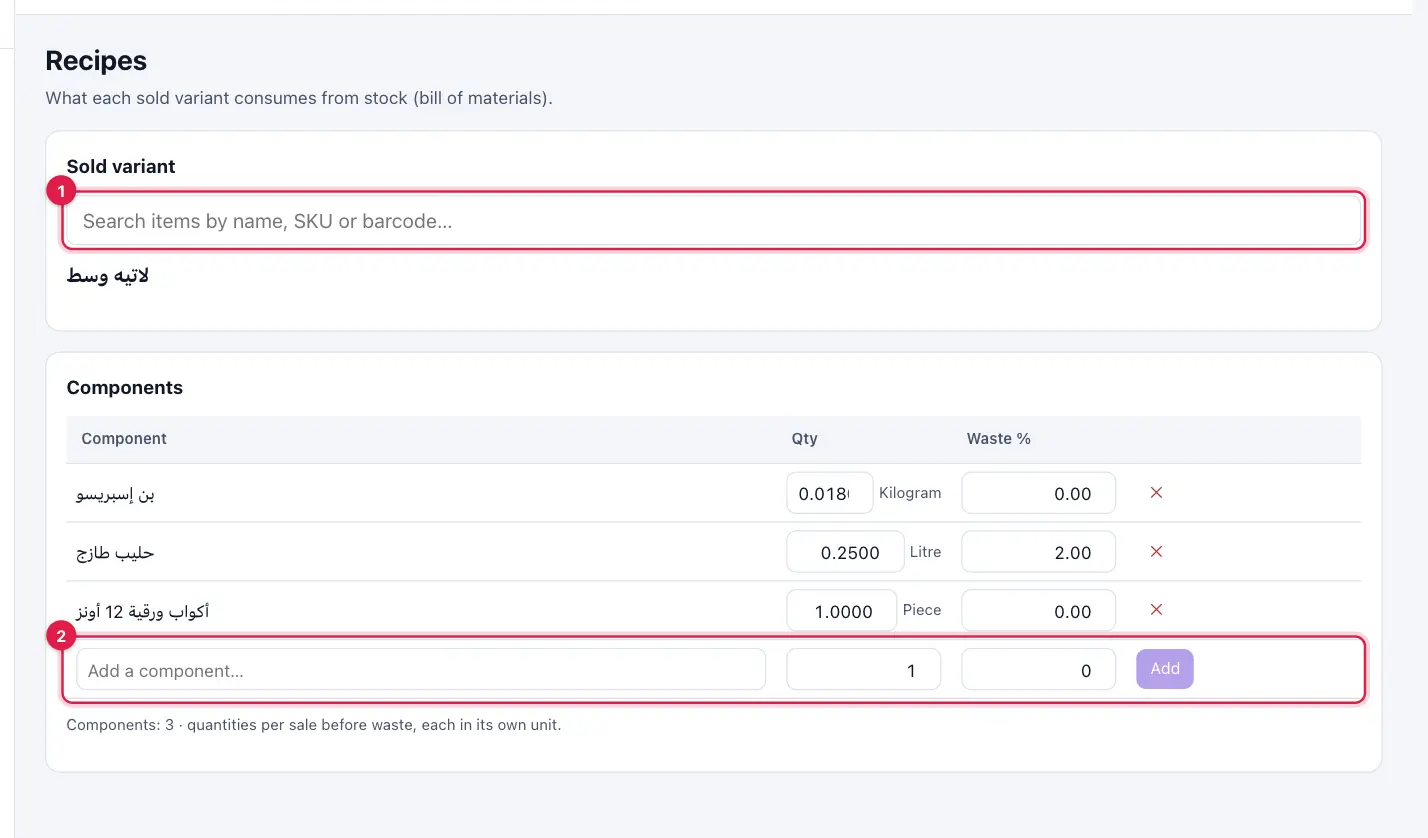
1 Sold variant, 2 The row for adding a component. -
3
Add the components
In the add row, press Add a component… and pick the material. Type the Qty for one sale, in the material's unit. Under Waste %, type what is usually lost in preparation, or leave it at 0. Press Add. Later edits to a row save straight away.
1 Qty, 2 Waste %, 3 Add. مشورہ: Watch the unit: if beans are in kilograms, 18 grams is typed as 0.018. -
4
What happens at a sale?
Each sale takes off the branch stock: the recipe quantity + the waste percentage, for each component. The dish itself is not deducted. If the sale is refunded, the components go back into stock.Example: a medium latte recipe. -
5
Check the recipe's cost
Open Stock → Recipe costs to see what one unit of each item with a recipe costs, from the latest supplier prices, or else the item's own cost.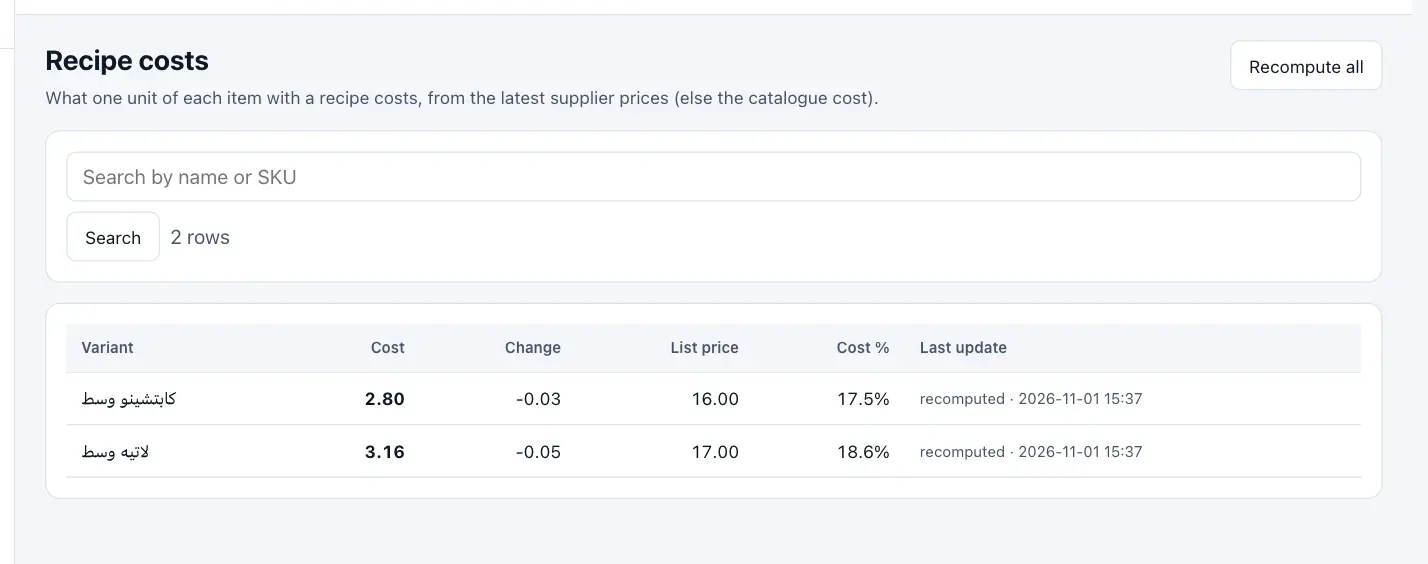
کیا اس رہنمائی سے مدد ملی؟