-
1
Open the page
In the menu choose Settings → Go-live readiness, or click Open the checklist at the top of the dashboard. The page is for owners and managers.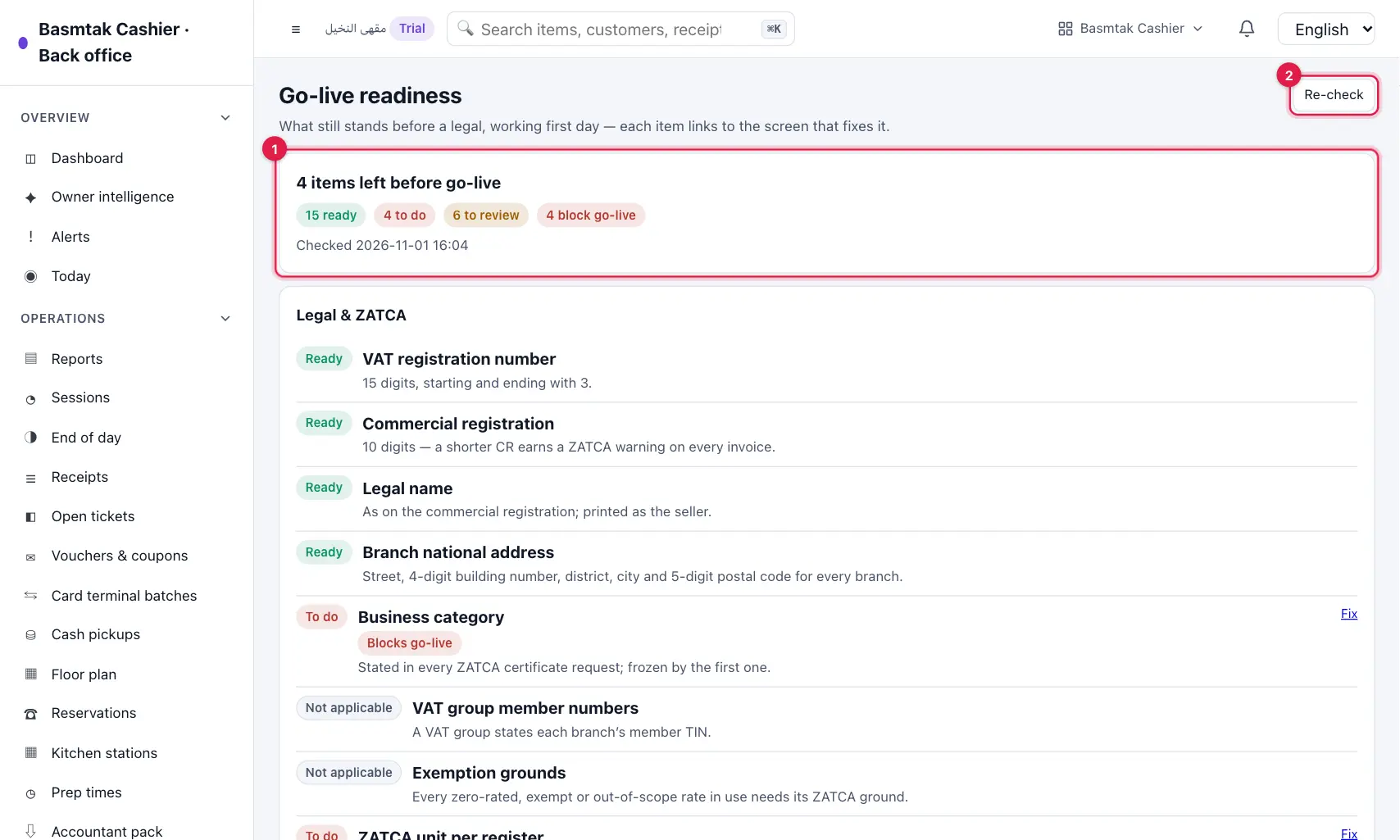
1 The summary. 2 The re-check button. -
2
Understand each status
- Ready: the item is done.
- To do: the item must be completed.
- Review: worth checking.
- Not applicable: it does not concern your business.
- Blocks go-live: it matters for a legal, working first day.
جاننا مفید ہے: The checklist is a guide and does not stop the till from selling, but complete the Legal & ZATCA items before you really start. -
3
Work through the items
Items are grouped into Legal & ZATCA, Selling, Money & billing, People and Hardware. Click Fix beside any item to reach the right screen.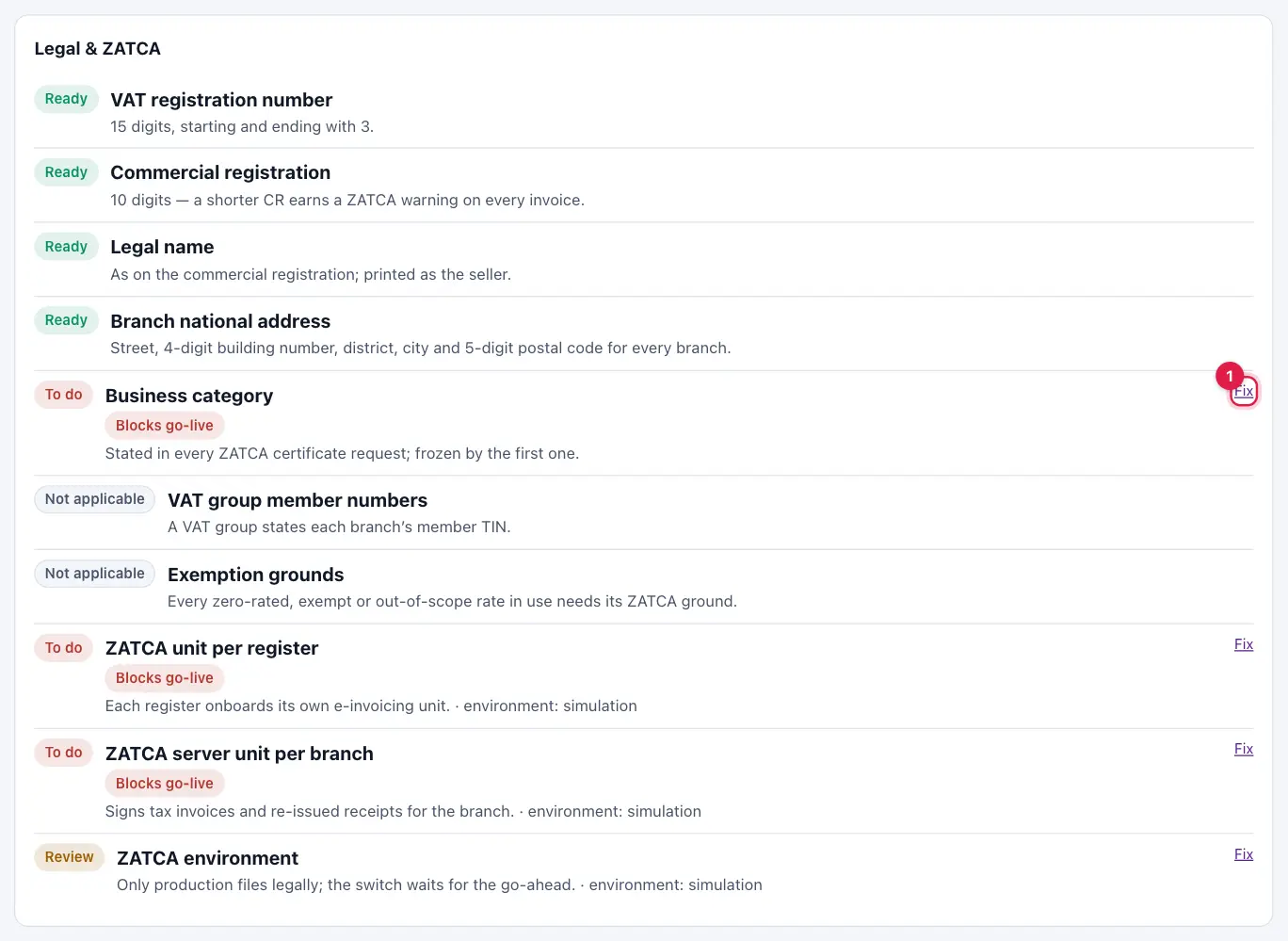
-
4
If you do not take cards
If you have no card terminal and take cash only, click We take cash only and the Card terminal item is settled. You can reverse it later with We take cards too.
-
5
Check again
After fixing items, come back and click Re-check. When everything is done you will see Everything is ready for go-live.
کیا اس رہنمائی سے مدد ملی؟