جاننا مفید ہے: This page is for an owner, a manager or an accountant.
-
1
Open the Accountant pack
Choose Operations → Accountant pack. The pack is one ZIP with the VAT return, sales, Z reports, journals, cash movements and credit notes.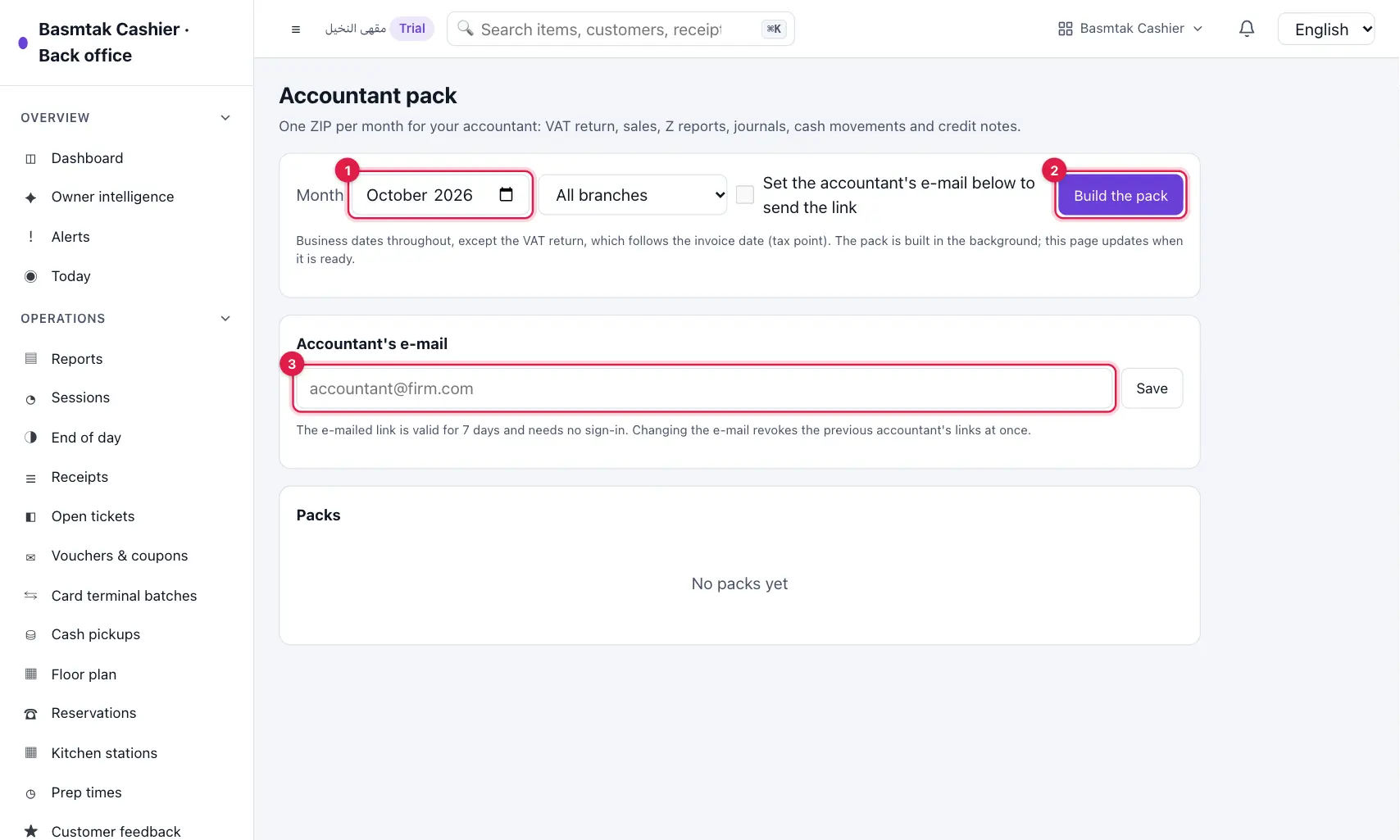
1 The month 2 The build button 3 The accountant's e-mail -
2
Enter your accountant's e-mail once
Under Accountant's e-mail, type the address and press Save. An owner or a manager does this. Changing the address stops the previous accountant's links at once.
-
3
Pick the month and the branch
Last month is filled in for you. Change it if you need to, and pick a branch or leave all branches. Tick E-mail the link to… if you want it sent to your accountant. -
4
Build the pack and download it
Press Build the pack. It is built in the background and the page updates by itself. When it shows Ready under Packs, press Download.جاننا مفید ہے: The e-mailed link is valid for 7 days and needs no sign-in. To stop it sooner, press Revoke link beside the pack.
کیا اس رہنمائی سے مدد ملی؟