-
1
Check the printer itself
Check the printer is on, has paper, the lid is fully closed and there is no error light. If the paper ran out, load a new roll and close the lid. -
2
Check the network
A network printer and the till must be on the same router. Check the printer's cable. Do not use a guest Wi-Fi. If the router restarted, the printer's address may have changed, so compare it with the Printers screen.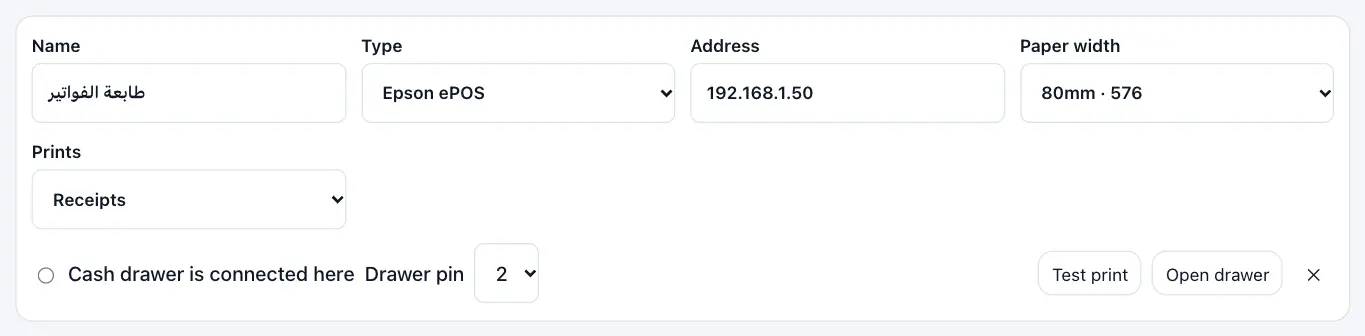
Compare <b>Address</b> here with the printer's address. -
3
Print a test page
Press Printers, then Test print next to the printer. If the page comes out, the printer is fine. If Printer unreachable shows, the problem is the power, the network or the address.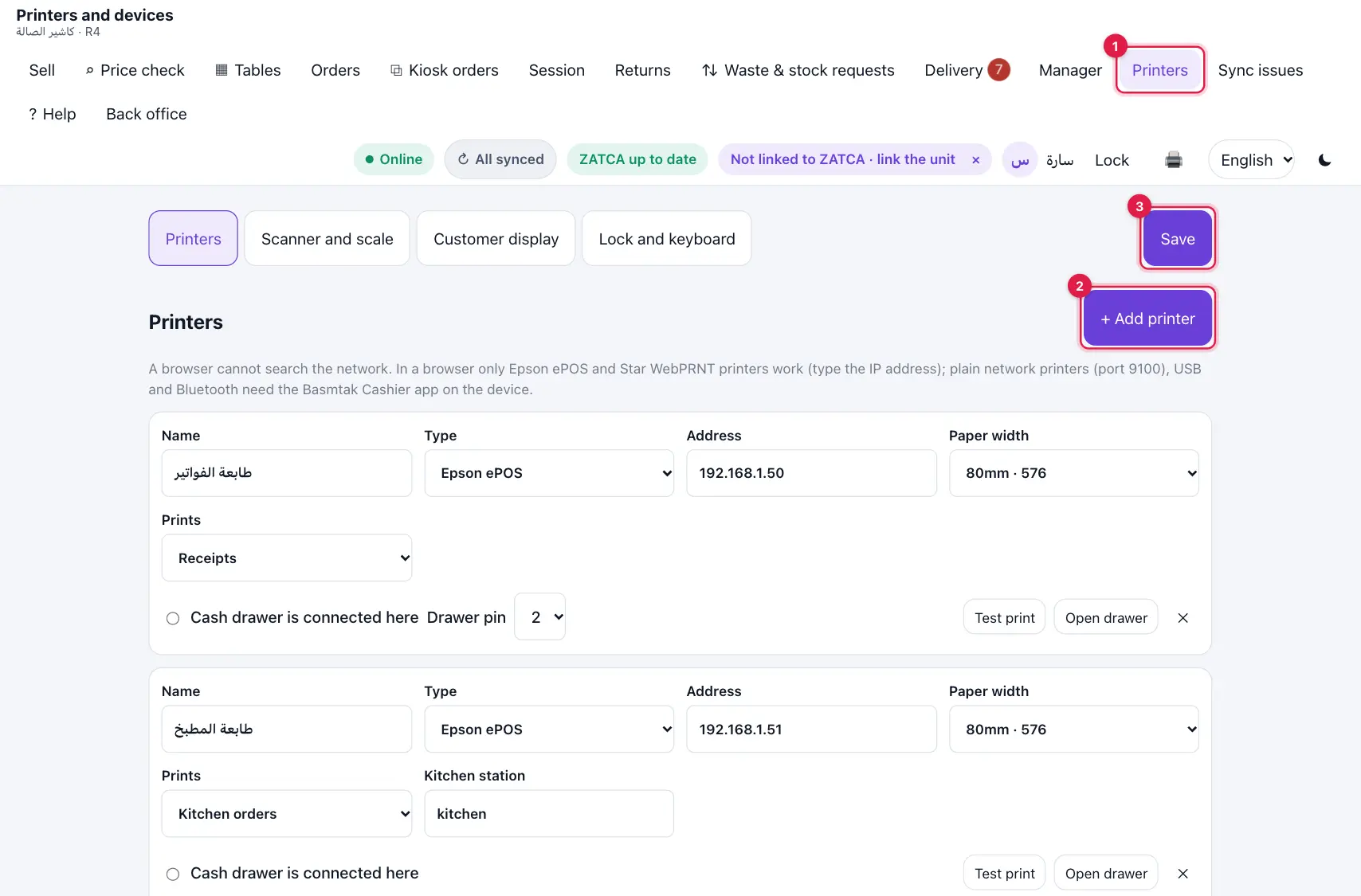
-
4
Restart the printer
Switch the printer off, wait ten seconds, switch it on and try the test print again. If the problem stays, close and reopen the Cashier app, or reload the browser page.
-
5
Know what happened to the receipts
Selling does not stop. The device retries the print several times over a few minutes. If the printer stays down, reprint the receipt from Orders. If kitchen slips do not print, tell the kitchen by voice until the printer is back.जानने योग्य: A manager can see the printer status in the back office: Organisation → Devices, press the device, and look at Printer status.
क्या इस गाइड से मदद मिली?