জেনে রাখুন: Counts are for owners and managers, and are done in the back office, not at the till.
-
1
Start a new count
Open Stock → Counts and press + New count. The table lists earlier counts and their status.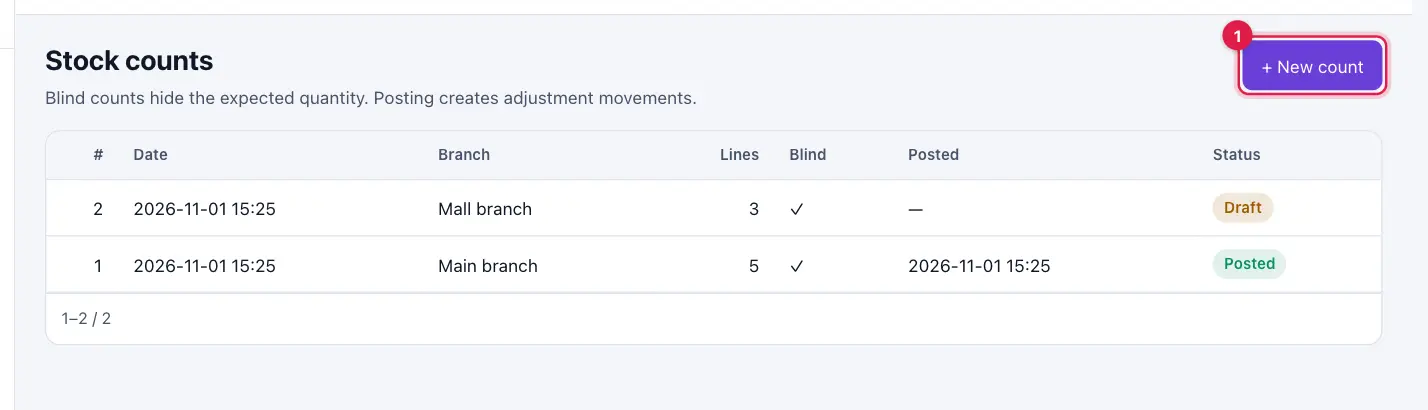
-
2
Choose the branch and the items
Choose the Branch. Keep Blind on if the people counting should not see the expected quantity, so they count instead of copying numbers. Press Add all tracked items, or search for one item and add it.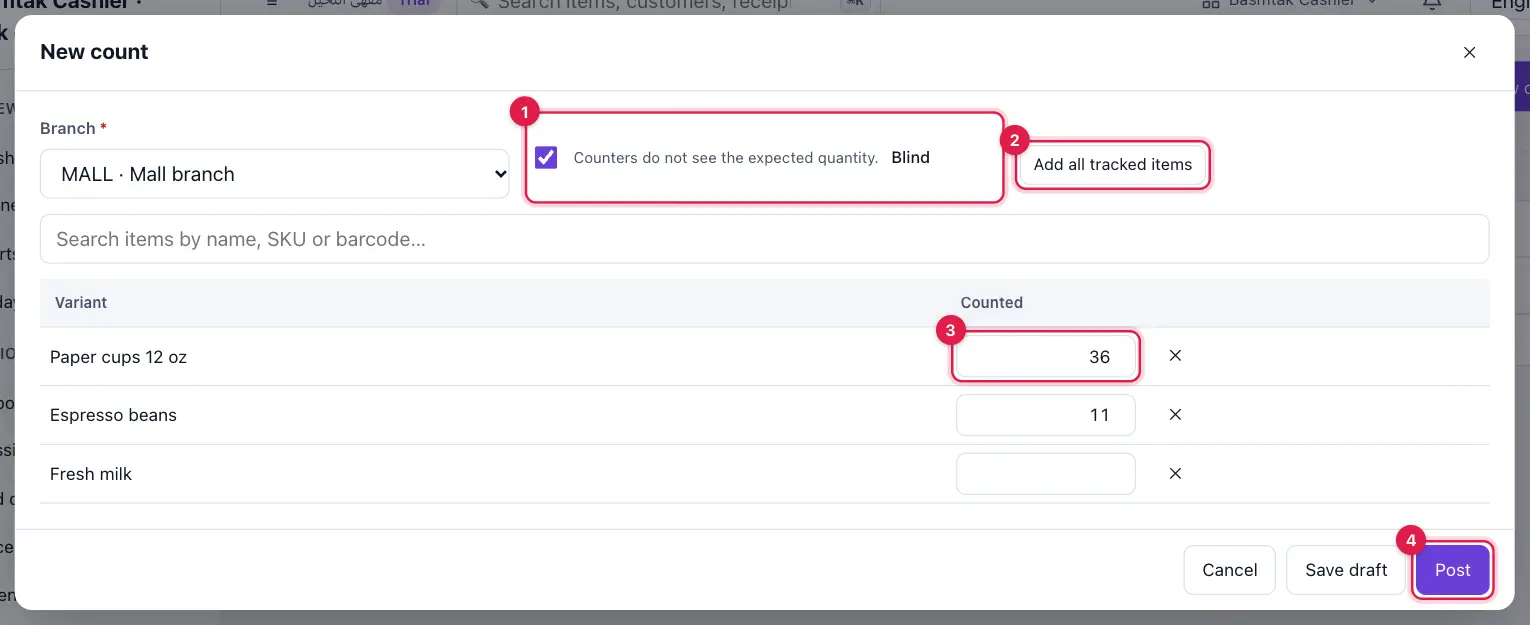
1 Blind, 2 Add all tracked items, 3 Counted, 4 Post. -
3
Type what you counted
In the Counted column, type the quantity really on the shelf. If you have not finished, press Save draft and carry on later by opening the count from the table. An item left empty keeps its balance.পরামর্শ: Keep counts short: count one section by adding only its items instead of all your stock. -
4
Post the count
Press Post and confirm. Levels are adjusted to the quantities you counted, and the count becomes Posted.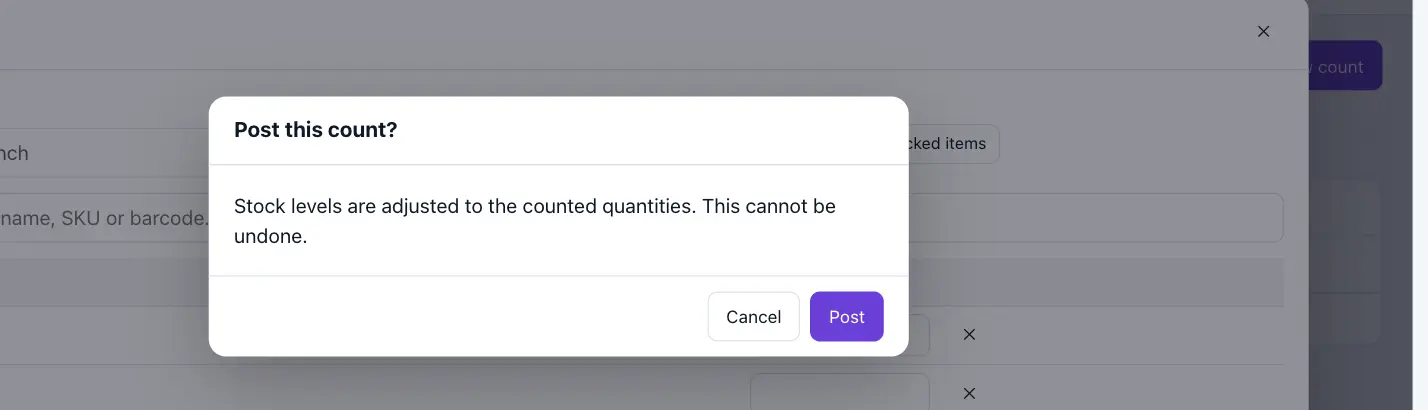 সতর্কতা: Posting cannot be undone. If you got an item wrong, do a new count for it. Sales made after an item was counted stay counted and are not lost.
-
5
Review the differences
Open the posted count from the table. Each item shows Expected, Counted and Variance. The changes also appear in Stock → Movements with the reason Count adjustment. জেনে রাখুন: If you are connected to Basmtak Books, the value of the differences arrives as a draft journal for your accountant to review.
এই গাইড কি সাহায্য করেছে?