জেনে রাখুন: Import is available to owners and managers.
-
1
Export the file from your current system
- Foodics: Console → Menu → Products → Export.
- Rewaa: Products → Export.
- Loyverse: Back office → Items → Export.
- Excel: any sheet with a name and a price.
-
2
Open Import and choose the source
In the back office choose Customers & import → Import. Then choose the source from the list. Foodics also offers modifiers, customers and suppliers. Excel also offers suppliers and updating existing items.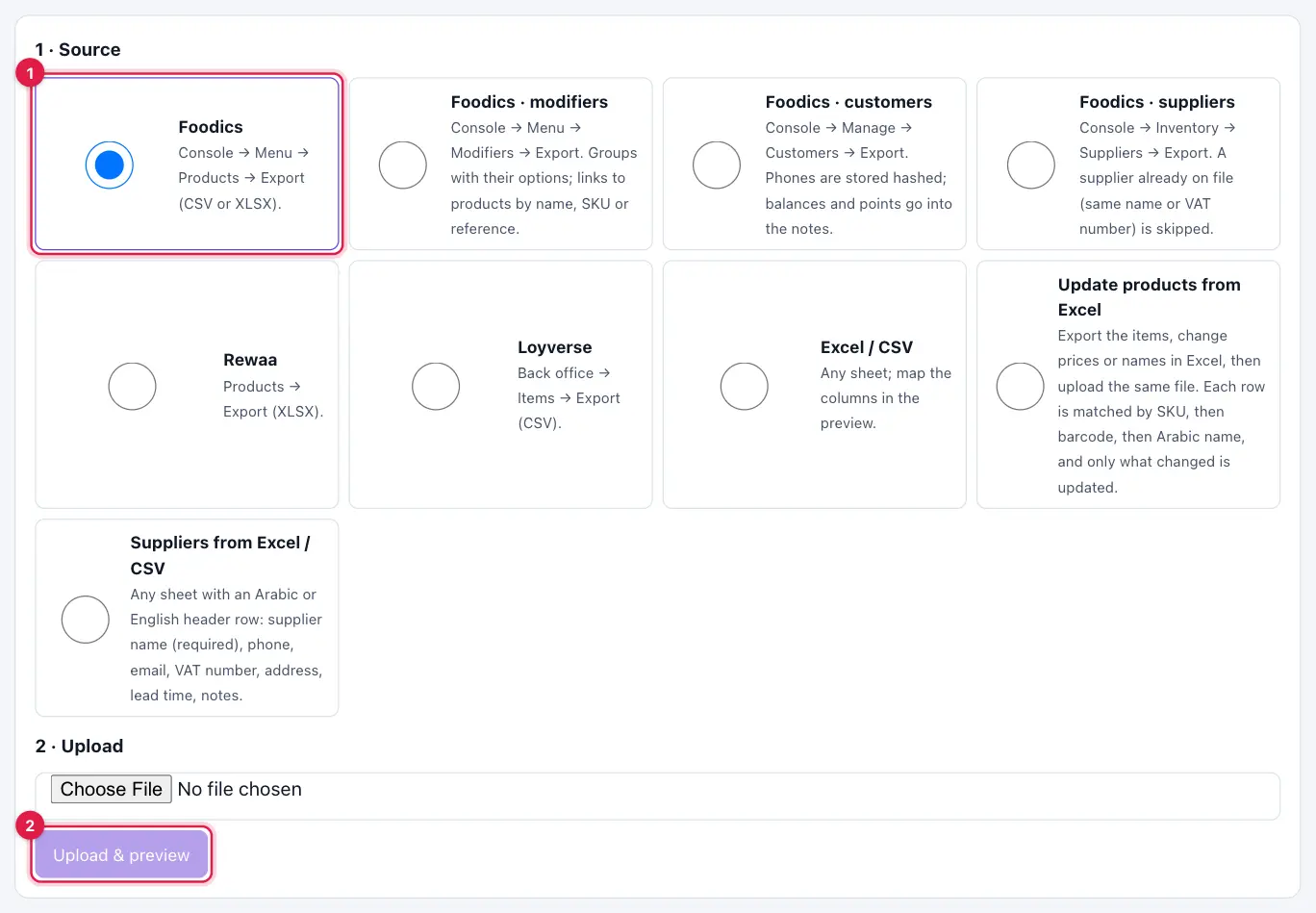
1 The source. 2 The upload and preview button. -
3
Upload the file
Choose a CSV or Excel file, then click Upload & preview. Nothing is saved at this stage.
-
4
Check the preview
The preview shows the number of items and categories. In Column mapping, say what each column holds. If you change anything, click Re-run preview with this mapping. Items you already have are skipped, not duplicated.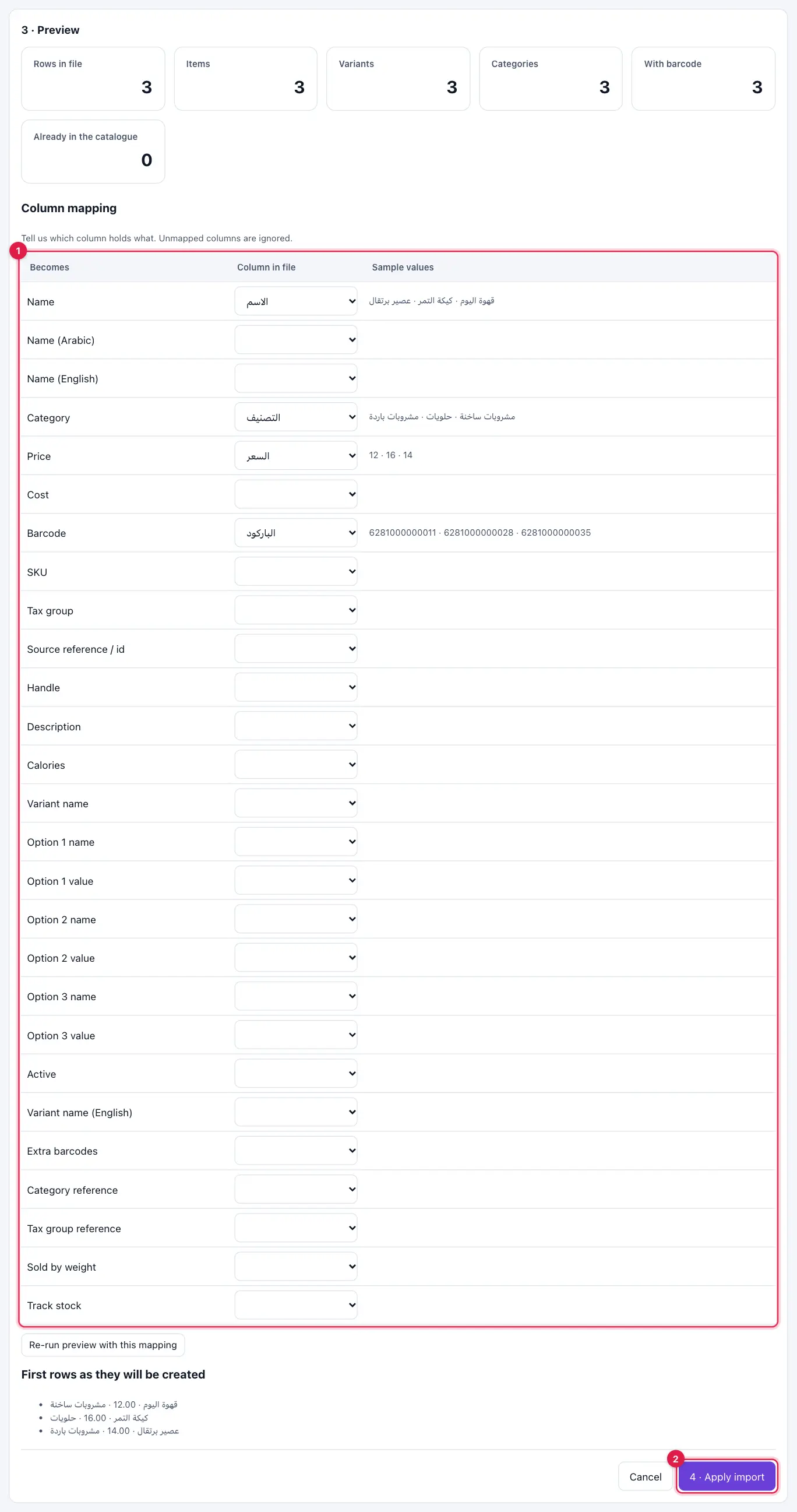
1 Column mapping. 2 Apply the import. -
5
Apply the import
Click Apply import and confirm. Then review your items under Catalogue → Items. They reach the tills at the next sync. -
6
Undo it if needed
In Import history at the bottom of the page, click Undo beside the import. What it created is removed, and anything sold stays on its receipts.জেনে রাখুন: Old receipts are not moved. They stay in your previous system, and your new receipts start from your first sale.
এই গাইড কি সাহায্য করেছে?