-
1
Open the promotions screen
In the menu choose Catalogue → Promotions. You see each promotion with its kind, effect, branches and validity. Press + New.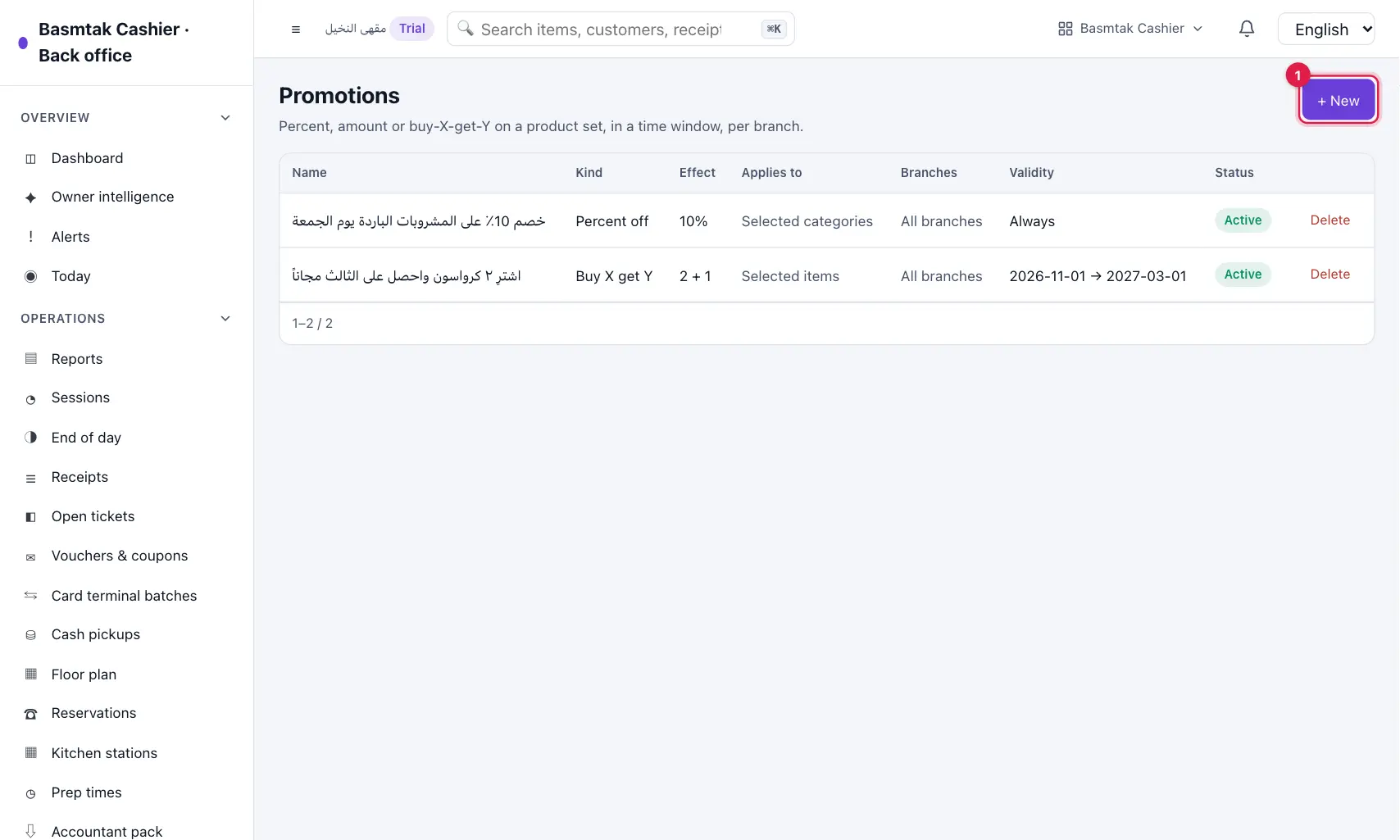
The new promotion button. -
2
Choose the kind of offer
Type the promotion's name, then choose the kind:- Percent off: a percentage, with an optional Cap (max discount).
- Amount off: a fixed amount.
- Buy X get Y: the cheapest eligible units are free.
- Any N for a set price: such as any 3 drinks for one price.

1: Kind. 2: Percent off. 3: Stacking. 4: What it covers. -
3
Choose what it covers
In the Products section choose Whole ticket, Selected items or Selected categories. Age-restricted items are never discounted by promotions. -
4
Set when and where
Under When set start and end dates if you want, and choose the Days and hours. Selecting no day means every day. Under Where leave All branches ticked, or untick it and choose particular branches.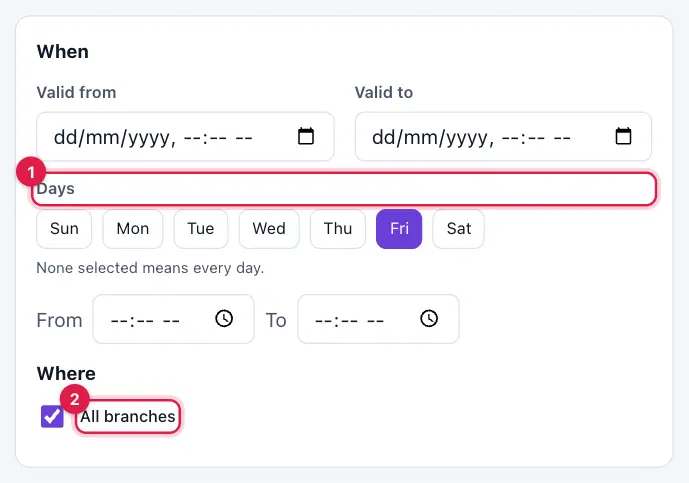
1: Days. 2: Branches. -
5
Save and watch it on the till
Press Save. The till applies the promotion automatically when its conditions are met. If several apply, the system picks the one best for the customer, except promotions with Can stack with other promotions ticked, which are added to it. To stop a promotion, open it and untick Active.
کیا اس رہنمائی سے مدد ملی؟