-
1
Open Owner intelligence
Choose Overview → Owner intelligence. The page has four tabs: Ask, Unusual activity, Approvals and Daily digest.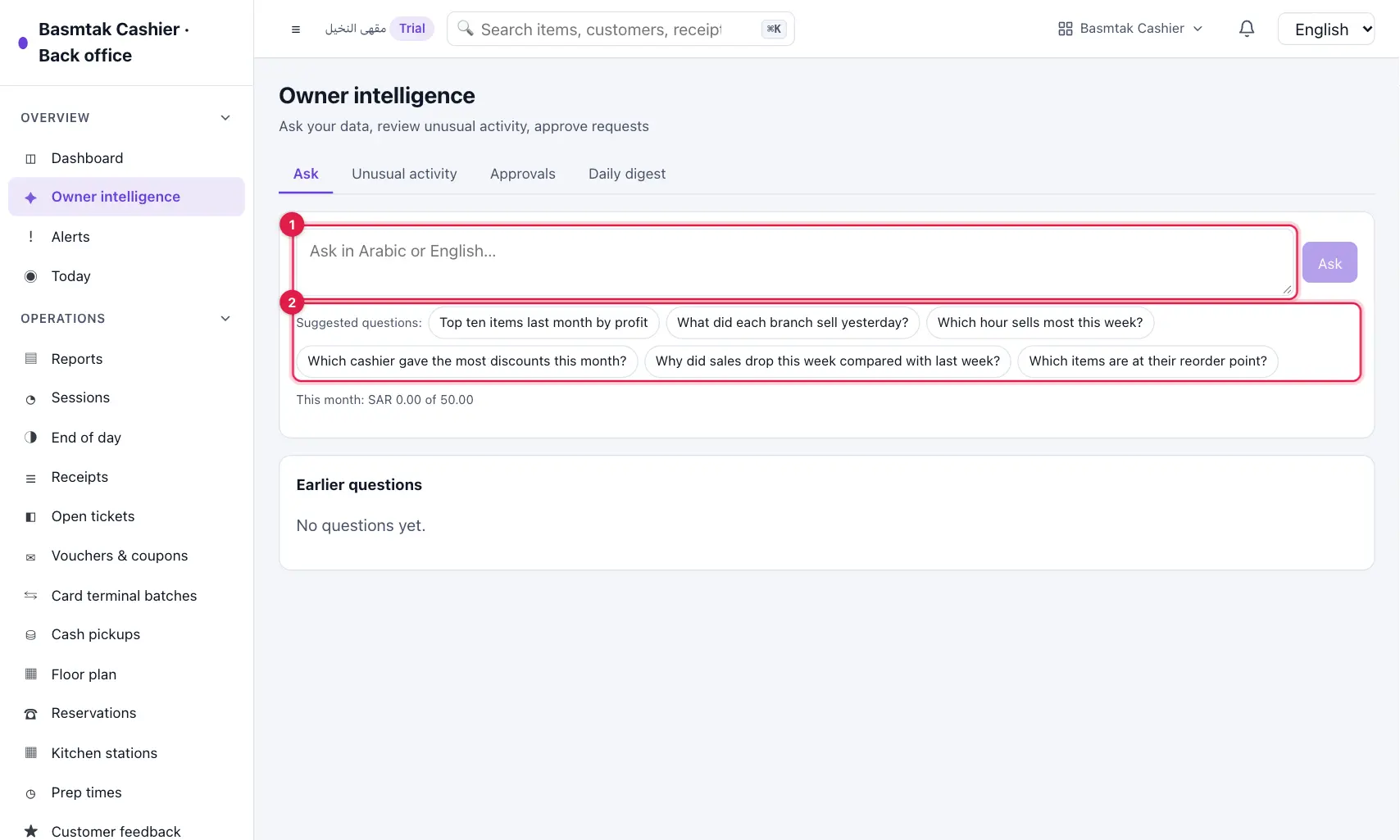
1 Type your question 2 Suggested questions -
2
Ask about your data
In Ask, type your question in Arabic or English and press Ask, or pick a suggested question. The answer shows with the metrics it used. Earlier questions stay at the bottom of the page.جاننا مفید ہے: Only an owner or a manager can ask. The Start plan has a monthly allowance of questions: see the pricing page. -
3
Review unusual activity
Unusual activity shows a cashier whose numbers moved away from the branch average, such as discount, void or refund rates, cash variance or no-sale drawer opens. Open Evidence to reach the receipts and shifts, then press Reviewed.مشورہ: An alert is a reason to look, not a verdict on the employee. Check the evidence first. -
4
Read the daily digest
In Daily digest, pick a day to see each branch's sales against last week, low stock and the digest text. The digest goes out automatically at 7:00.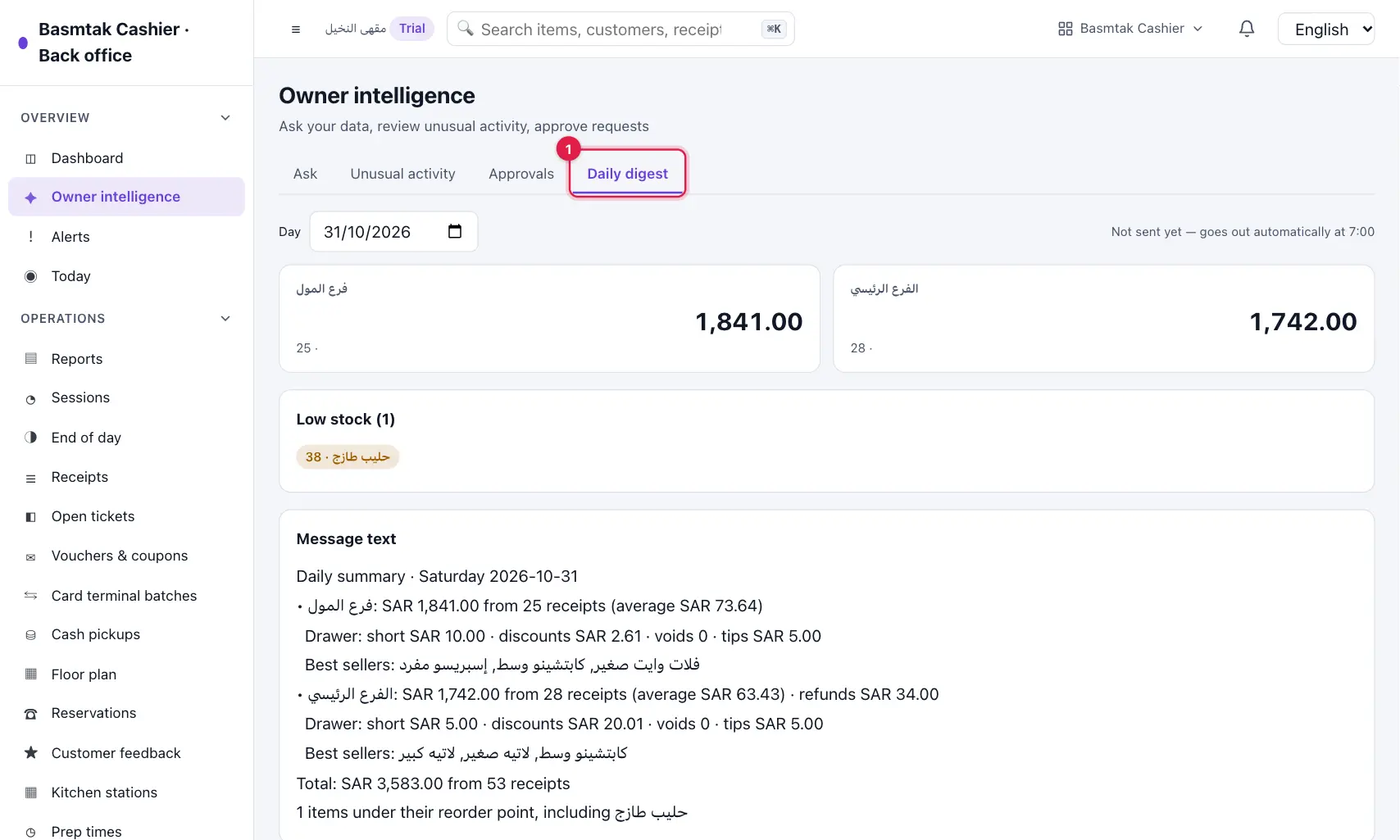
1 The Daily digest tab -
5
Follow your alerts
Choose Overview → Alerts. These are ZATCA, stock and integration problems that need a person, grouped as Critical, Warning and Info. Once you have handled one, press Acknowledge. An owner, a manager or an accountant can do this.
کیا اس رہنمائی سے مدد ملی؟