-
1
Choose the size
If an item has sizes, such as small, medium and large, the Choose a variant window shows each size with its price. Tap the one you need.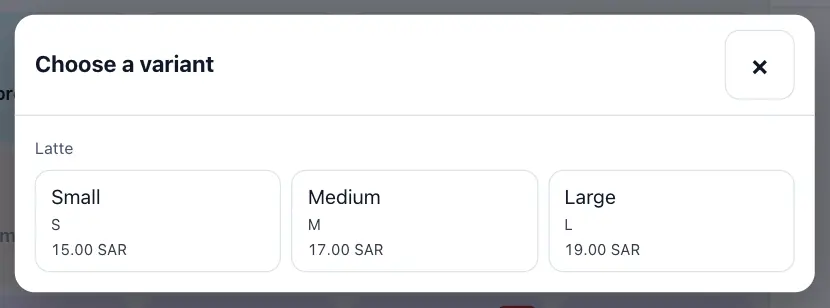
-
2
Choose the options
Next, the options window appears if the item has any. Above each group you see Required or Optional and how many are allowed, such as Up to 3. An option with an amount adds that amount to the price. Tap an option to select it and tap again to clear it. جاننا مفید ہے: Some options can be repeated. They show − and + buttons once selected.
-
3
Press Done
Press Done to add the item. The button stays off until every required group has a choice. Your choices show under the item name on the ticket and print on the receipt.مشورہ: To change the options after adding, remove the line and add the item again. -
4
Combo meals
When you pick a combo, a window shows its groups of parts and the combo price. Choose from each group, then press Done. The parts appear under the combo on the ticket.
کیا اس رہنمائی سے مدد ملی؟