جاننا مفید ہے: Turning ratings on needs an owner or manager account.
-
1
Turn ratings on
Open Settings → Customer messages. In “Your opinion matters” tick Turn on rating on the receipt page, then press Save. Keep Alert me on a one-star rating with a comment on so you hear about complaints quickly.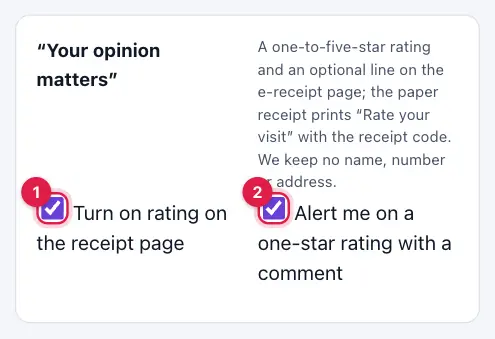
-
2
How the customer rates
The receipt prints Rate your visit with the same code. The customer scans the receipt code on a phone and the e-receipt page opens. They pick one to five stars and may add a line.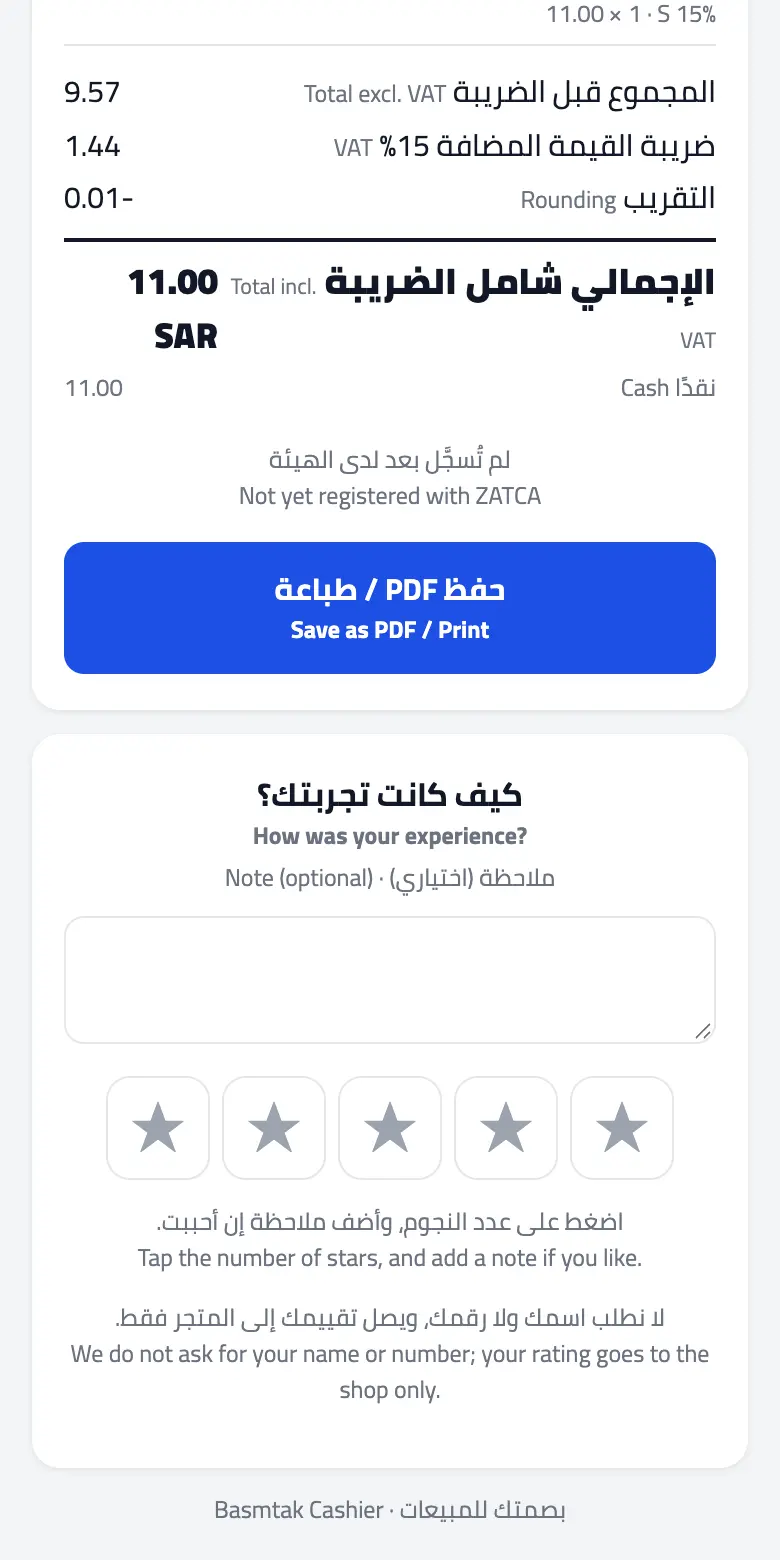 جاننا مفید ہے: No name, number or address is kept with the rating.
-
3
Read the ratings
Open Operations → Customer feedback. The top of the page shows the Average, Ratings and the spread of stars. Change the period, filter by Branch, Cashier or Rating, or tick With a comment only.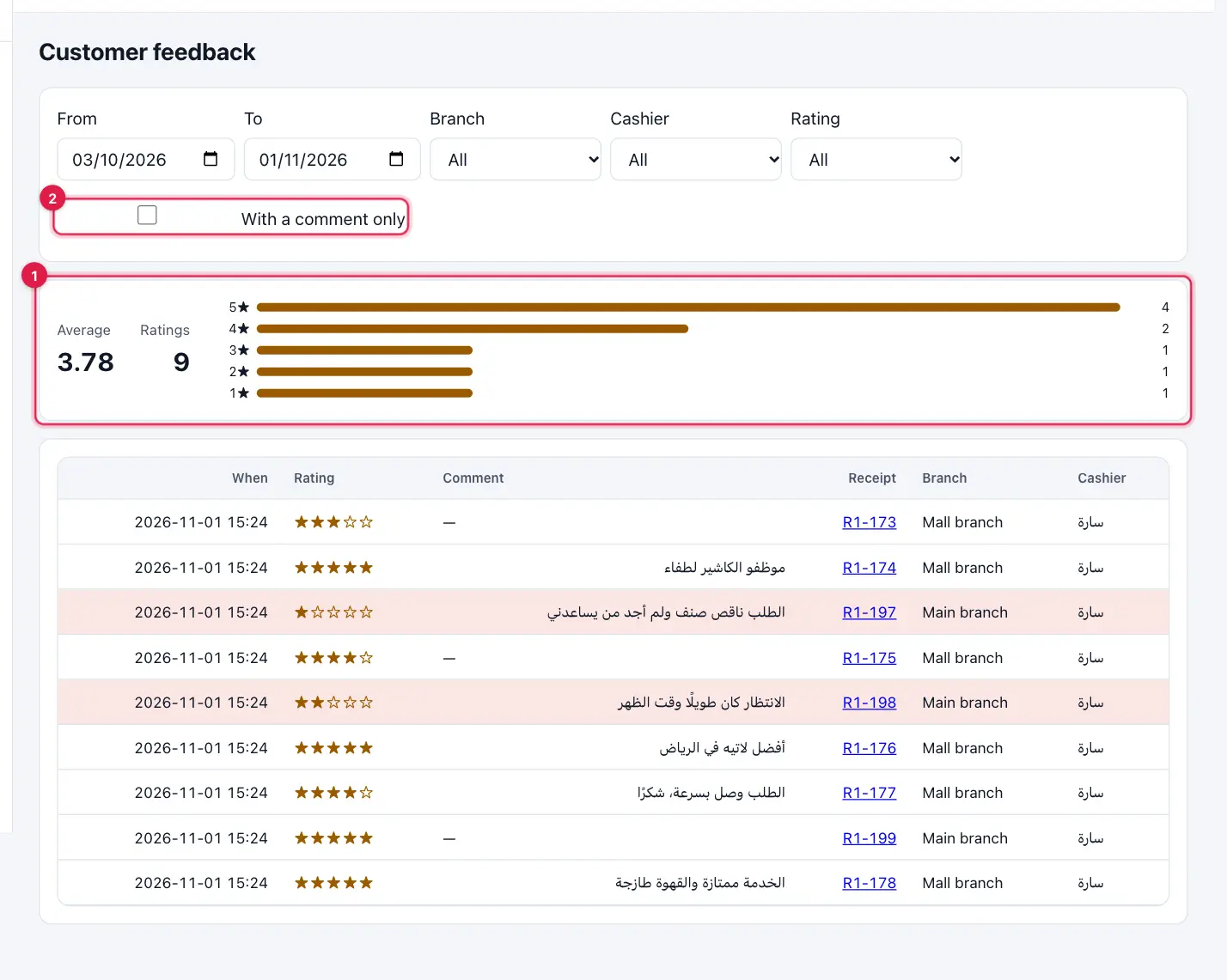
1 the summary, 2 comments only. -
4
Follow up on low ratings
Ratings of one or two stars show in a different colour. Press the receipt number on the row to see what was ordered and when. Use the branch and cashier on the row to review it with your team.مشورہ: You can add Customer feedback to the Daily digest under Settings → Daily digest.
کیا اس رہنمائی سے مدد ملی؟