The till shows a QR code from your own Tamara account and the customer completes it on their phone. It needs a merchant contract with Tamara. The link is in beta: it has not been run on a real merchant account yet, so start with a small payment or the sandbox. Available in Saudi Arabia only.
شروع کرنے سے پہلے
- A merchant contract with Tamara.
- From it: an API token and a webhook secret.
- An internet connection at payment time.
-
1
Enter your Tamara details
Open Compliance → Integrations → Tamara. Enter the API token and Webhook secret. Choose true under Sandbox if these are test details, then press Save.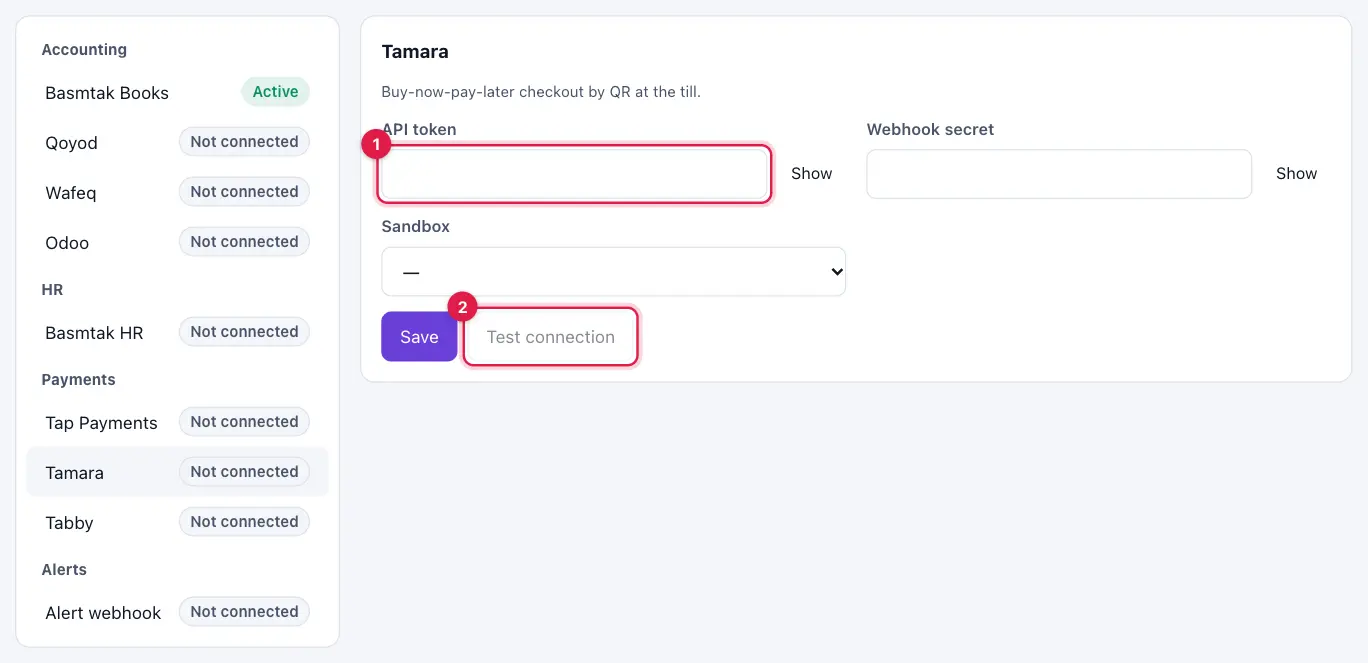
-
2
Test the connection
Press Test connection. Connected should appear. -
3
Take a payment at the till
On the Payment screen choose Tamara. The customer scans the code and finishes on their phone, then the payment is added to the bill once Tamara confirms it.
نظاموں کے درمیان کیا منتقل ہوتا ہے
| کیا | سمت | تفصیل |
|---|---|---|
| Payment | کیشیئر میں | The till confirms it by asking Tamara directly. |
| Accounting | کیشیئر سے | Booked to <b>BNPL clearing (Tamara / Tabby)</b>. |
عام سوالات
Is Tamara the same as a credit customer?
No. Tamara deals with the customer. A House account is the customer owing you.
Does it work outside Saudi Arabia?
No. This link is for Saudi Arabia only.