You move with files you export from Foodics and upload to Basmtak Cashier, once, with no connection between the two systems. Products, modifiers, customers and suppliers move. Sales history and stock quantities do not.
شروع کرنے سے پہلے
- A file from your old system.
- An owner or a manager.
-
1
Export the file from your old system
From the Foodics console, export these files:- Products: Menu → Products → Export
- Modifiers: Menu → Modifiers → Export
- Customers: Manage → Customers → Export
- Suppliers: Inventory → Suppliers → Export
-
2
Upload the file
Open Customers & import → Import. Choose the source Foodics for products first, then Foodics · modifiers, Foodics · customers and Foodics · suppliers, pick the file, then press Upload & preview.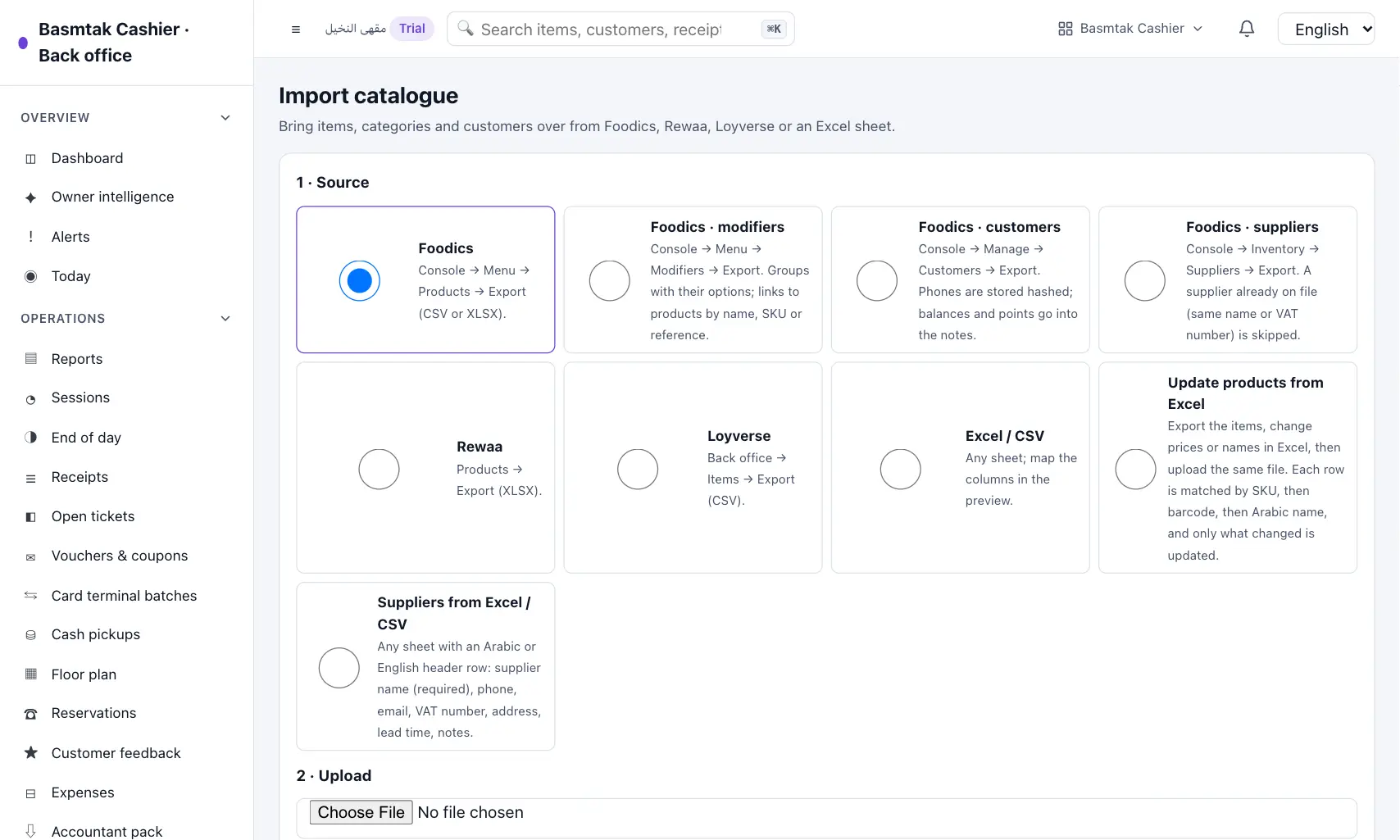
-
3
Review the preview
The preview shows the counts and the first rows. If a column is not matched, pick it under Column mapping and preview again. Nothing has been created yet. -
4
Apply the import
Press Apply import. Items already there under the same name or SKU are skipped, not duplicated. If something looks wrong, press Undo in Import history.
نظاموں کے درمیان کیا منتقل ہوتا ہے
| کیا | سمت | تفصیل |
|---|---|---|
| Products, categories and tax | کیشیئر میں | From the products file. |
| Modifiers | کیشیئر میں | Linked to products by name, SKU or reference, so import products first. |
| Customers | کیشیئر میں | Balances and points are written into the notes. |
| Suppliers | کیشیئر میں | A supplier already there with the same name or VAT number is skipped. |
عام سوالات
Does the sales history move?
No. The sales history starts from your first sale in Basmtak Cashier.
Do customer balances and points move?
They are written in the customer's notes, and do not become a working balance by themselves.
I used the wrong file. Can I redo it?
Yes. Press Undo, then upload the right file. If items were sold or used since, the system may refuse and show why.