-
1
Know what a credit note is
A credit note is an official document that reverses all or part of a receipt. An issued receipt cannot be edited, so a credit note is issued on every return or exchange. It has its own number, refers to the original receipt when there is one, and is reported to ZATCA. -
2
Choose store credit
On the refund step in Returns, press Refund as store credit. The whole amount becomes a new voucher instead of cash. The button shows only if the return policy allows it. Then press Issue credit note.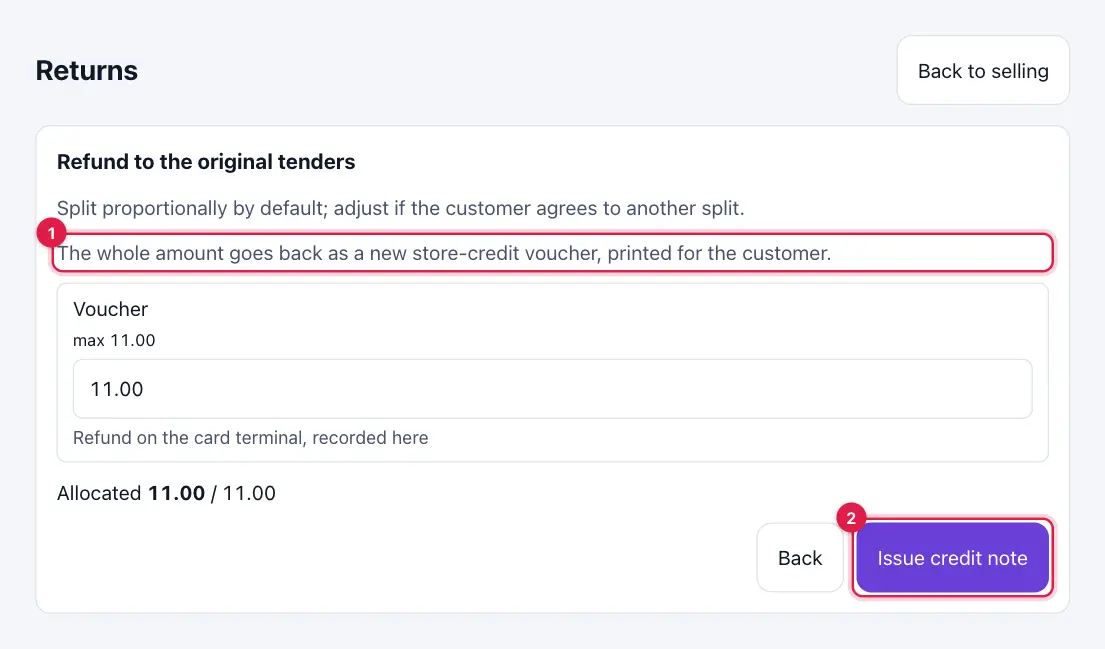
1 Store credit is confirmed. 2 Issue the note. -
3
Give the customer the voucher
The code shows on the screen and a slip prints. Make sure the customer takes it, because the code is not shown on this screen again. If the slip does not print, press Reprint the slip before they leave, or write down the code on the screen. सुझाव: This shift's vouchers stay on the Returns screen under Store credit issued this shift, and can be reprinted from there until the shift closes.
-
4
Use the credit later
At payment choose Voucher and enter the voucher code. If your business set a validity period for vouchers, it applies to this credit too. -
5
Review credit notes
On the till open Orders, then Refunded. In the back office open Operations → Receipts and choose the kind Credit note.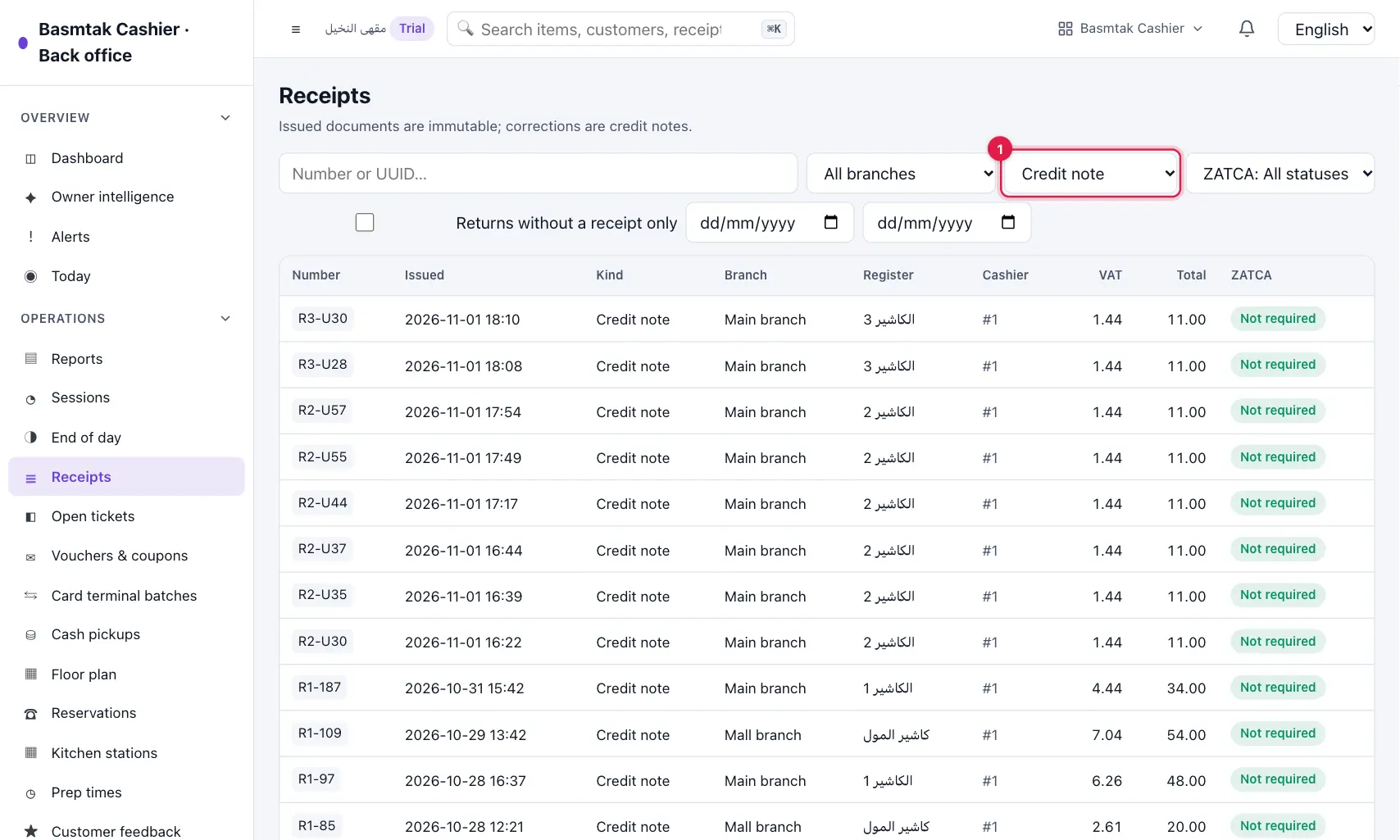
क्या इस गाइड से मदद मिली?