-
1
Open Shop setup
The wizard opens by itself after you create your account. Later you can reach it from Settings → Shop setup. In every step you can click Skip for now, and Later at the top takes you to the dashboard.
1 The six steps. 2 The business type. 3 Come back later. जानने योग्य: While setup is unfinished it opens for the owner after each sign-in, and the menu shows Not finished. -
2
Step 1: Your business
Pick your kind of business, such as Café, Restaurant or Grocery / supermarket. It sets your order types, kitchen and end of business day, listed under We'll set up:. Then enter the name, VAT number and Commercial registration (CR) and click Save and continue. -
3
Step 2: Branch and address
Enter the branch name and national address as shown in the SPL app. The address prints on invoices and ZATCA needs it. Then set How many tills do you have?. Each till is one checkout device.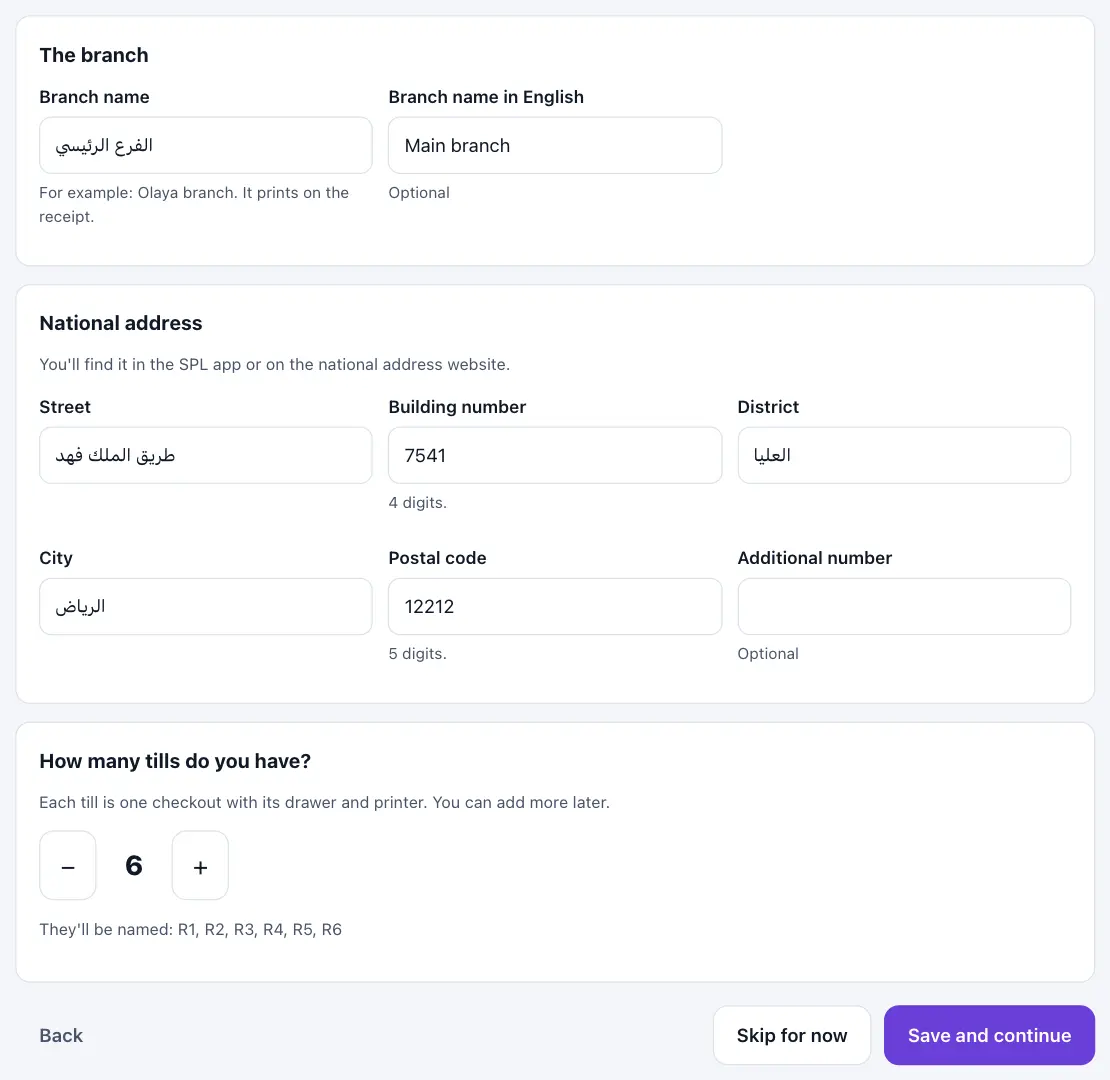
-
4
Step 3: Products
Choose one way: Import from Foodics, Basmtak Excel template or Ready-made menu. You see every item before saving and can change prices. Then click Save the products. If your items are not ready, click Skip for now. सुझाव: You can use Undo the import as long as nothing from it has been sold.
-
5
Step 4: Your team
Enter your own 6-digit PIN, which you use to sign in at the till and approve actions. Then add up to 3 cashiers, each with a name and a 4-digit PIN. Add more later on the Cashiers page.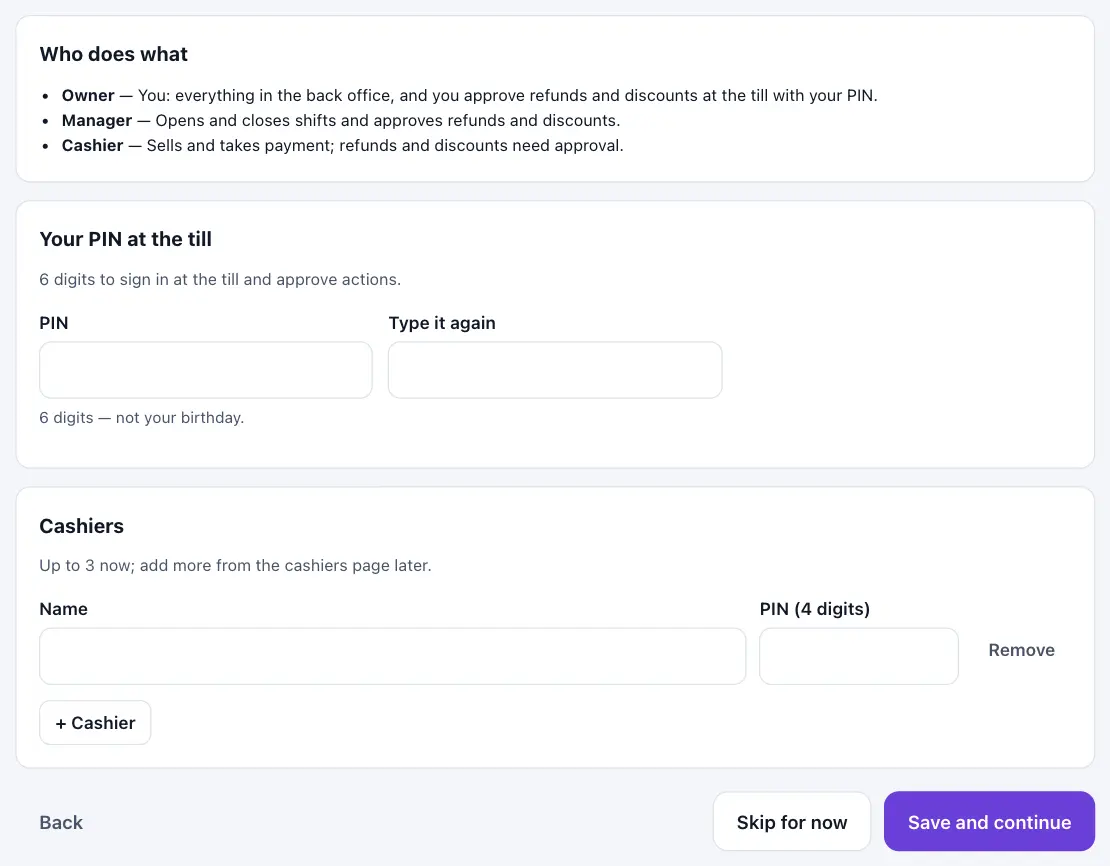
-
6
Step 5: The till
Pick the register and click Create the pairing code. Type the code on the till device or scan the QR, or click Open the till on this device. The code is valid for 15 minutes.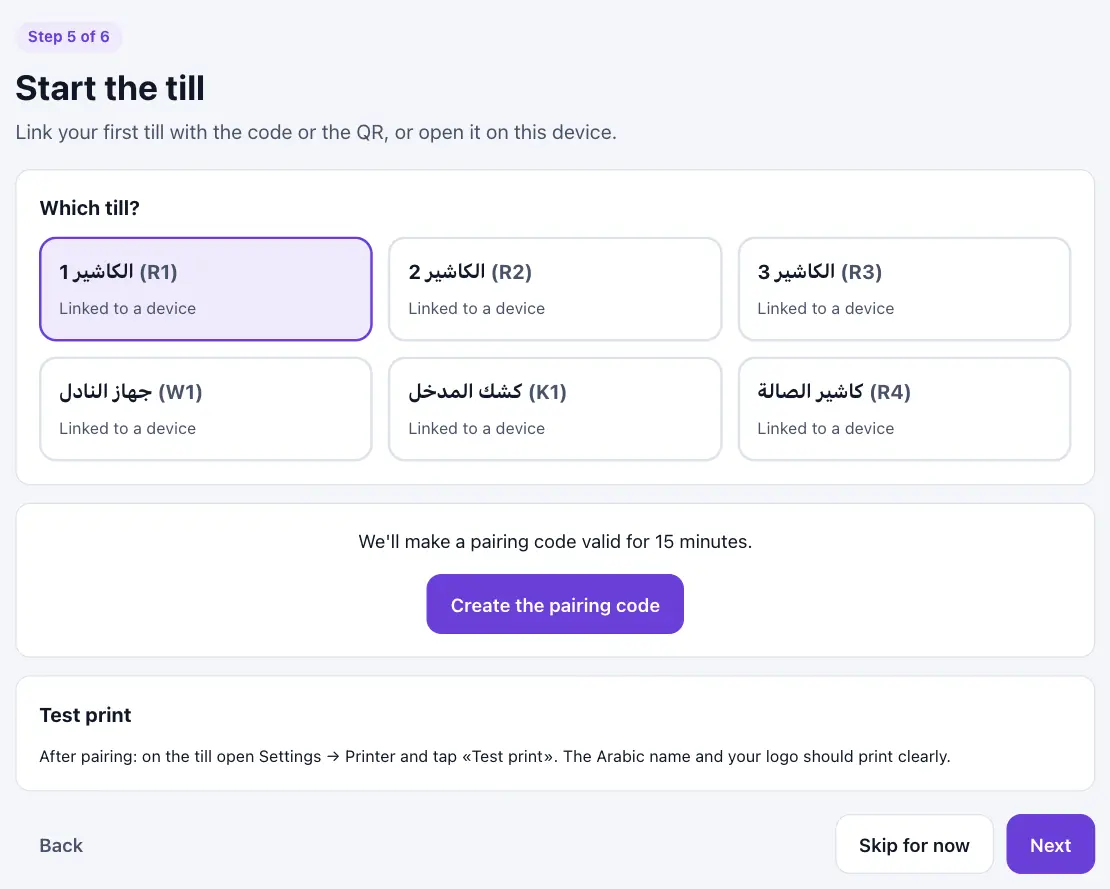
-
7
Step 6: E-invoicing
This step explains the ZATCA link in brief, and there is nothing to do now. Click Finish setup. The Ready to sell screen then shows what you left for later and what remains before going live.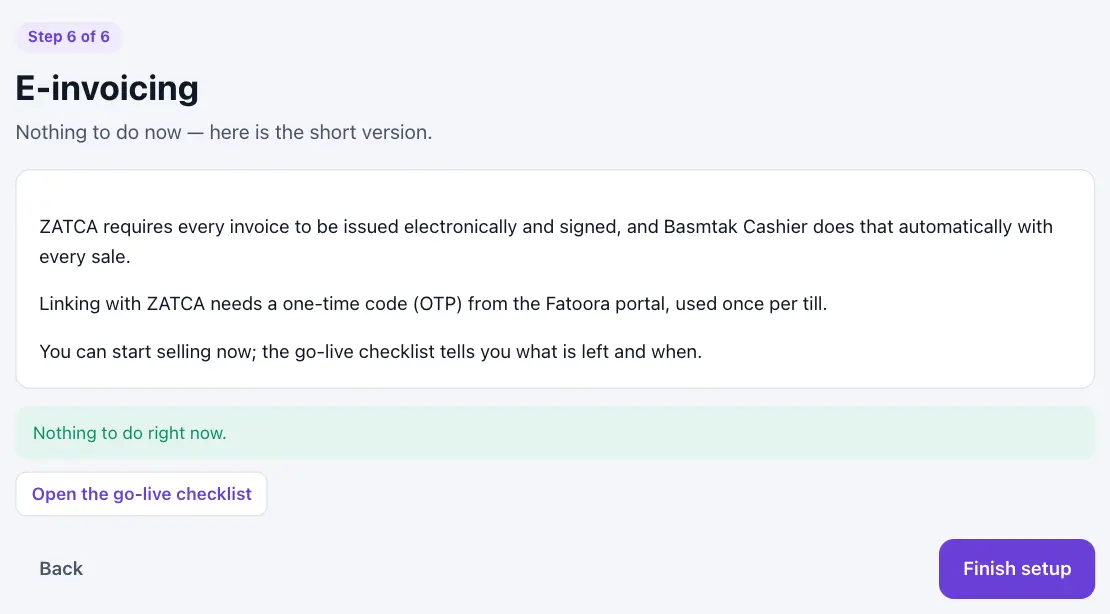
क्या इस गाइड से मदद मिली?