जानने योग्य: You need a tablet or touch screen, and the Cashier app is best for locking the device.
-
1
Create the kiosk profile
In Organisation → Kiosks fill in New profile: the name, branch and Mode. Choose Self-order (menu first) for restaurants, or Self-checkout (scan first) for shops where customers scan barcodes. Set Payment methods, Order types offered and Languages, then press Save.
1 Mode. 2 Payment methods. जानने योग्य: You can also add pictures for the attract screen, and upsell offers that show when an item is chosen. -
2
Pair the kiosk device
In Organisation → Registers create a register for the kiosk and choose Self-order kiosk in Register mode. Press Pair a device, choose Self-order kiosk, then Create code. Type the code on the kiosk device at cashier.basmtak.com/connect.
This is the attract screen after pairing. जानने योग्य: A kiosk counts as a selling device in your subscription. See the pricing page. -
3
How the customer orders
The customer touches the screen, chooses where to eat, adds items to the basket and presses Pay. The language can be changed at the top. If the kiosk is left alone it asks Are you still there? and then clears the order.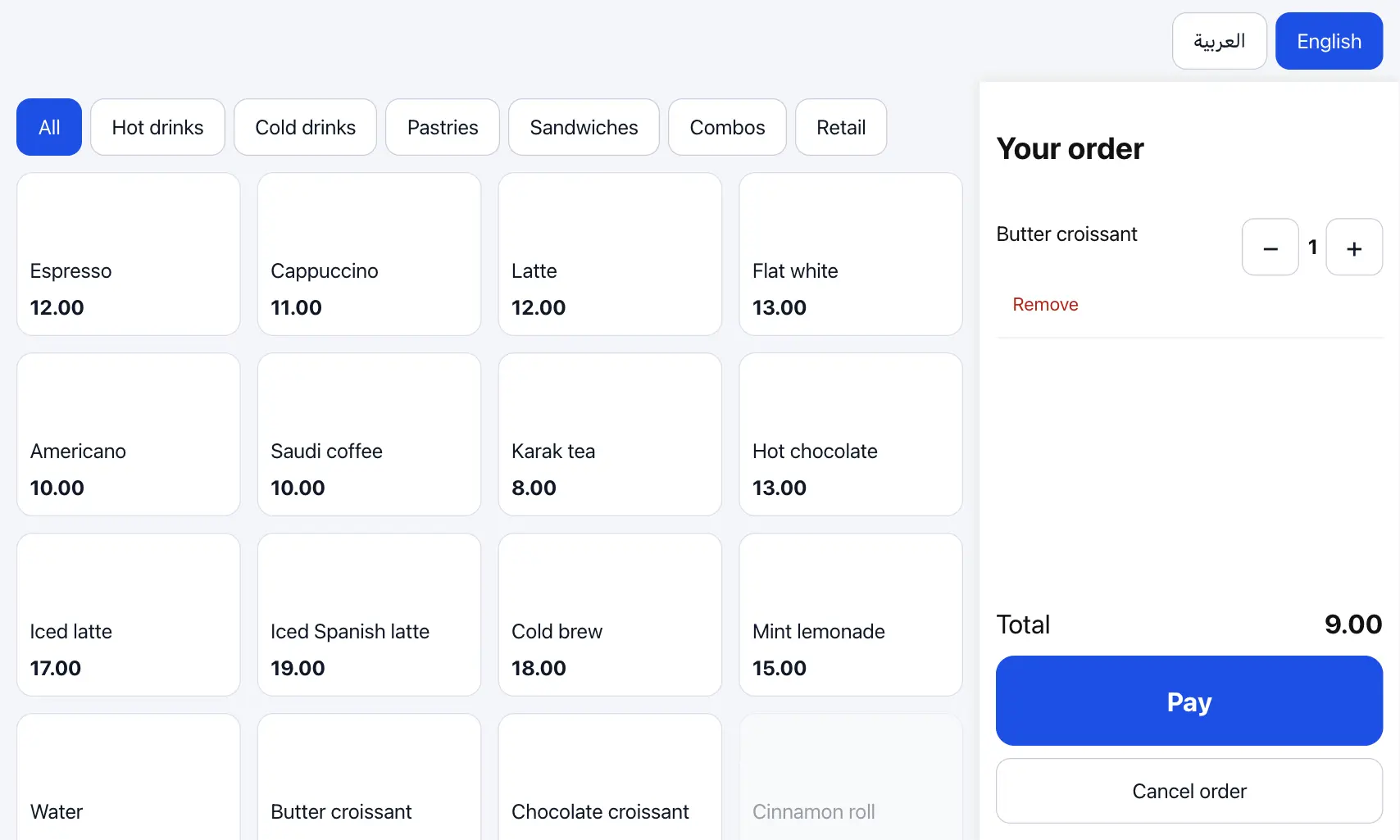
-
4
Payment
The payment methods you chose in the profile show. Card only appears if a card terminal is linked to the kiosk's register. With Pay at the counter, the customer gets a number to give the cashier.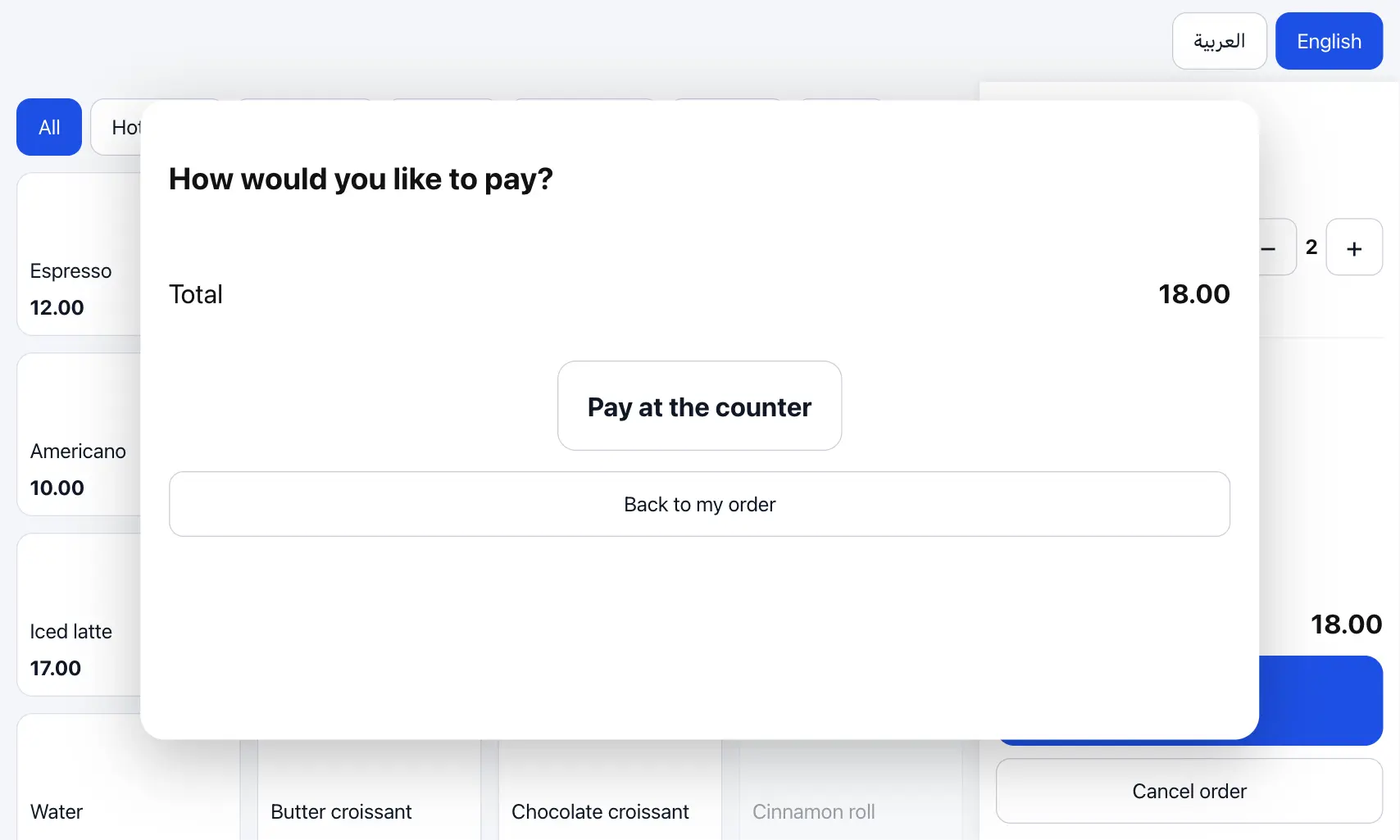
-
5
The order number
After Pay at the counter, the customer sees Please pay at the counter with the order number, and takes that number to the cashier.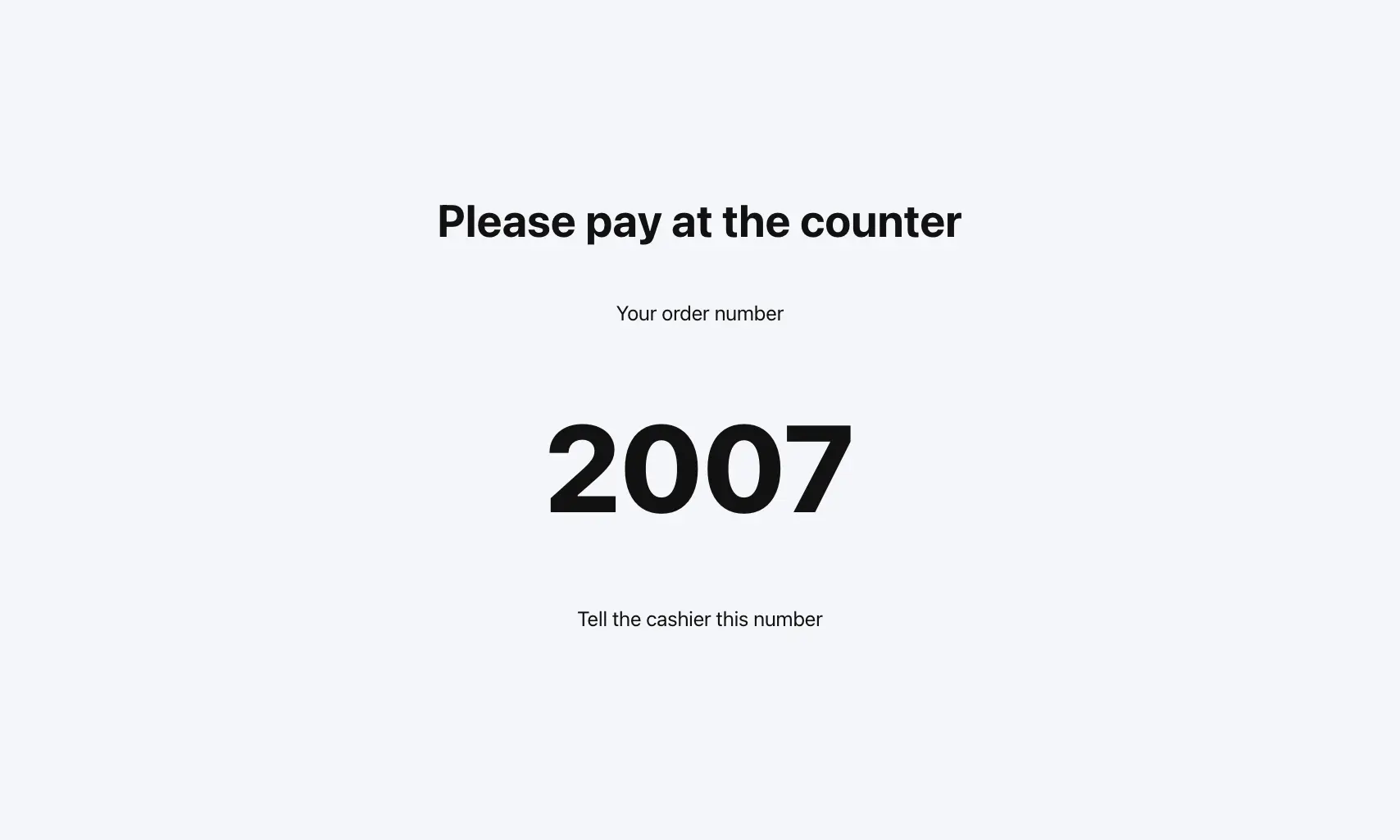
The order number as the customer sees it. -
6
Take the payment at the till
On the till press Kiosk orders in the top bar. Find the customer's number and press Take payment to open the order on the sell screen.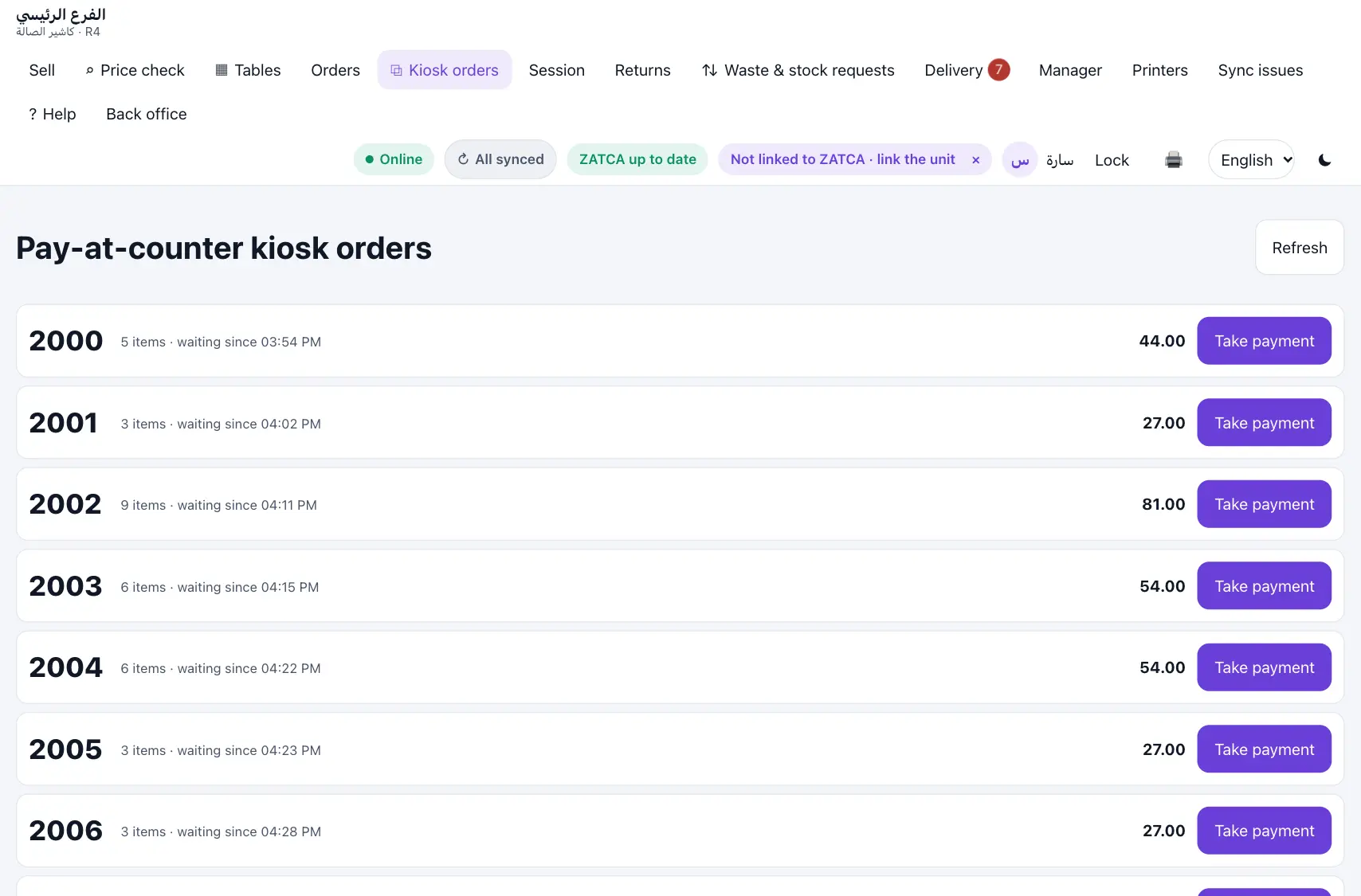
-
7
The staff menu
Hold the top corner of the kiosk screen for 3 seconds, then enter a staff PIN. From this menu you can clear a stuck order, unlock the device or reach the shift.
क्या इस गाइड से मदद मिली?