-
1
Open the categories screen
In the menu choose Catalogue → Categories. You see the category tree as it appears on the till. Press + New for a main category, or + Sub-category beside an existing one to place it underneath.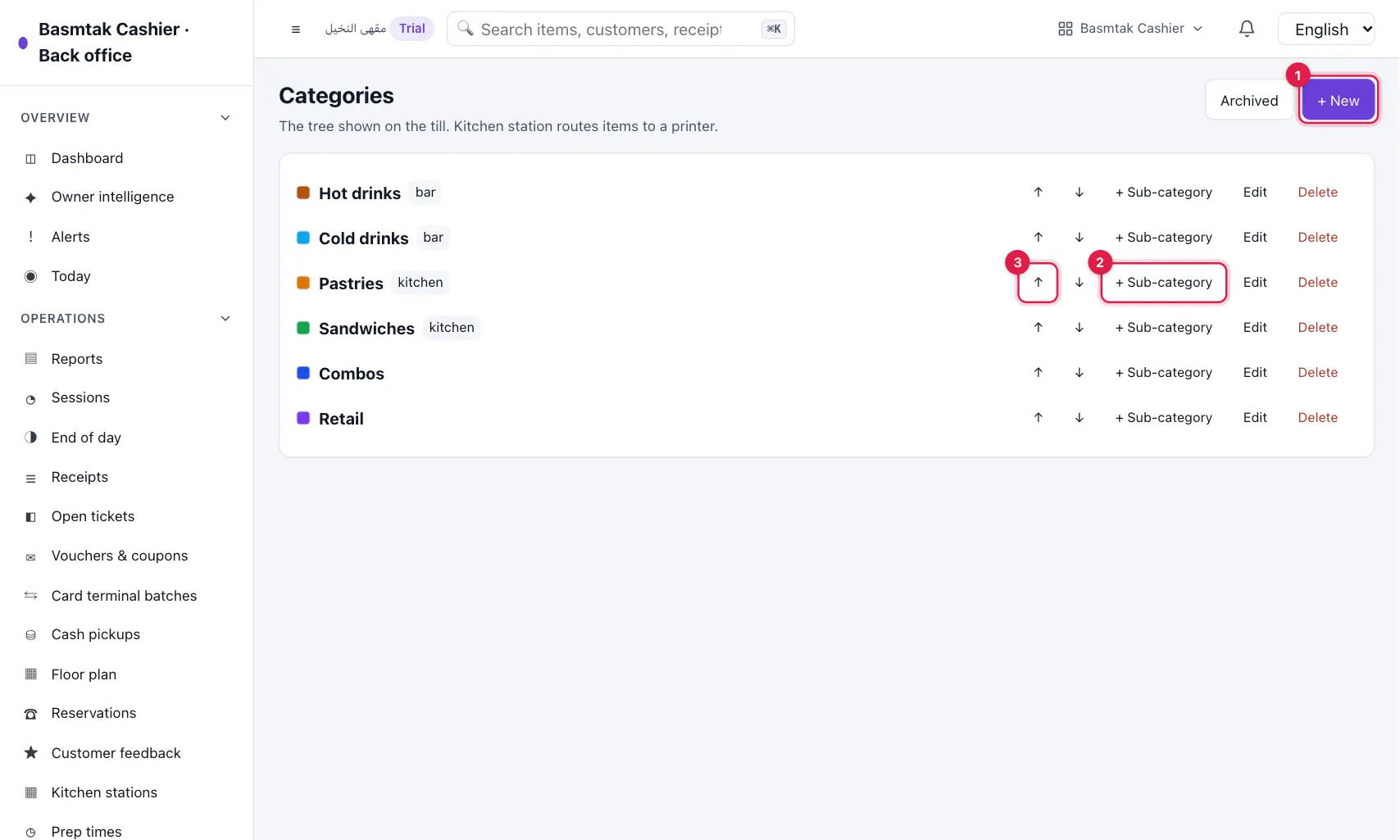
1: New category. 2: Sub-category. 3: The arrows that change the order. -
2
Fill in the category
Type Name (Arabic) and the English name if you want one. Parent category sets where it sits: leave it on Top level for a main category. Choose a Colour if you want it to stand out. Then press Save.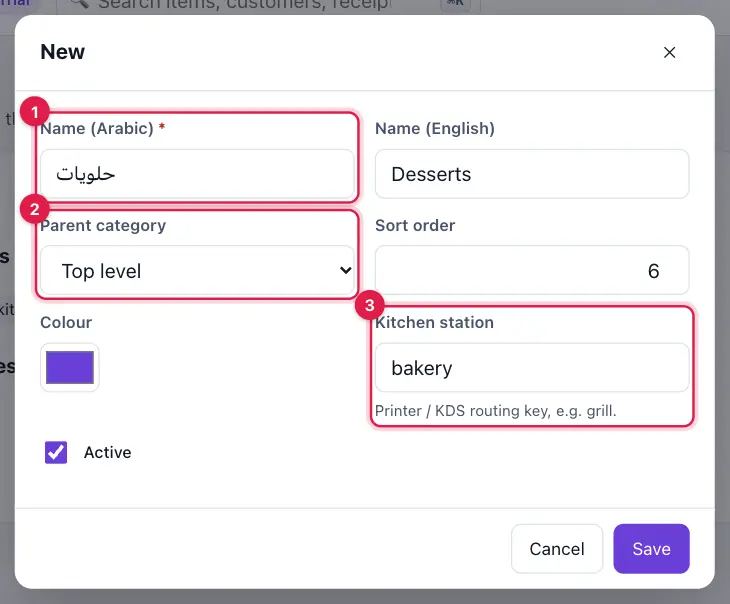
1: Name. 2: Parent category. 3: Kitchen station. -
3
Send it to a kitchen station
Kitchen station is a short word such as grill. It routes this category's items to a particular printer or kitchen screen. Leave it empty if you have only one station. -
4
Order the categories and fill them
Use the ↑ and ↓ arrows to change the order on the till. To put an item in a category, open it and choose its Category. To move several items together, select them on the Items screen and press Bulk edit.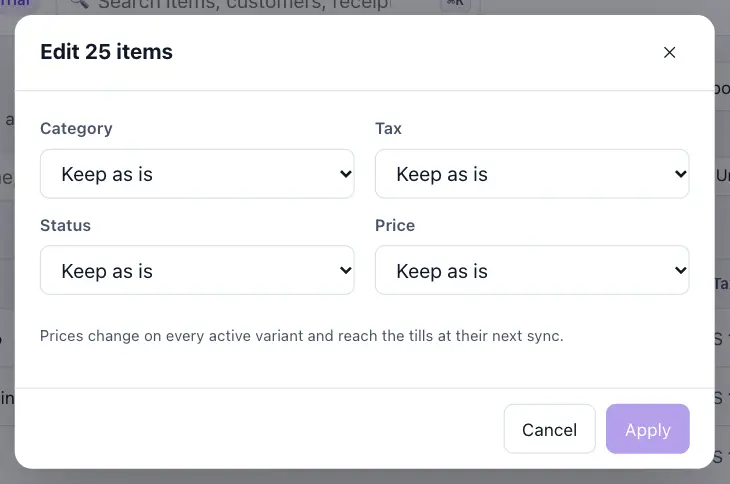
The bulk edit window. जानने योग्य: A category in use is archived, not deleted, and you can restore it from the Archived button. An empty category is deleted for good.
क्या इस गाइड से मदद मिली?