जानने योग्य: You need a paired device, at least one priced item and a cashier PIN.
-
1
The steps at a glance
This is the path from creating an account to the first sale. This article covers the last step. -
2
Sign in with your PIN
On the Enter your PIN screen, type your PIN and press OK.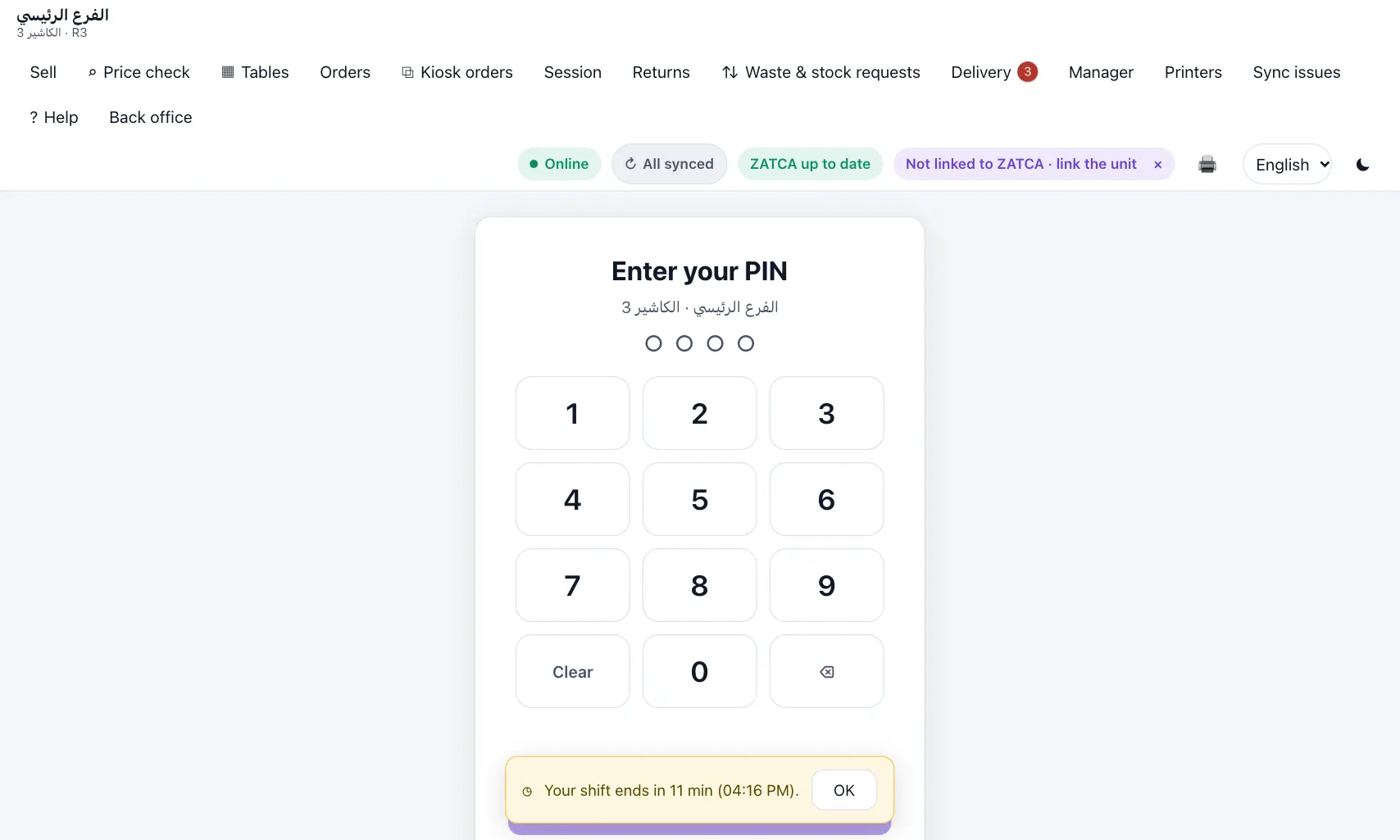
-
3
Open the shift
If no shift is open, the Open session screen appears. Count the cash in the drawer, enter it in Opening float, then click Open the session. -
4
Add the items
Choose the order type, such as Takeaway or Dine in. Then tap the items to add them to the ticket. You can also search by name or scan a barcode.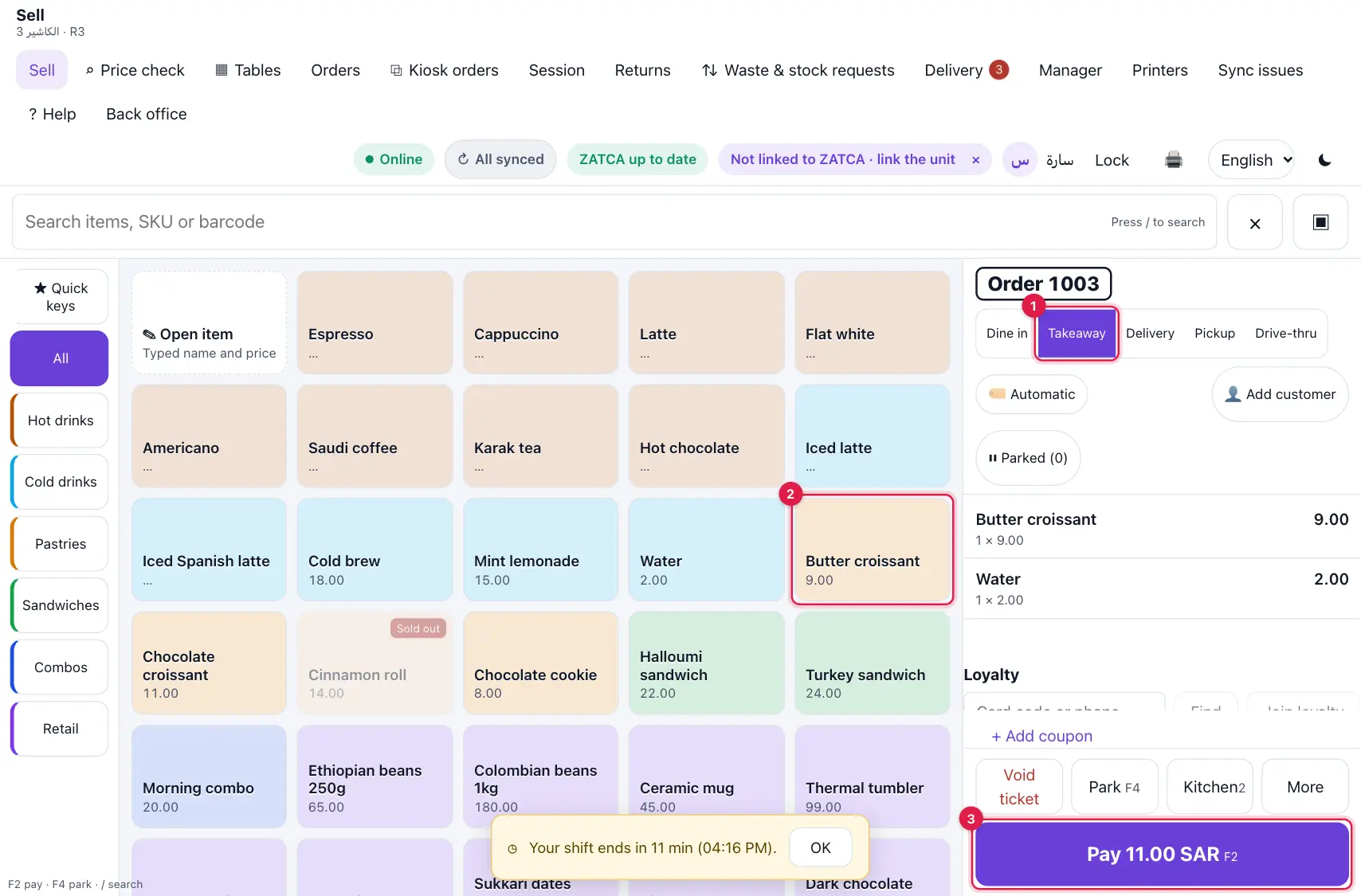
1 The order type. 2 An item. 3 The pay button with the total. -
5
Take payment
Press the Pay button showing the total. Choose Cash. If the customer gives the exact amount, tap Exact. If they give more, tap one of the ready amounts and the payment settles at once, or type the amount and click Take cash. For a card payment choose Card.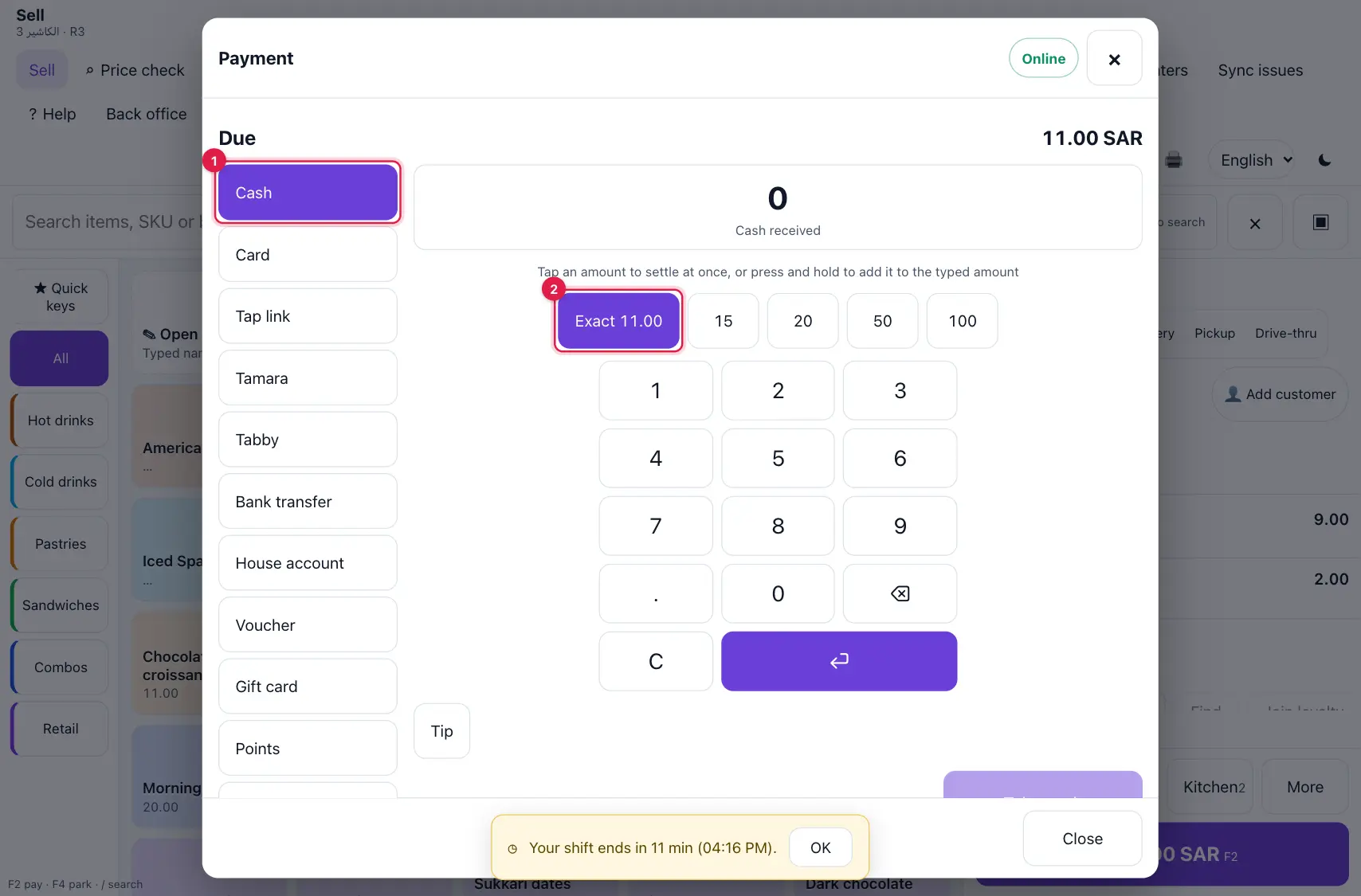
1 Cash. 2 The exact amount. -
6
Give the change and the receipt
The screen shows the change due and the receipt number. The receipt prints by itself when a printer is set up. For another one click Print copy. Then click New sale.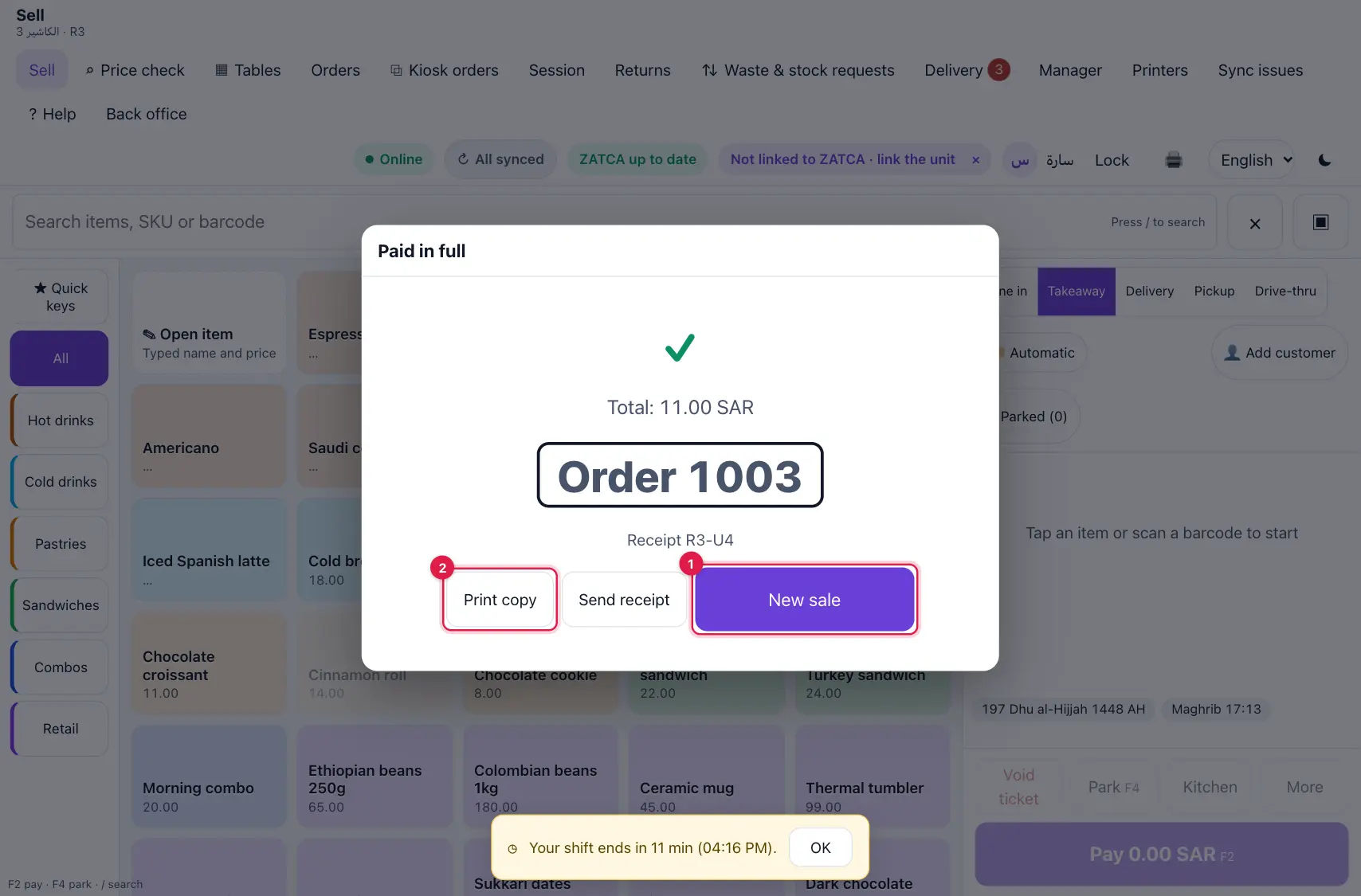
-
7
See the sale in the back office
After the sync, open Operations → Receipts in the back office and you will find the receipt in the list.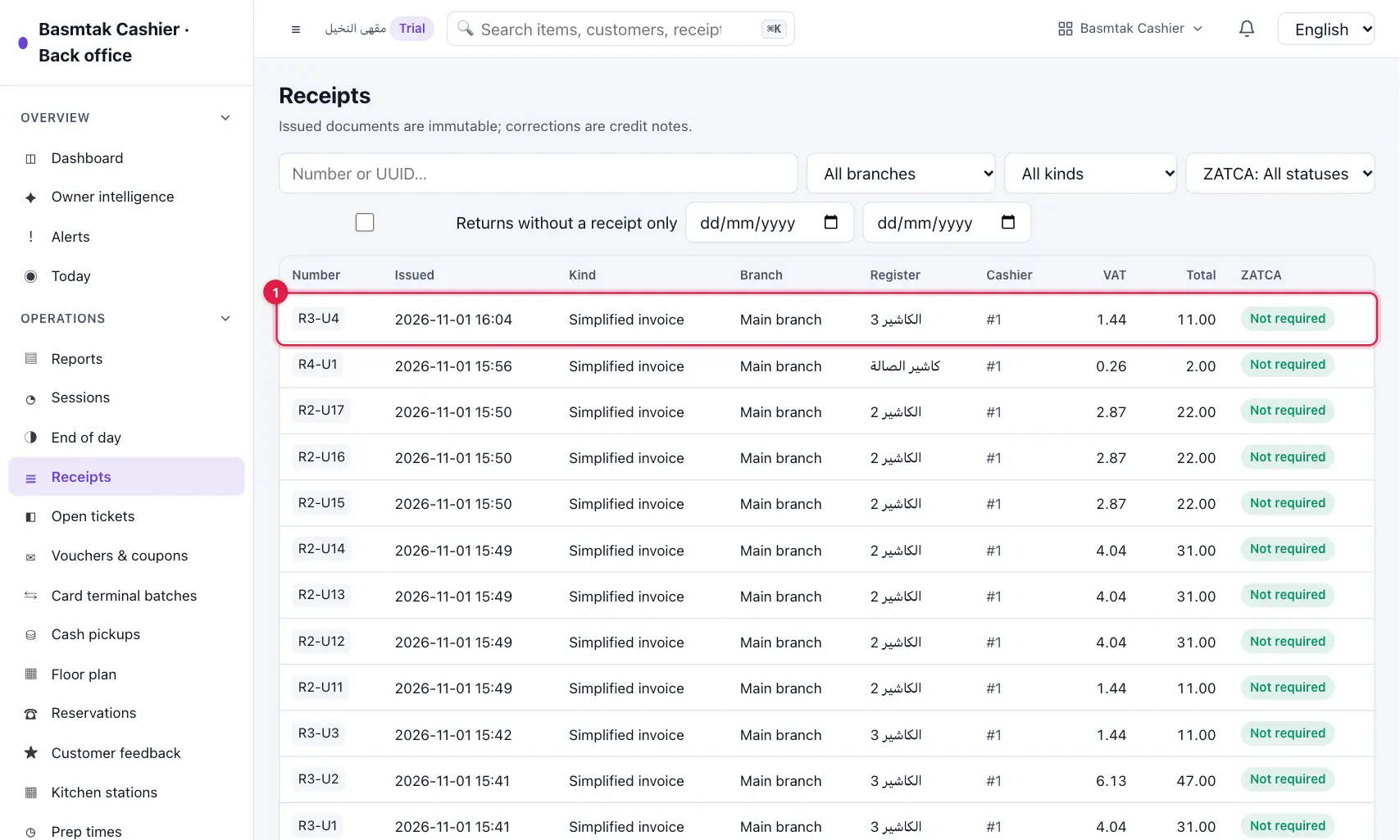
क्या इस गाइड से मदद मिली?