जानने योग्य: The items that go in the combo must already be in your catalogue.
-
1
Create an item of kind combo
From Catalogue → Items press + New item. In Kind choose Combo, then type the name and the Price with VAT included. A new tab called Combo slots appears.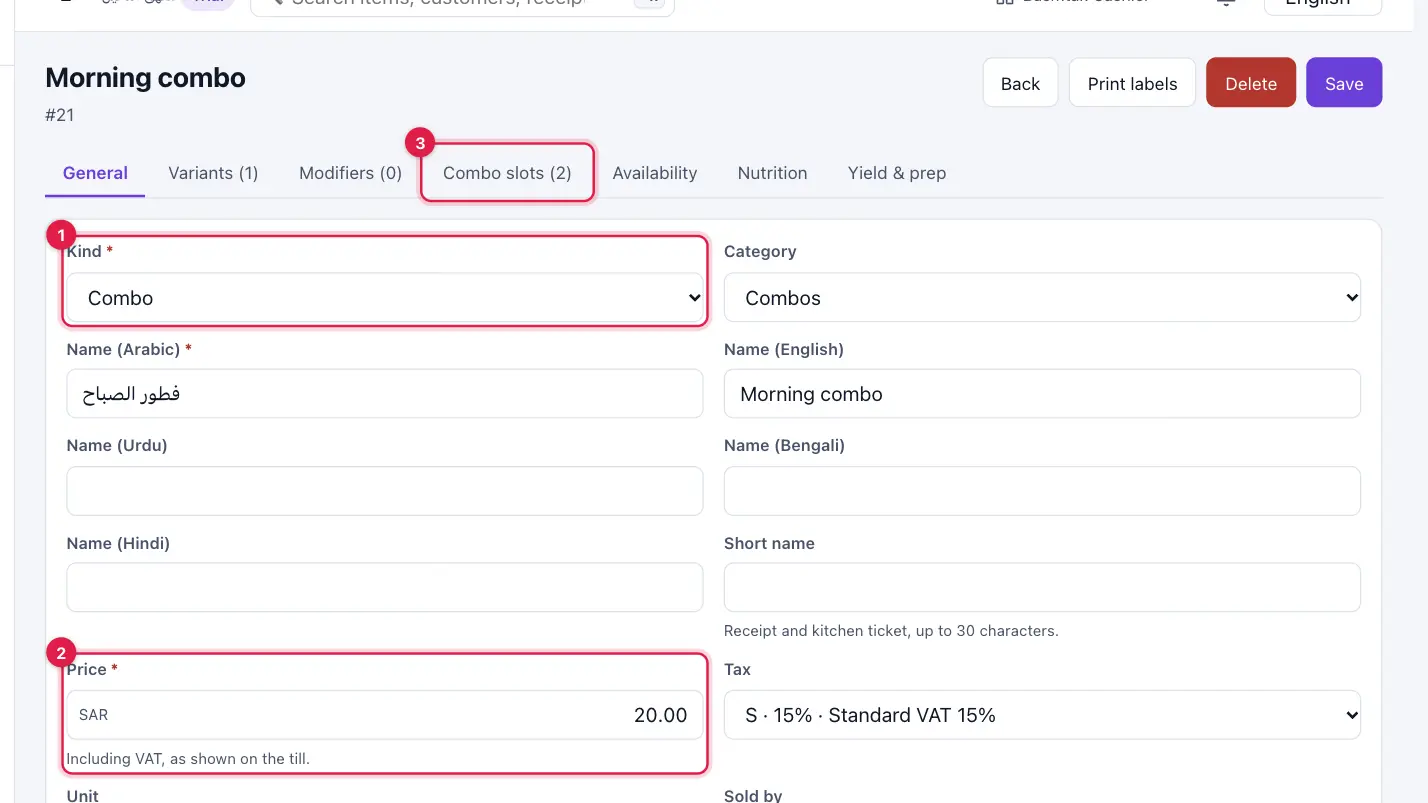
1: Kind. 2: Combo price. 3: The Combo slots tab. -
2
Add the slots
Open Combo slots and press + Add slot. A slot is what the customer chooses from, such as the drink. Type its name, then the Minimum and Maximum number of choices. Both are usually 1.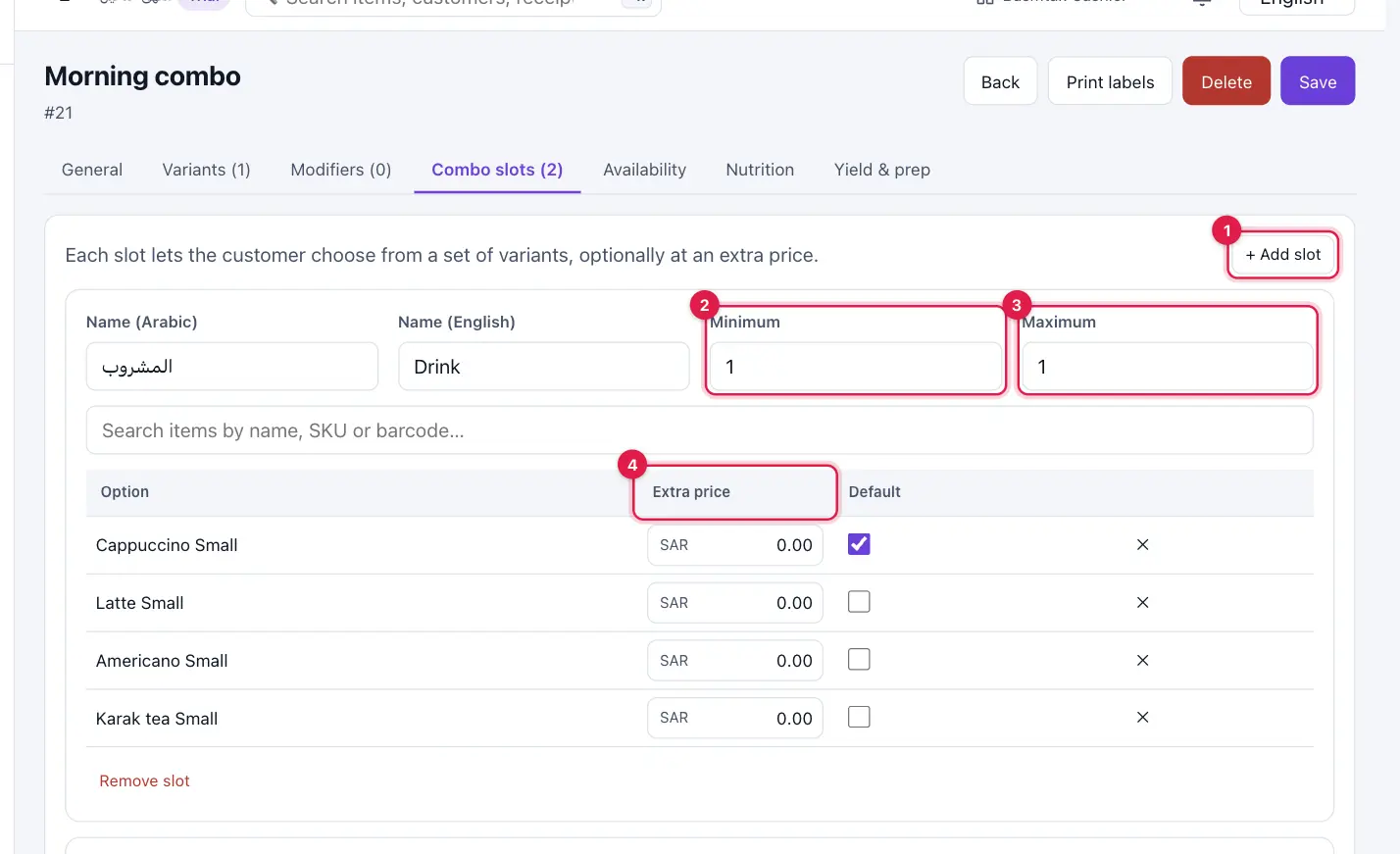
1: Add a slot. 2: Minimum. 3: Maximum. 4: Extra price. -
3
Add options to each slot
Use the search box inside the slot to find each item offered there, and press it to add it. Type an Extra price for a more expensive option, or leave 0 if it is included. Tick Default for the most popular option. Then press Save.जानने योग्य: Raw materials are never sold, so they cannot be combo options. -
4
Try it on the till
Tap the combo on the sell screen and the Build window opens with its name. The cashier chooses from each slot, and the total changes with any extra price.
The build window on the till. सावधानी: Combos are not published to delivery app menus automatically, because each platform defines them its own way.
क्या इस गाइड से मदद मिली?