जानने योग्य: Adding a new customer on the till needs an internet connection.
-
1
Search on the till
On the Sell screen press Add customer. Type the phone, name or VAT number, then press the customer's name in the results to add them to the order.
1 the search box, 2 the <b>New customer</b> button. जानने योग्य: A name search covers the customers saved on that device. A full mobile or VAT number is also looked up on the server when the till is online. -
2
Add a new customer
If they are not found press New customer. Type the Name and Mobile. VAT number and Email are optional.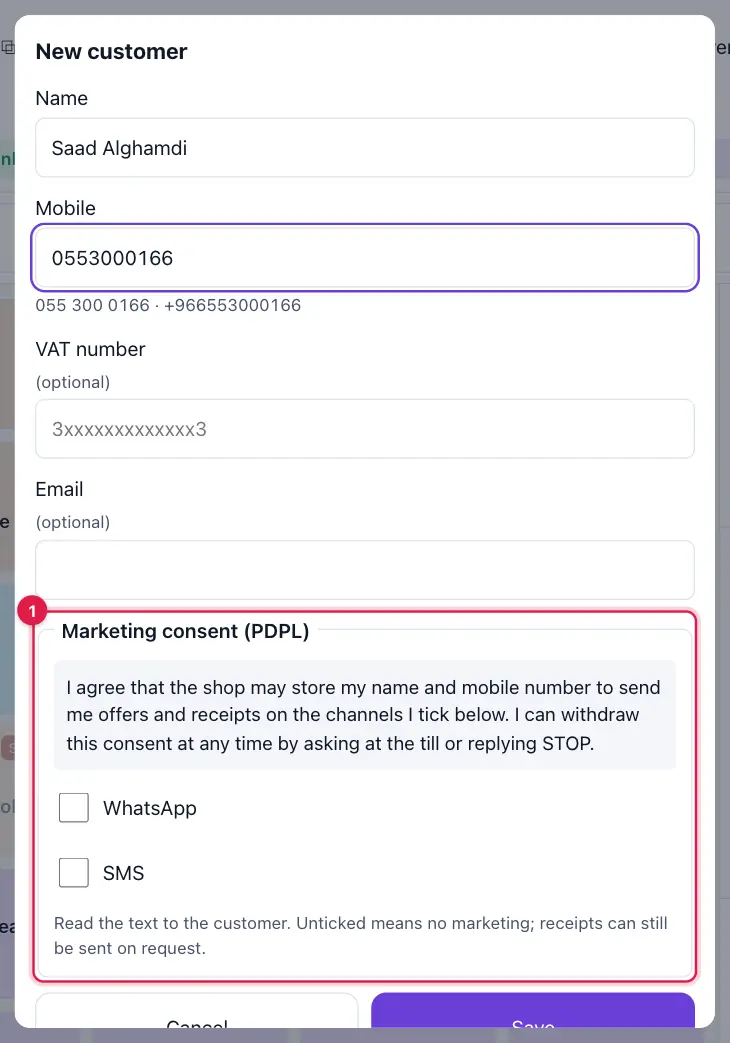
Read the marketing consent text to the customer. -
3
Record their consent
Read the consent text to the customer and tick WhatsApp or SMS only if they agree. Leaving both unticked means no marketing. Press Save and the customer joins the order.सावधानी: Never tick consent without the customer's permission. It can be changed later with Change consent on their record. -
4
See the customer on the order
The customer's name appears on the order. Press it to open their card: account balance, points and last purchases. Repeat order adds their last order again at today's prices.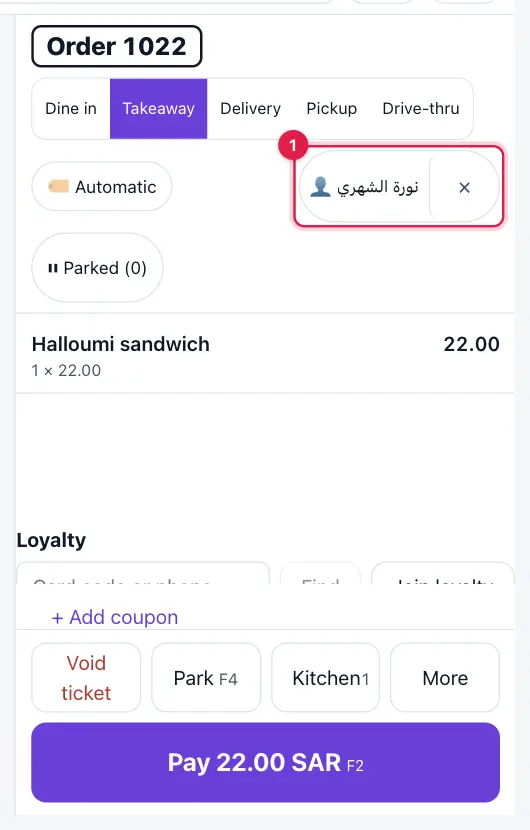
-
5
Manage customers in the back office
Open Customers & import → Customers. The table shows a partly hidden phone, consent and the house-account balance. Press + New to add a customer, or Edit to change one.
1 new customer, 2 the statement. सुझाव: For a business, enter the VAT number, then choose Tax invoice (B2B) on the order.
क्या इस गाइड से मदद मिली?