On the Developers screen you issue a key for each app that connects to your account, so it can read sales, stock and the catalogue, send orders to the till, or receive a signed webhook on each event. The full documentation is public on the developers page. There is no ready Zapier or Make app yet, but a developer can connect them with webhooks.
शुरू करने से पहले
- A plan that includes the API. See the pricing page.
- An owner or a manager.
- A developer, or an app that supports this kind of link.
-
1
Open the Developers screen
Open Settings → Developers. You will see the base URL and the documentation link. Press New API client. A client is one app that connects to your account.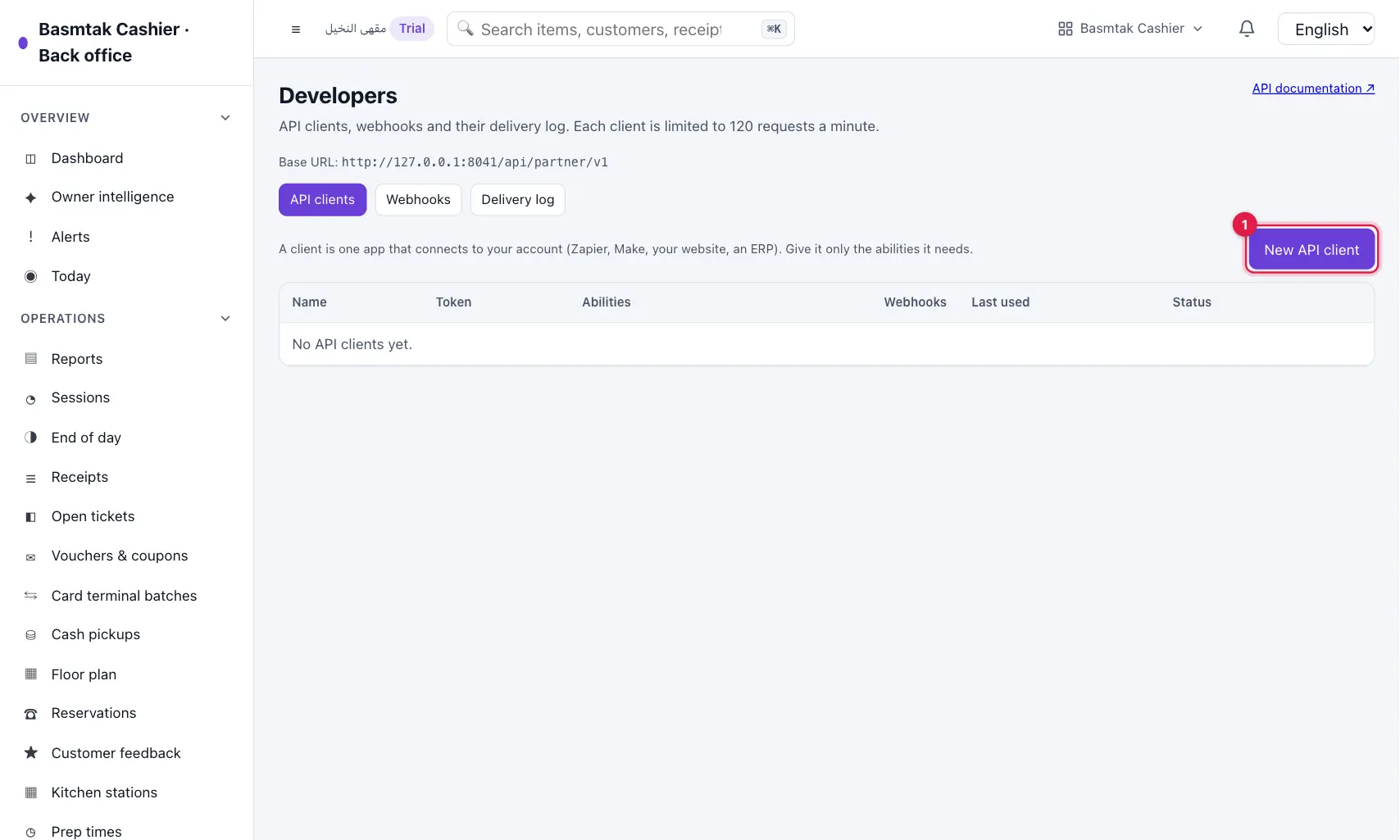
-
2
Choose a name and abilities
Type the app's name, give it only the abilities it needs, then press Save.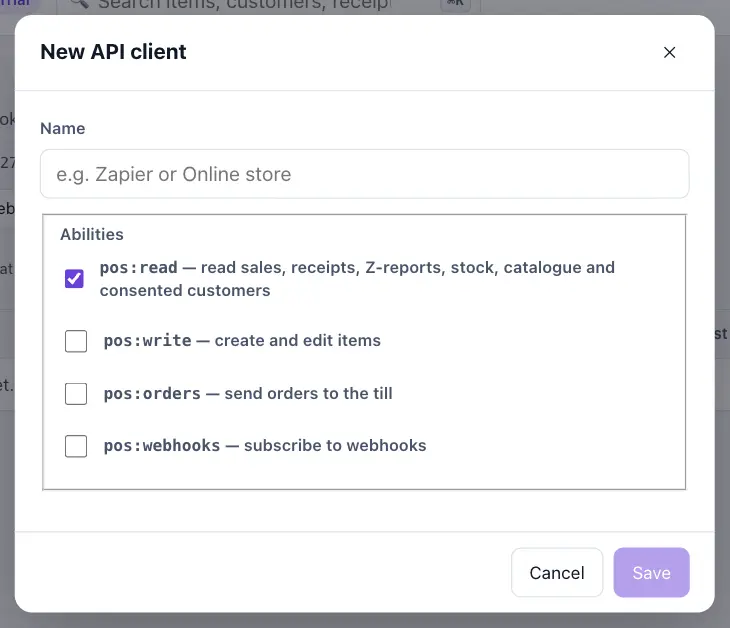
-
3
Copy the token
The token is shown once only. Copy it and press I have saved it. If it is lost, press New token, and the old one stops at once. -
4
Test the connection
Send a request to the check address. The answer gives your account name and the client's abilities.bashcurl -H "Authorization: Bearer bmc_YOUR_TOKEN" \ -H "Accept-Language: ar" \ https://cashier.basmtak.com/api/partner/v1/ping -
5
Add a webhook
Open the Webhooks tab and press New webhook. Enter a public https URL and choose the events, then press Save. The signing secret is shown once. Try it with Send test.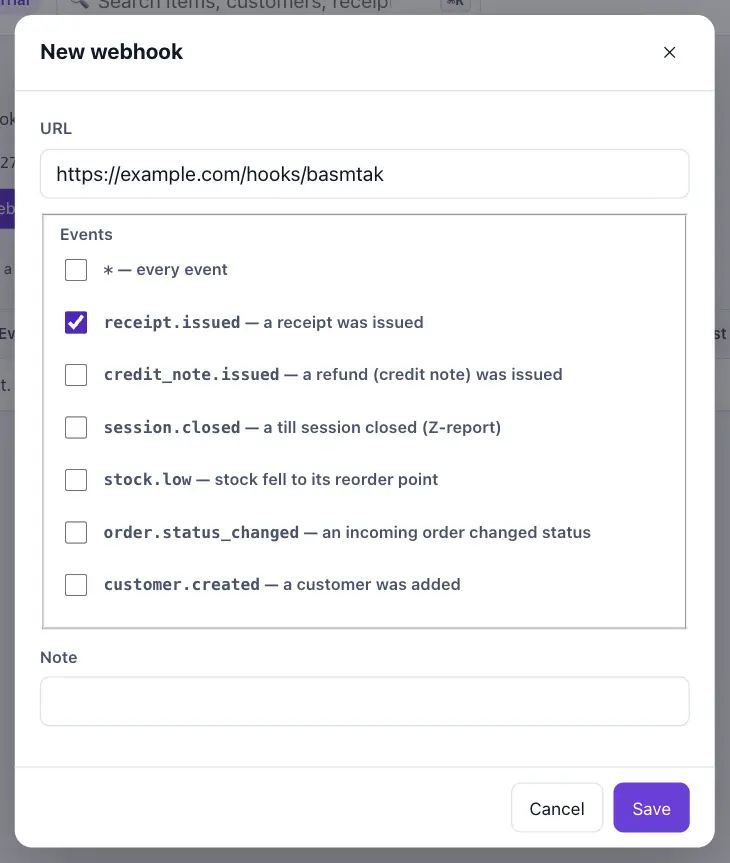
-
6
Check the signature
Every delivery is signed in theX-Basmtak-Signatureheader. Compute the signature with your secret, and refuse a delivery that does not match or is more than 5 minutes old.textcanonical = timestamp + "\n" + "POST" + "\n" + path + "\n" + sha256_hex(body) X-Basmtak-Signature: sha256=<hex HMAC-SHA256(YOUR_WEBHOOK_SECRET, canonical)> X-Basmtak-Timestamp: <unix seconds> -
7
Follow the log
The Delivery log tab shows each delivery and its result. Delivery is tried up to 10 times with growing delays, and 20 failures in a row switch the webhook off. You can press Retry by hand.
सिस्टम के बीच क्या जाता है
| क्या | दिशा | विवरण |
|---|---|---|
| Sales, stock and catalogue | कैशियर में | Read with the <code>pos:read</code> ability. |
| Items | कैशियर से | Create and edit with the <code>pos:write</code> ability. |
| Orders | कैशियर से | They reach <b>Incoming orders</b> with the <code>pos:orders</code> ability. |
| Events | कैशियर में | Receipt, credit note, shift closed, low stock, order status change, new customer. |
सामान्य प्रश्न
How many requests a minute?
120 requests a minute for each API client.
Is there a ready Zapier or Make app?
Not yet. A developer can connect them with the token and webhooks.
How do I stop an app at once?
Press Revoke on its client, and its token and webhooks stop. This works even if your plan has ended.