-
1
Open Returns
Press Returns in the till's top bar. A shift must be open. If it is not, a button offers to open one.
-
2
Find the receipt
Type the receipt number, such as R1-418, then Find. Or press Scan QR and point the camera at the code on the receipt, or tap it under Recent receipts on this till. You can also start from Orders, using the Return button in the order details.
1 Receipt number. 2 Find. 3 Scan QR. 4 Recent receipts. জেনে রাখুন: If the receipt is not on this till and there is no internet, it cannot be found. Try again when the connection is back. -
3
Choose what the customer returns
Choose the Reason. Then press + next to each returned item to set the quantity, or use Return everything. The Refundable column shows what is left, so you cannot return more than was sold. The amount shows in Refund total. Press Next.
1 Reason. 2 Quantity returned. 3 Return everything. 4 Exchange. 5 Next. -
4
Check how the money goes back
The screen proposes the original payment method: cash from the drawer, a card on the card terminal. If the sale was paid more than one way, the amount is split across them, and you can change the split if the customer agrees. Allocated must equal the Refund total.
1 Refund as store credit. 2 The amount for each method. 3 Issue credit note. -
5
If a manager's approval is asked for
The Manager approval section appears if you do not have the refund permission, the return window is over, or the amount is above the limit in the return policy. A manager or supervisor types their PIN and presses Approve. For large amounts the request may also reach the owner's phone.
-
6
Issue the credit note
Press Issue credit note. The drawer opens for a cash refund, or a linked card terminal asks for the card. Credit note issued appears and it goes to the printer. Press Another return or Back to selling.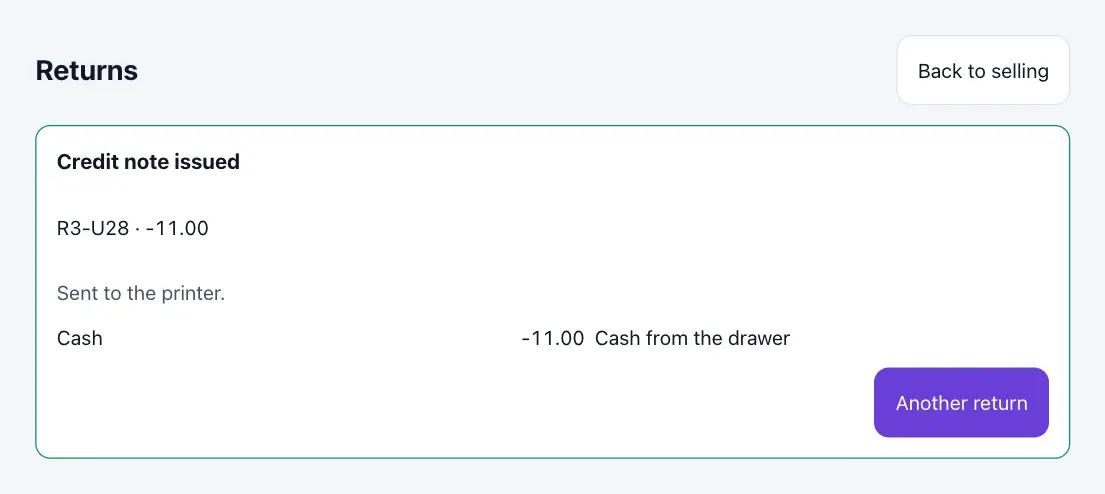
-
7
Know what happens next
The original receipt never changes. A new document corrects it, and the stock of tracked items goes back to the branch by itself.
এই গাইড কি সাহায্য করেছে?