-
1
To discount one item
Tap the line on the ticket, then Line discount. The button is off for age-restricted items and does not show for charges or combos. -
2
To discount the whole ticket
Press Ticket discount under the totals. It does not count age-restricted items or charges such as service and delivery.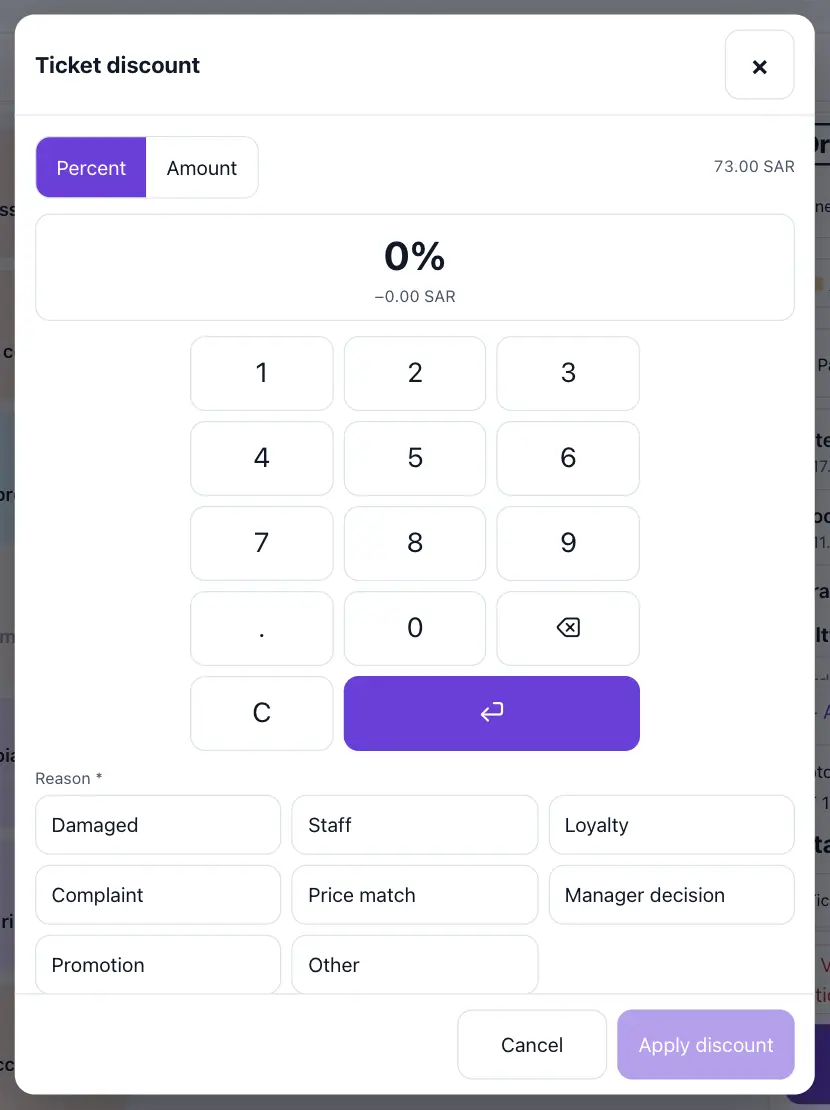
-
3
Enter the discount
Choose Percent or Amount, then type the value on the keypad. The screen shows how much comes off in riyals. Then pick the Reason and press Apply discount.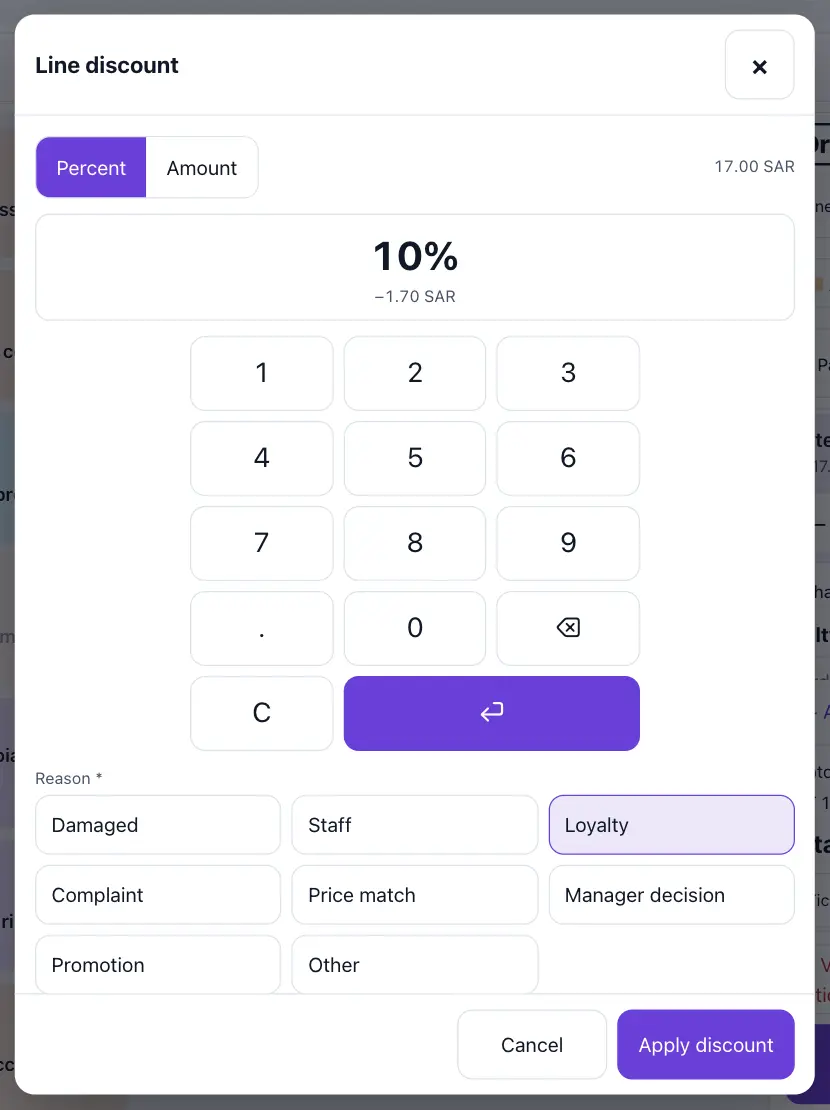 জেনে রাখুন: The reason shows in the discount reports, so pick the right one rather than always Other.
-
4
If you go over your limit
Every cashier has a maximum discount. Above it, a red line shows your limit in percent. When you press Apply discount, the Manager approval window opens. A manager or supervisor types their PIN and presses Approve. An amount is measured as a percent too, so the limit applies to it. জেনে রাখুন: For large amounts the request may also reach the owner's phone. Whichever approves first is enough.
-
5
Enter the manager's PIN
The manager types the PIN on the screen personally. Do not ask for it so you can type it. The approval is recorded in the manager's name.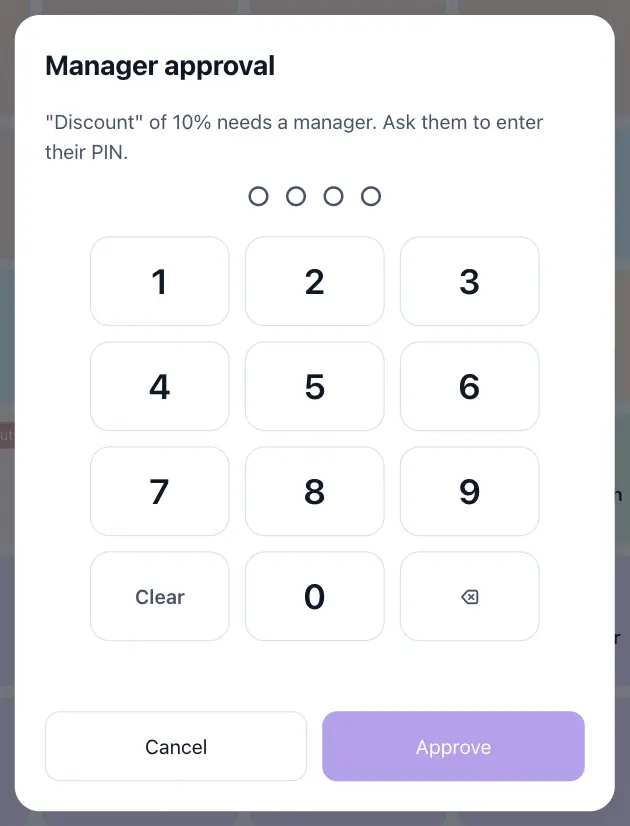
-
6
Change or remove the discount
Open the same discount window. Each line has one manual discount, so a new value replaces the old one. To cancel it press Remove discount. The discount shows in the totals below Before discount (incl. VAT).পরামর্শ: Active promotions apply by themselves and their name shows under the line, so no manual discount is needed. -
7
Set each cashier's discount limit
For owners and managers: in the back office open Organisation → Cashiers, edit the cashier and set Max discount. A manager holds every permission, so the limit does not apply to them.
এই গাইড কি সাহায্য করেছে?