-
1
Tap the order type
At the top of the ticket you find the types: Dine in, Takeaway, Delivery, Pickup and Drive-thru. Tap the right one and it is highlighted. The till remembers the last type for the next ticket.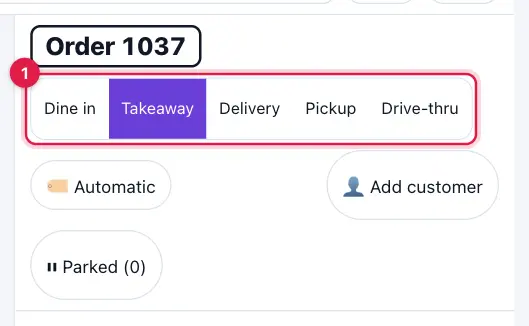
-
2
For delivery, choose the channel
When you choose Delivery, the channels linked to the branch appear: your own drivers and the delivery apps. Choose the channel so the ticket is recorded on it with the right way of paying.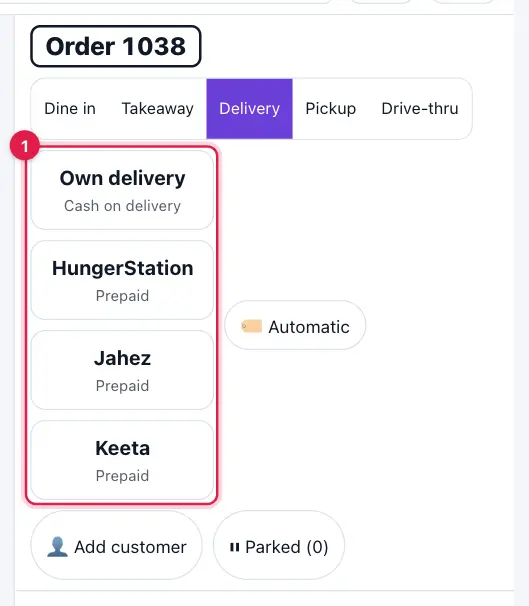
-
3
Add details from More
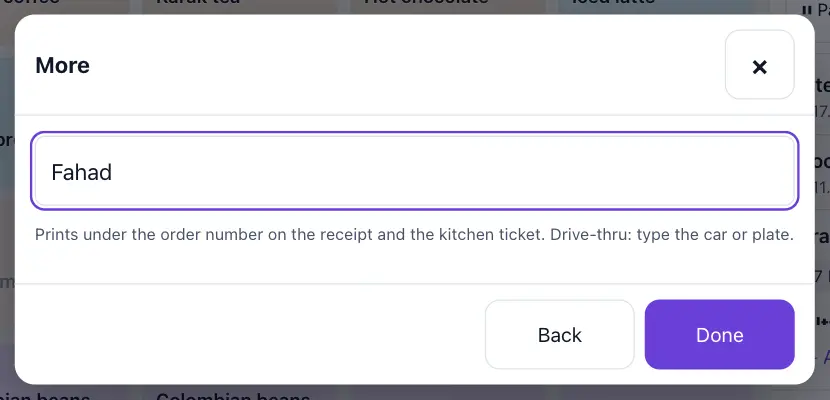
Press More for the details of each type:- Drive-thru: type the car's colour or plate in Call name.
- Pickup: set the Pickup time.
- Dine in: use Pick a table and Guests if table service is on.
-
4
Watch the total
The total may change when you change the type. Some charges are linked to a type, such as service or delivery, and are added and removed by themselves. Some promotions work only on certain types. -
5
Choose which types you use
For owners and managers: in the back office open Settings → Business and set Order types. The till shows only the types you choose.
এই গাইড কি সাহায্য করেছে?