জেনে রাখুন: You need an open shift.
-
1
Choose the type of movement
Choose Session from the top menu. Then press Pay in to add cash to the drawer, Pay out to take cash for an expense, or Safe drop to move cash to the shop's safe.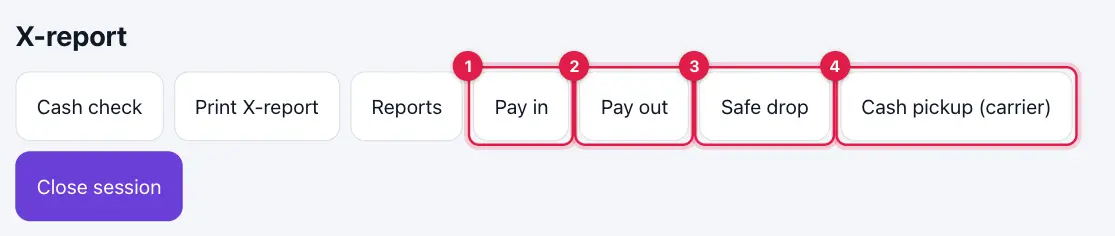
1: pay in. 2: pay out. 3: safe drop. 4: cash pickup. -
2
Enter the amount and reason
Enter the Amount, pick the reason under Category, and add a Note if you like, such as the supplier invoice number. Then press Confirm.
1: the amount. 2: the reason. 3: the <b>Confirm</b> button. জেনে রাখুন: Pay-outs and safe drops need permission. Without it, a manager approves with their PIN. -
3
Attach the supplier receipt on a pay-out
On a Pay out an optional Supplier receipt section shows. You can Photograph the receipt, Scan the QR code from the supplier's invoice, or type the supplier's details. The photo uploads when online. -
4
Safe drops
Use it when too much cash builds up in the drawer. The expected cash goes down by the same amount. If the owner set a Drawer cap, the till reminds you with Time for a safe drop. It never blocks a sale.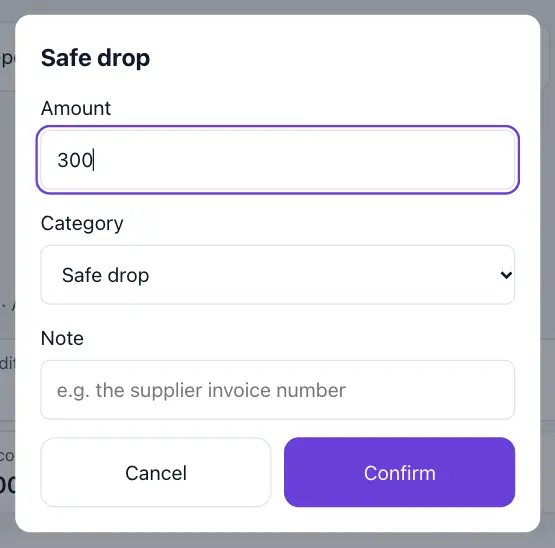
-
5
Review the movements
The shift's movements show under the X-report in Cash movements, and they go onto the Z-report. Managers see the day's expenses under Operations → End of day.
-
6
For managers: edit the reasons
In the back office open Settings → Cash reasons. Reasons sync to the tills. Removing one hides it on the tills, and movements already recorded keep their category.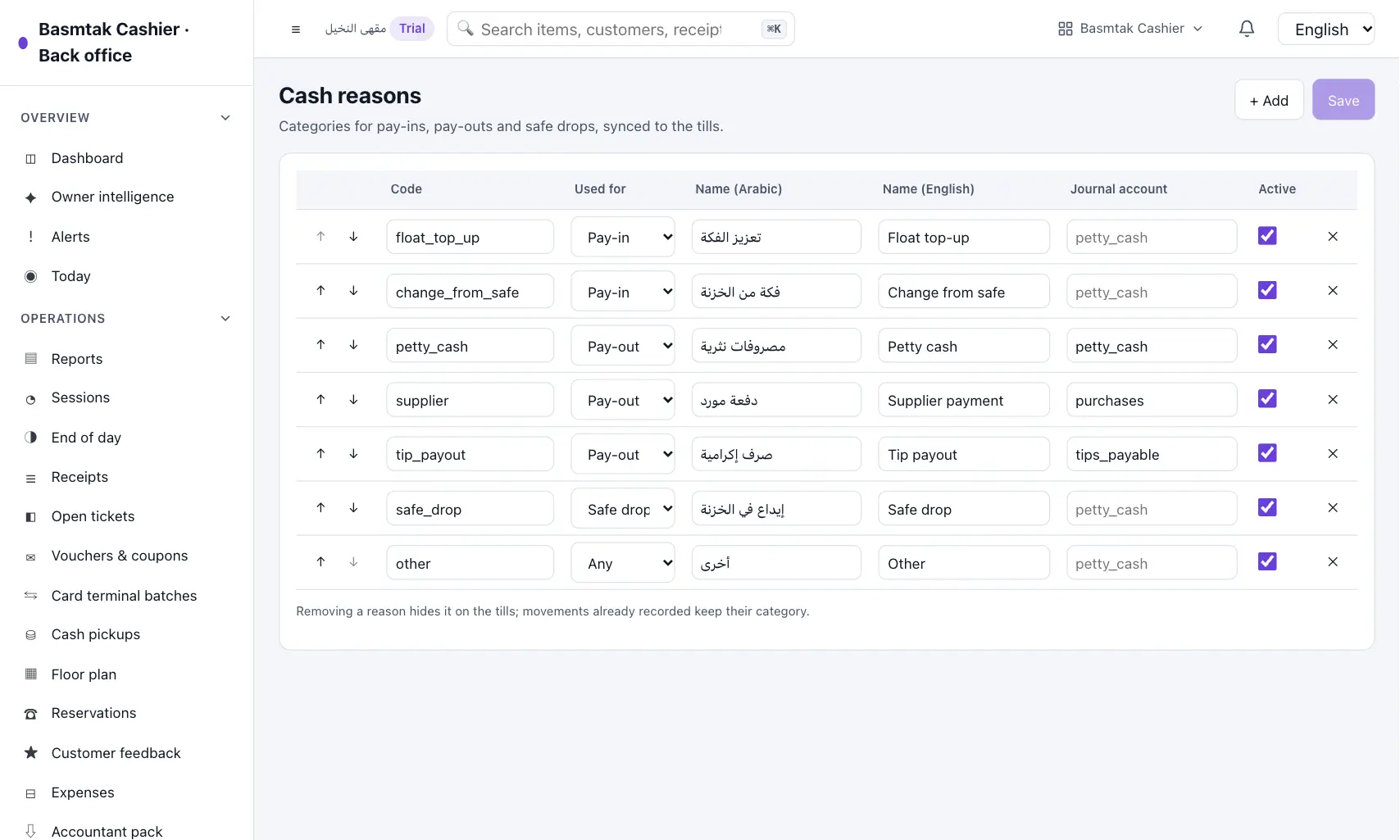
এই গাইড কি সাহায্য করেছে?