-
1
Tap the item
Choose the category, then tap the item button. It goes straight onto the ticket with a quantity of 1. Tap the same item again and its quantity goes up on the same line. -
2
Or search for it
Tap the search box at the top, or press / on the keyboard, then type part of the name or the SKU. Tap the item in the results. If only one item matches, press Enter and it is added.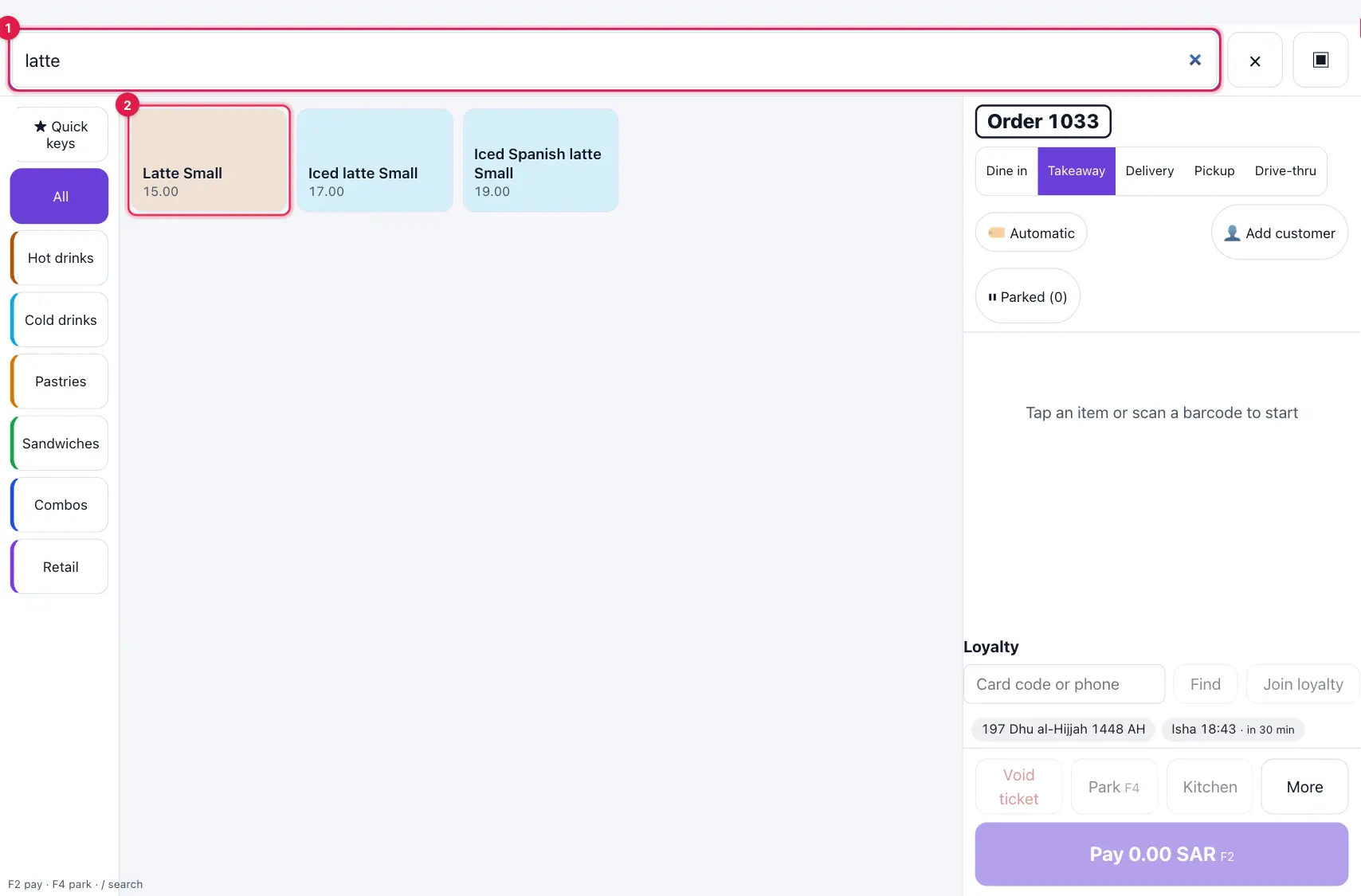
1 The search box. 2 The results: tap an item to add it. -
3
Or scan the barcode
Point the scanner at the item. You do not need to tap anywhere first. The item is added with its default options. If you have no scanner, press the Scan with camera button next to search. You can also type the last digits of the barcode in the search box and press Enter.পরামর্শ: If you see No item with barcode, that number is not on any item. Add it to the item in the back office, or sell it as an open item for now. -
4
Set the quantity before adding
To sell many at once, press the × button next to search, type the quantity, then Done. Then scan or tap the item and it is added with that quantity, once. On a keyboard, type the number, then *. Items sold by weight are not affected.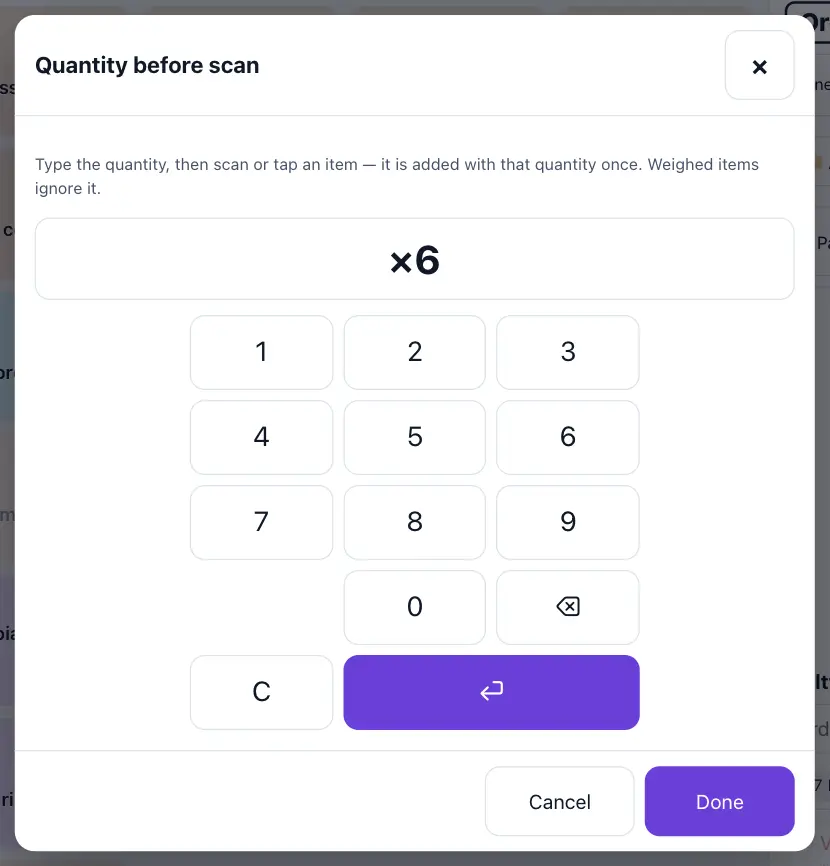
-
5
Items sold by weight
If an item is sold by weight, a window asks for the weight. Type it and confirm. If the barcode came from a scale label with the weight or price in it, scan it and the item is added with the printed weight.
এই গাইড কি সাহায্য করেছে?