If you have a Basmtak HR account, it is your door into Basmtak Cashier: one account, your staff become cashiers, and their till sign-ins reach HR as punches. The Clouds Line team sets this link up, so there are no keys for you to enter. If you have no HR account, Basmtak Cashier works fully on its own.
শুরু করার আগে
- A Basmtak HR account that includes Basmtak Cashier.
- If you signed up to Basmtak Cashier directly, ask support to link your account to HR.
- An owner or a manager to sync staff.
-
1
Sign in from Basmtak HR
Sign in to Basmtak HR, then switch to Cashier from the products menu. The first time, a Cashier account is made for your business, its details and branches are taken from HR, and the trial starts if you have no plan. After that the link is only a door: nothing overwrites the business details you edited. -
2
Check the link
Open Compliance → Integrations → Basmtak HR. You will see Linked. Then press Test connection. The HR address and its signing secret are set by Clouds Line, not on this screen.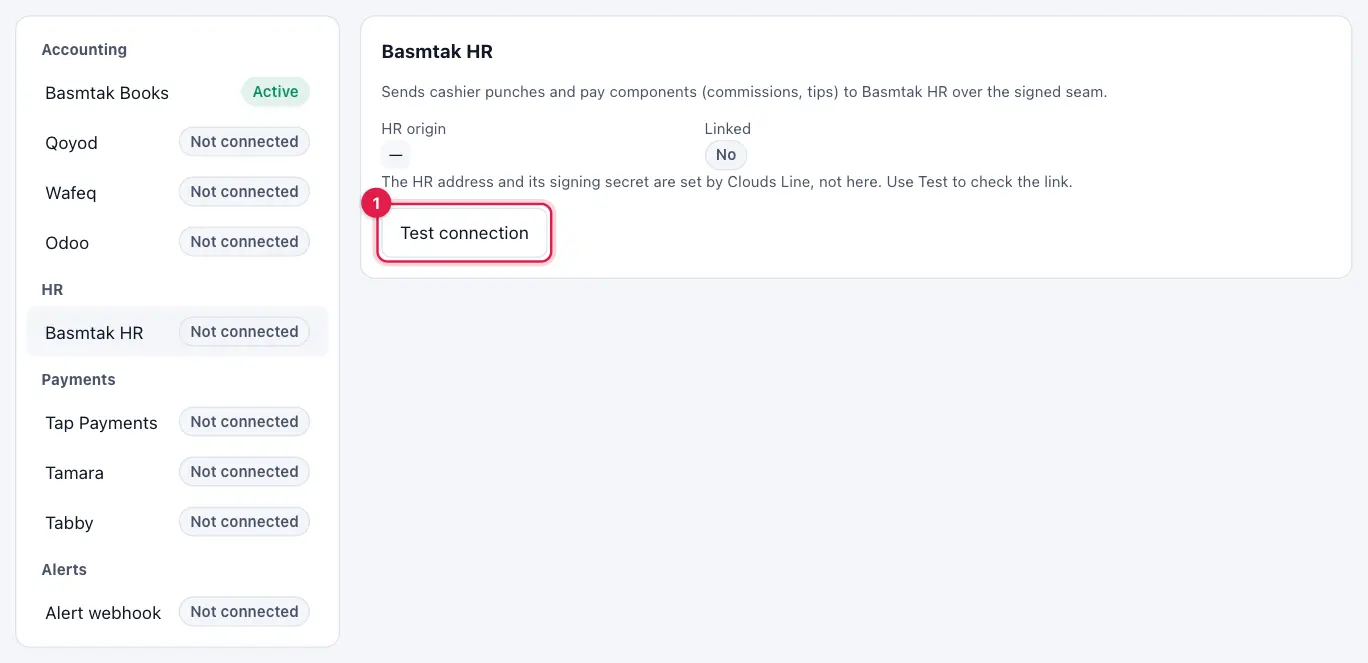
-
3
Bring your staff to the till
Open Staff & commissions → Staff from HR & badges and press Sync from HR. The result shows: New, Linked, Updated, Deactivated. Someone already there under the same name is linked, not duplicated, and a leaver is deactivated, never deleted. A new cashier has no PIN, so set one in Cashiers or issue a badge from this screen. জেনে রাখুন: The sync runs when you press the button. It does not run by itself.
-
4
Move between products
Choose the product from the button at the top of the back office. If your account is linked to HR, the products open with the same account. If not, you will see Learn more and go to the product's site.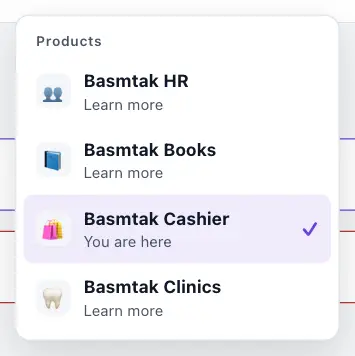
-
5
How your contract is activated
If your agreement is with the Basmtak team, the team activates your plan and its period from their console, and you do not need to enter a card. Open Subscription & billing to check the plan and its date. If it comes with HR, you will see Bundled with Basmtak HR.
সিস্টেমের মধ্যে কী যায়
| কী | দিক | বিস্তারিত |
|---|---|---|
| Staff | ক্যাশিয়ারে | When you press <b>Sync from HR</b>: created, linked, updated, and leavers deactivated. |
| Punches | ক্যাশিয়ার থেকে | A linked cashier's sign-in and sign-out arrive as attendance punches, with the device and branch. |
| Pay components | ক্যাশিয়ার থেকে | Drawer shortages, tips and commissions arrive when the shift closes. A shortage is only a candidate for deduction: HR decides. |
| Attendance hours | ক্যাশিয়ারে | Optional, for the <b>Sales per labour hour</b> report. Turn on <b>Fetch attendance from HR automatically every hour</b>. |
সাধারণ প্রশ্ন
Do I need an HR account?
No. Basmtak Cashier works alone with its own account. The link is for people who use both.
Does signing in from HR change my business name?
No. Details are taken the first time only. After that your edits stay.
Is a drawer shortage deducted from pay automatically?
No. It arrives as a candidate amount, and HR decides.
A staff member did not appear after the sync. Why?
If you have several branches, the employee's HR location may match none of them, so they are skipped and the reason appears in the result. Only active staff arrive.
Why does a cashier's punch not reach HR?
The cashier must be linked to an employee and the business linked to HR. Without both, the hours stay in Basmtak Cashier only.